Ignited Studios makes the tool and runs the tests. OAKMONT signs the result and keeps the copy.
Shorts rendered in the cloud
The tool films on your PC, where the game is. It uploads the clips, OAKMONT renders the vertical short with music and an end card, and the MP4 comes back to the tool.
Paid in AI minutes, for the time the render takes. A render that fails costs nothing.
The video is kept for 7 days.
AI minute packs in the IgniteTestTool shop
30 AI minutes€9.90
120 AI minutes€34.90
360 AI minutes€89.90
Shorts from the same kit
CASTLEshort-castle.mp4
IgnitePaste builds a castle from one console command while a camera bot films it.
PAPER VS FOLIA VS SPIGOTshort-versus.mp4
25 more bots every 2 minutes on Paper, Folia and Spigot, same PC, TPS read from each server. Only Folia stayed up.
CREEPERshort-creeper.mp4
Two actor bots and a creeper play one storyboard file, and a camera bot films three shots.
Five readings from one day
Every figure below was read off a file IgniteTestTool wrote on 19 November 2026 against a local Paper 1.21.11 server, and each one names that file. None is signed yet: the runs were made without a key.
Where the server breaks
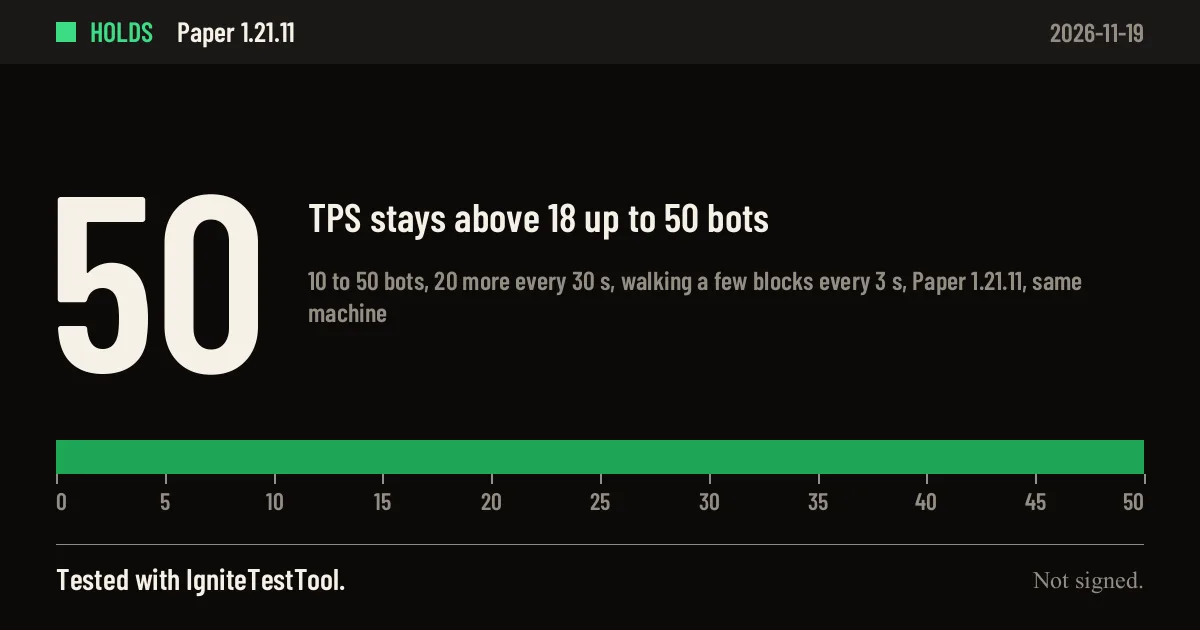
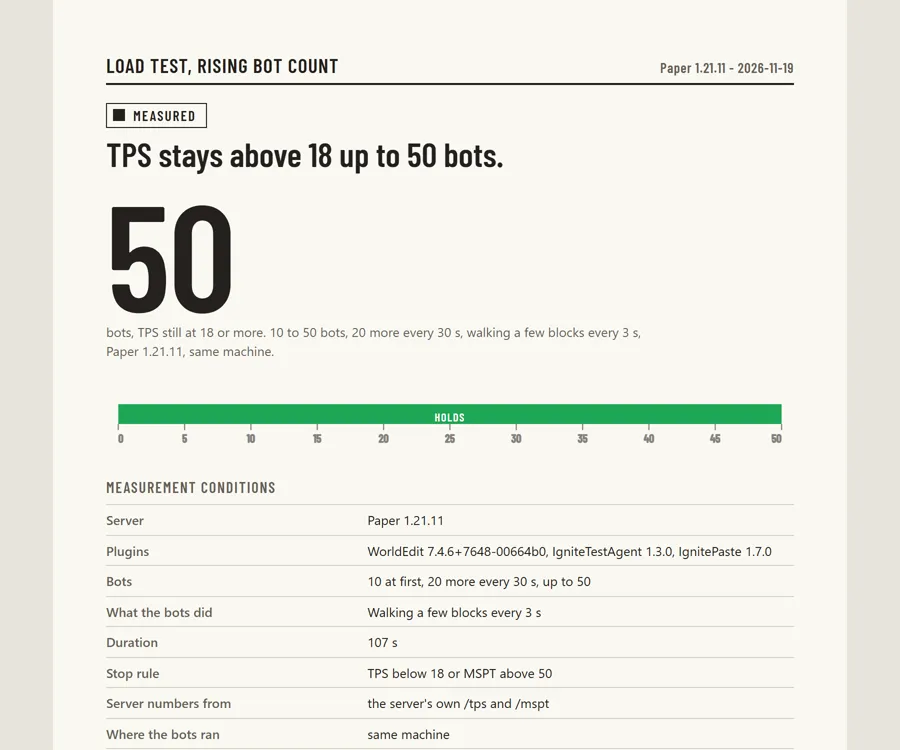
50bots, TPS still at 18 or more
01020304050
Held: TPS 18 or more, MSPT 50 or lessThe test stopped here, not the server
TPS stays above 18 up to 50 bots. The ramp ended before the server slowed down, so the real limit is higher than this test went.
Lowest TPS
18.9
Highest MSPT
38.8
Duration
107 s
Bots
10 at first, 20 more every 30 s, up to 50, walking a few blocks every 3 s
load-2/measurement.jsonmeasured Nov 19, 2026, 12:26 PM UTCreport.json SHA-256 f67ebaa68a409617...
Not checked
Gameplay and plugin features. The bots were only walking a few blocks every 3 s.
Real players. Bots do not render the world, so client-side lag is not in these numbers.
A proxy (BungeeCord or Velocity) in front of the server.
Players joining from other regions. The bots connected from the same machine.
Hours of play. Memory leaks and slow decay need a soak run.
LOAD-2preview.pngHELD
A number per hosting plan
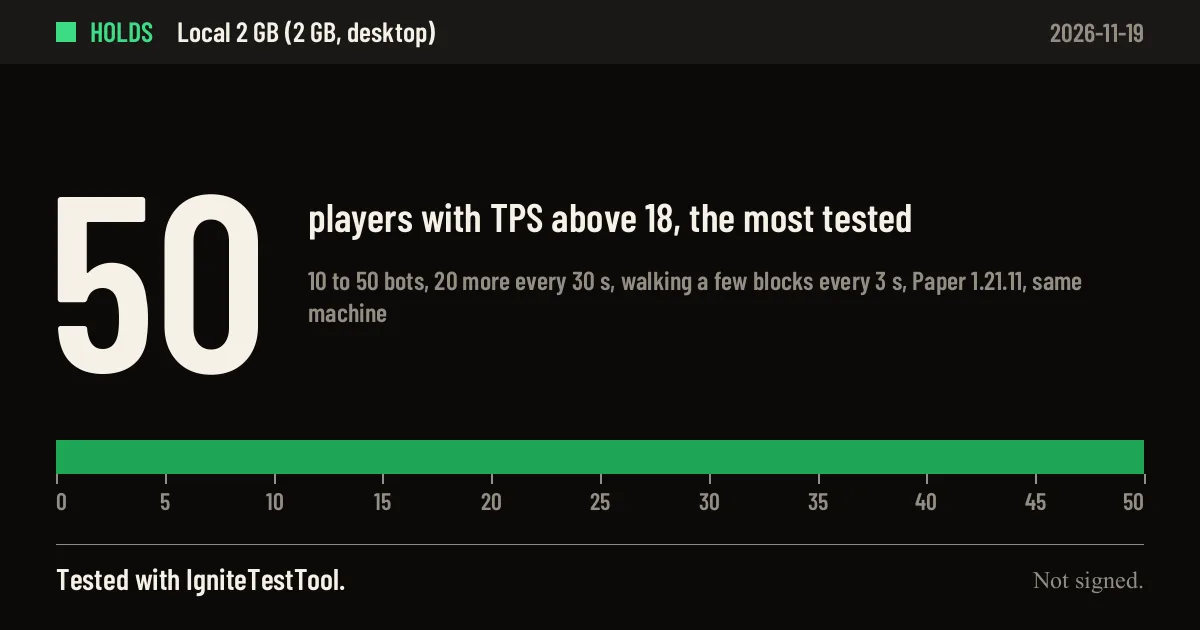
50players on the Local 2 GB plan
A host runs the same ramp on every plan and gets one comparable number each, with a badge it can put in the plan table. This run measured one plan: a 2 GB server on a desktop.
calibrate-1/calibration.jsonmeasured Nov 19, 2026, 12:26 PM UTC
CALIBRATE-1card.pngHELD
Can I update?
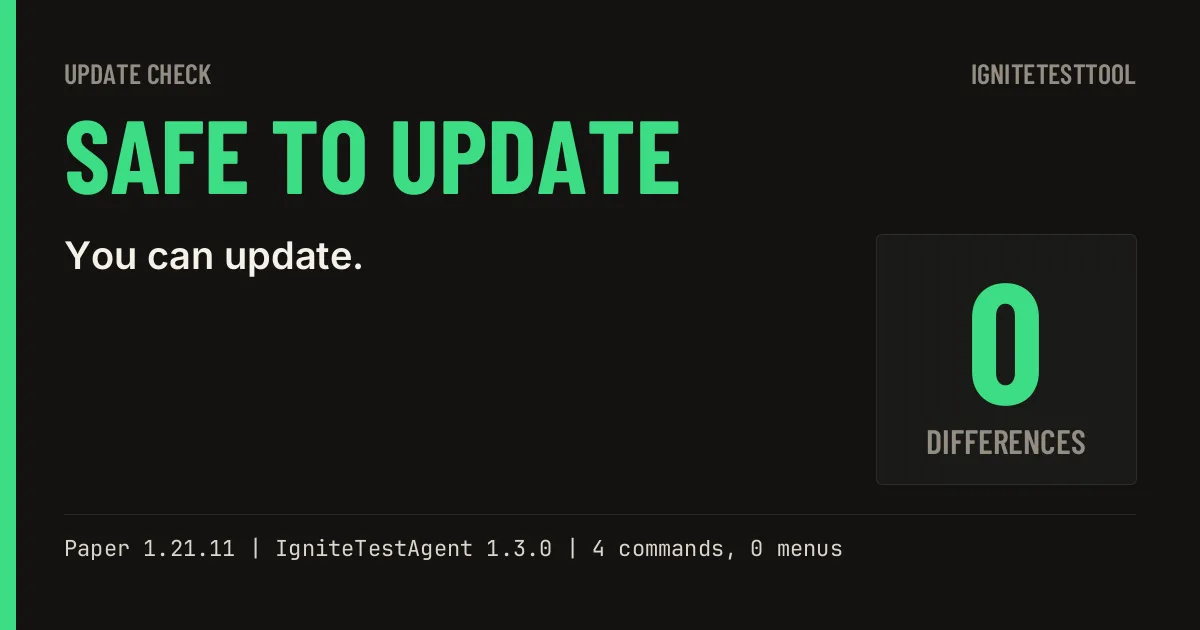
0differences
You can update.
The server is copied twice and one copy gets the new jars. A bot runs the same commands and menus on both, and the answer is one sentence. Here: 4 commands, 0 menus crawled, 95 s.
update-report/measurement.jsonmeasured Nov 19, 2026, 9:16 AM UTCPaper 1.21.11, IgniteTestAgent 1.3.0
Not checked
Gameplay logic, like whether a boss still spawns at midnight.
Menu clicks that look unsafe: buy, sell, confirm, delete.
Menus, because no command opened one on this server.
UPDATE-REPORTcard.pngSAFE
The first minute of a new player
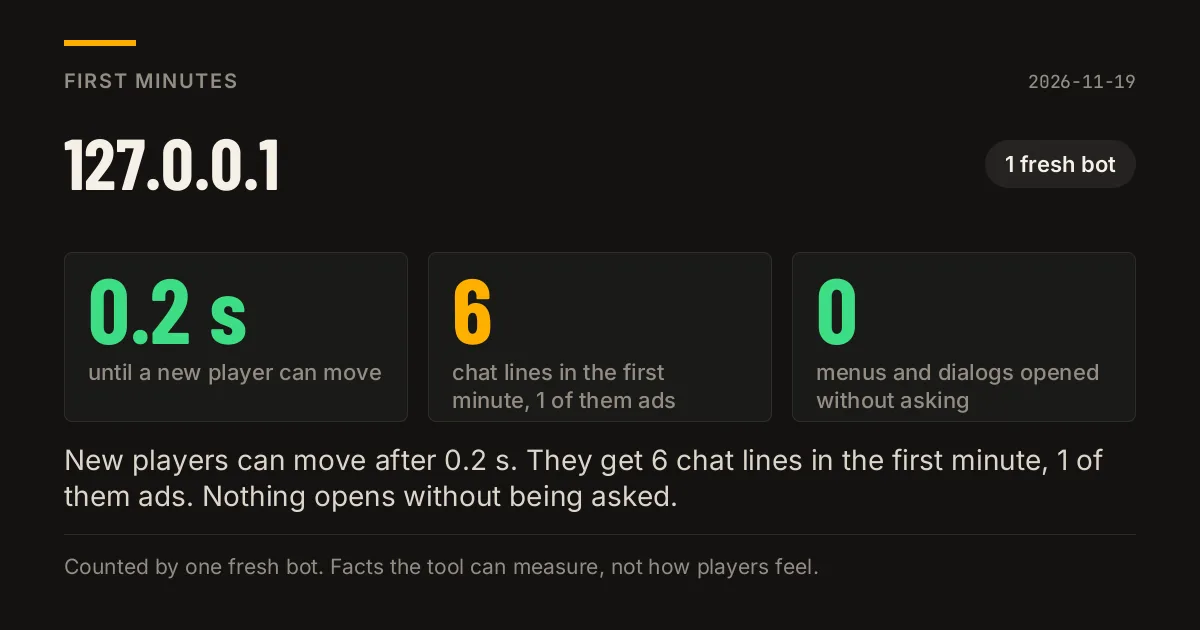
0.2 suntil a new player can move
One fresh bot joins as a player the server has never seen and writes down what happens, in facts, not feelings.
chat lines in the first minute
6
of them an ad
1
menus or dialogs opened without asking
0
dead ends
0
first-minutes-2/measurement.jsonmeasured Nov 19, 2026, 9:26 AM UTC
Not checked
How players feel about it.
Commands that need arguments.
Other servers behind a proxy.
FIRST-MINUTES-2card.png
Which versions it runs on
2/2Paper versions work
Each version gets a clean server with only the plugin and its dependencies. The table says what the server did with it, so it is computed, not declared by the author.
compat-report/compat.jsonmeasured Nov 19, 2026, 9:07 AM UTC
Not checked
Menus, no crawl was asked for.
Other plugins next to it.
Online mode: the bots join offline.
IgniteTestAgent 1.3.0, one clean server per version
Paper
Loads
Errors
Start time
Verdict
1.21.4 #232
yes
0
20.7 s
Works
1.21.11 #132
yes
0
21.5 s
Works
A dupe, found by a bot
The fuzzer clicks through a menu faster than any player and stops when an item count changes. Each find comes with a file that replays the same clicks, so a developer sees it happen.
We have no signed fuzz audit to show yet, so this page shows no fuzz numbers.
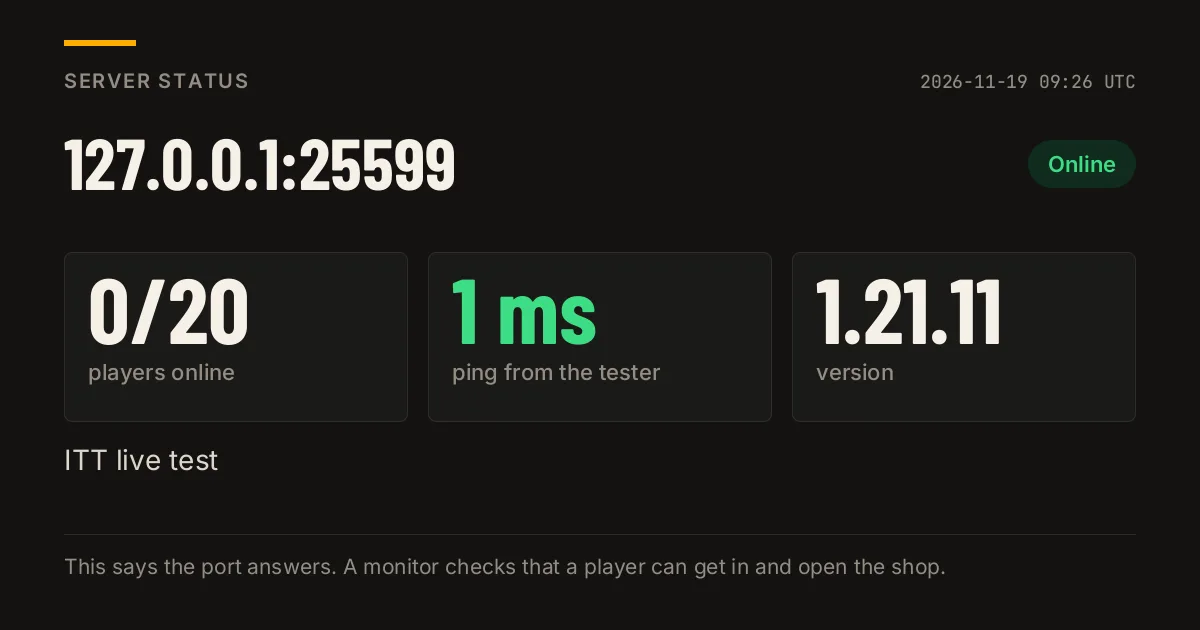
A bot that logs in, not a ping
A port that answers is not a server people can play on. The monitor sends a bot through your scenario: it joins, types the command and checks the menu opened with the right items. When a step fails you get the step and what the bot saw.
Checked on the monitor's schedule, daily or weekly, next to your other monitors.
Alerts go where your other monitors already send them.
The bot needs a Minecraft account your server lets in. One account checks one server at a time.
STATUS CARDcard.png
Scenario drafts from the menu map
After a crawl the tool sends the menu map to OAKMONT and gets YAML scenarios back. Every file is checked before you see it, and the errors go back once for a second try. It is a draft to fix. The files you keep after fixing make the next draft better.
A sentence becomes a /shoot storyboard the same way, checked against the verbs the bots know before they act it out.
Billed in AI minutes. Every account gets 10 a month.
Every run from every machine, in one list
Turn on history upload and each run arrives with its failed steps, from a desktop or a CI job. The team page shows flaky steps, failures by deploy and the last failures.
A step is flaky when it both failed and passed in the window.
Two ready rules: a step that fails 3 times in 7 days, and a pass rate that drops after a deploy.
This is the whole document a load test produces, from the run above. Open it and read what it measured and what it leaves out. A signed copy ends with a verify link and a QR code. This one was made without a key, so it says Not signed.
When the tool signs a run, oakmonttechnologies.com/verify shows the same measurement with its date and expiry, and says whether the copy you hold was changed.
Paste it into a plugin page, a README or a plan table. It is drawn from the signed receipt every time it loads: bone while valid, an amber edge in its last week, grey with the date struck through once the 30 days are up. A click opens the verify page, never a sales page.
Valid
Last 7 days
After 30 days
The code the panel gives you
<a href="https://oakmonttechnologies.com/verify/RECEIPT_ID">
  <img src="https://oakmonttechnologies.com/api/public/itt-badge/RECEIPT_ID.svg"
       width="420" height="56" alt="TPS stays above 18 up to 50 bots, Paper 1.21.11, 2026-11-19">
</a>
The receipt id is filled in for you in the panel, next to each signed measurement.
Who tests, who signs
Tested with IgniteTestTool.
Signed by OAKMONT.
Ignited Studios makes IgniteTestTool and runs the tests. OAKMONT signs the result, keeps the copy and runs the verify page, the monitor, the drafts and the renders.
Both companies have the same owner. A signature proves a report was not changed after it was issued. It is not an independent review.
What the bots do on your server
Load tests and dupe hunts run on a copy of your server, never on the live one.
The monitor bot joins as a normal player and types only what your scenario says.
Nothing is installed on the live server for the monitor.