
OakmontGamer
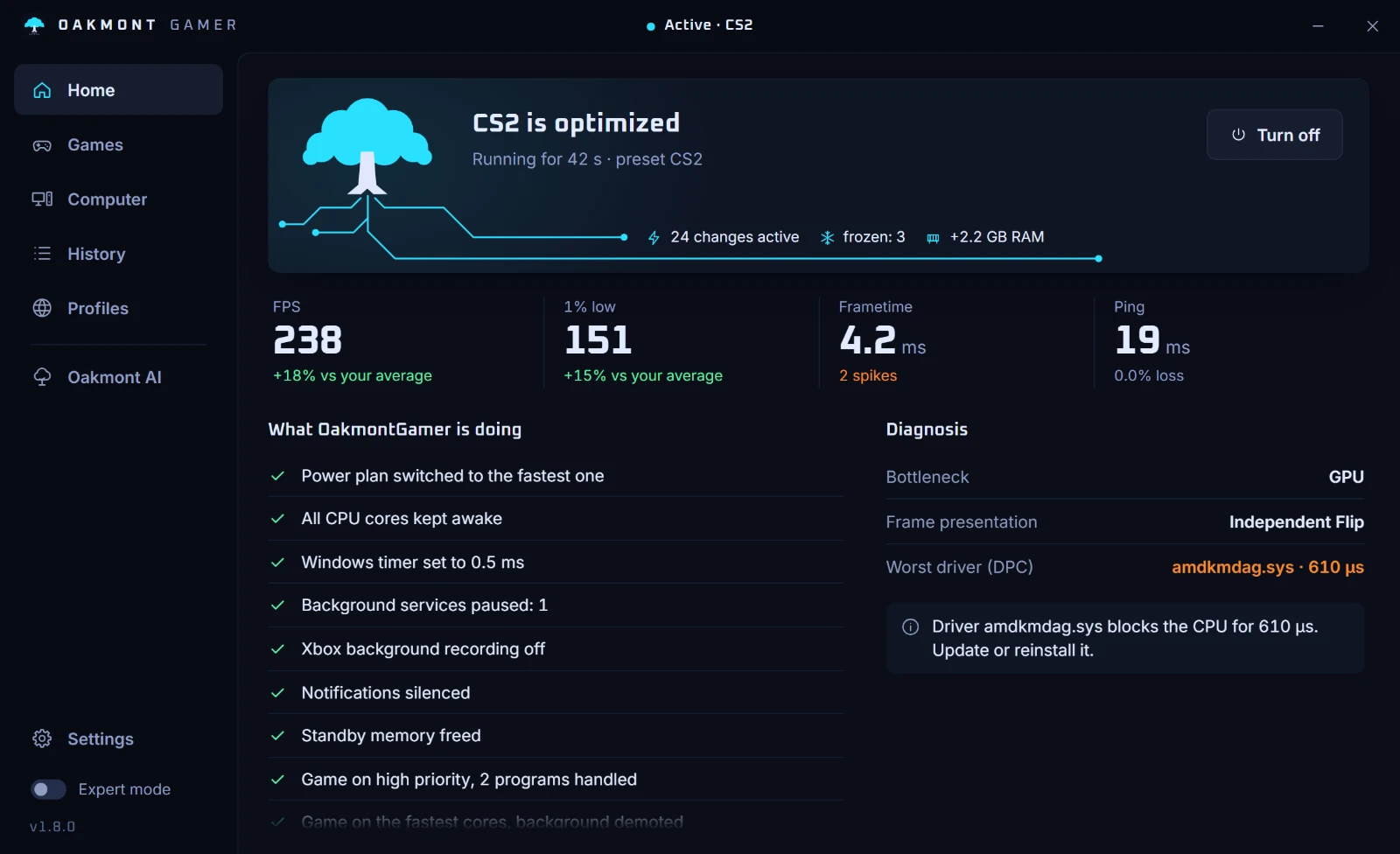
Windows plays for your game while it runs. When the game closes, OakmontGamer puts every change back.
First month price€14.99€29.99
- One-time purchase, no subscription
- Bought here, with an Oakmont account
- Every change undone when the game closes
R1 Game starts
Cyan advances, orange is reverted (the app's test-data example).
R2 In game
F Game closed
- 01Power planStock Windows
- 02Windows timerStock Windows
- 03Background servicesStock Windows
- 04Game Bar and DVRStock Windows
- 05Game priorityStock Windows
- 06Background appsStock WindowsOut
- 07NotificationsStock Windows
- 08Standby memoryStock Windows
Measuring


Restored
Every change undone. After a crash too: the journal puts it back on the next start.
1.8 plays every change as a match
Better measurement first, then new levers, and each lever has to beat stock Windows before it stays.
A verdict comes with its range
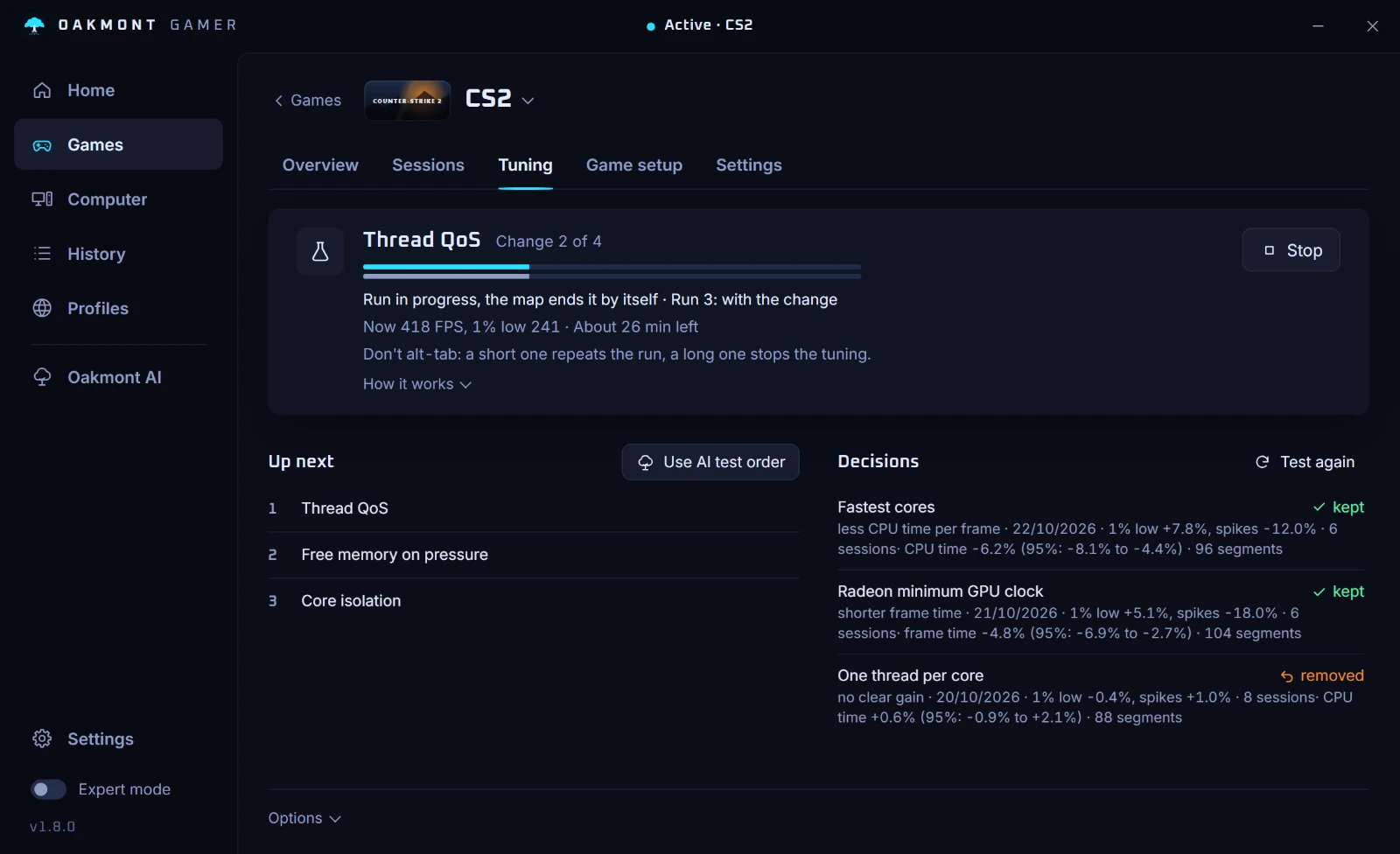
Every session is cut into 30-second stretches, each with the load it ran under: how GPU-bound the frames were, how busy the CPU was, VRAM, the network. A change is compared with and without it only where the load matches, so a quiet menu never beats a busy fight. CPU changes are judged on CPU time per frame, GPU changes on GPU time. Anything that switches live is tested back and forth inside one session. The verdict shows its 95% range: clear of zero, the change stays; across zero, it goes.
Example from the app's demo data, not a benchmark.
Fastest coresKept
CPU time -6.2% 95%: -8.1% to -4.4% 96 stretches
Radeon minimum GPU clockKept
frame time -4.8% 95%: -6.9% to -2.7% 104 stretches
One thread per coreReverted
CPU time +0.6% 95%: -0.9% to +2.1% 88 stretches
DX11, DX12 and Vulkan play it out
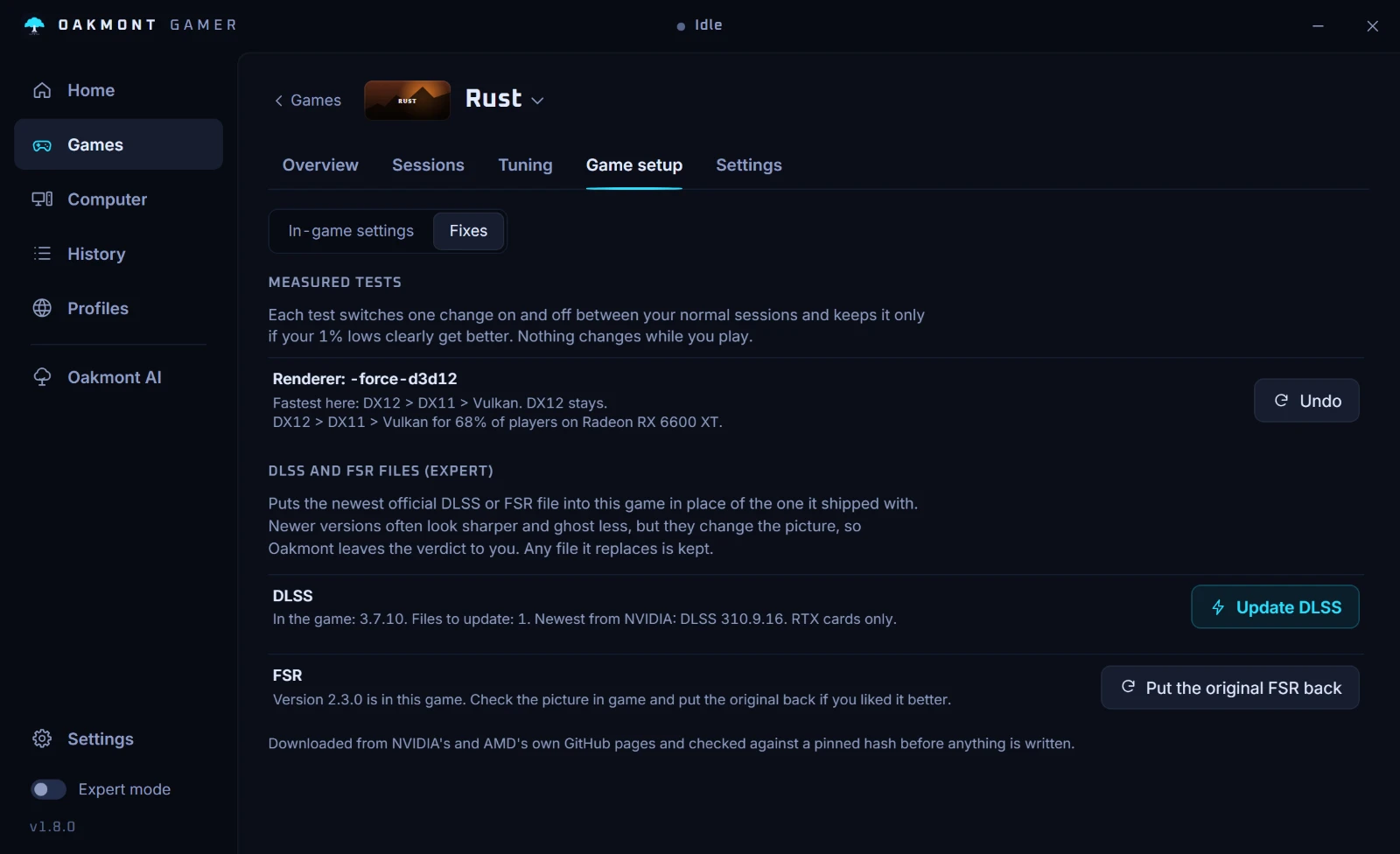
Oakmont reads which graphics APIs the game's own exe links and tests only those, on the benchmark when the game has one and across your sessions when it does not. Renderers go first, because they change the base for everything after them. A session that dies in under a minute drops its flag. The order goes to the cloud by card, so a new player on the same GPU starts from the winner.
- 1DX12stays
- 2DX11second
- 3Vulkanthird
Demo data: Rust on a Radeon RX 6600 XT. DX12 > DX11 > Vulkan for 68% of players on that card.

What each setting costs
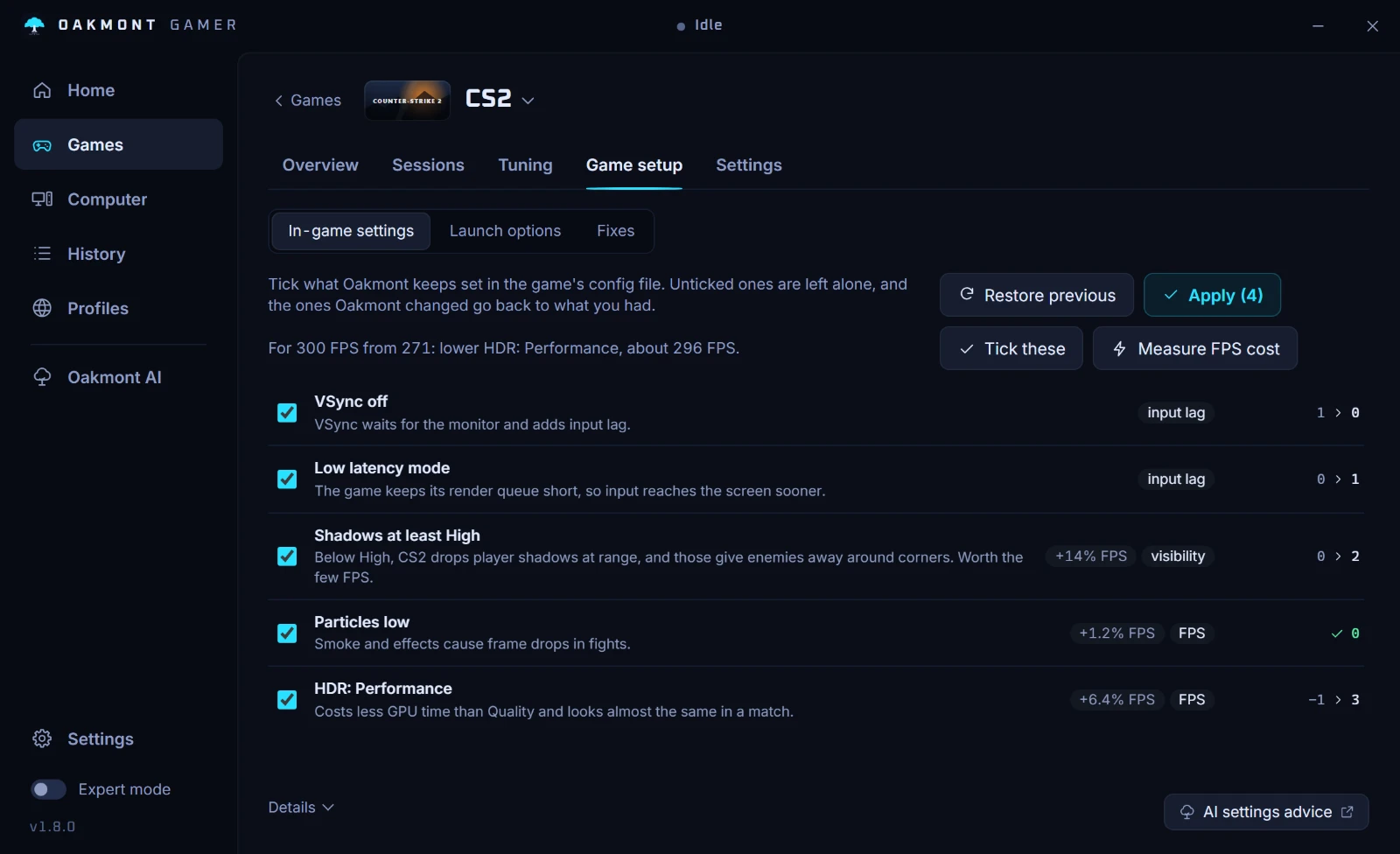
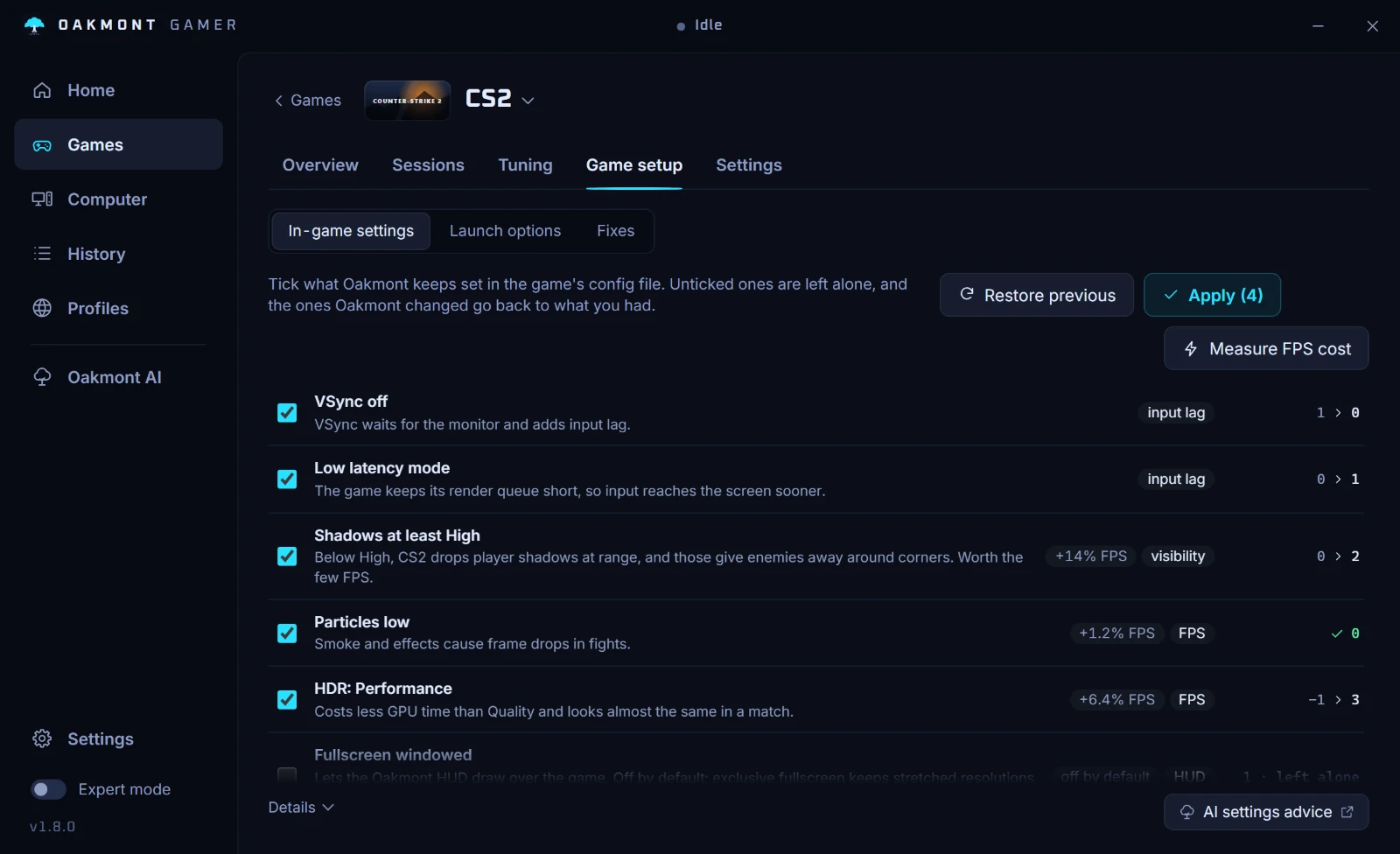
A benchmark series changes one heavy setting at a time and measures what it costs in FPS on your PC. Set the FPS you want, and Oakmont lowers the settings that cost the most and show the least, by the weight each preset gives them. Settings that matter for winning, like shadows in CS2, are marked and left alone.
| Shadows | 14% FPS | |
|---|---|---|
| HDR quality | 6.4% FPS | |
| Particles | 1.2% FPS |
Target 300 FPS from 271: lower HDR to Performance, about 296 FPS.
No benchmark? Stand in one spot
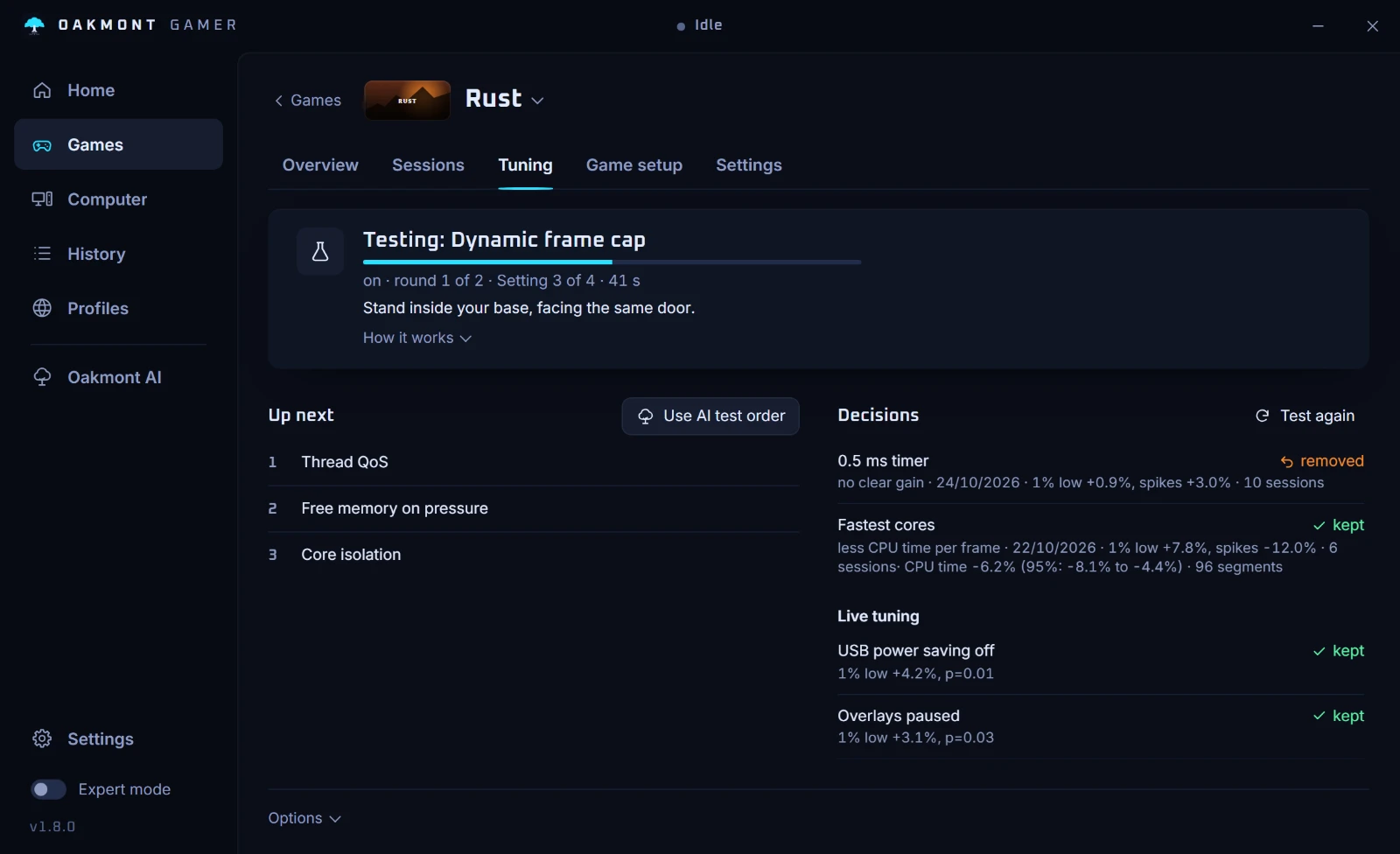
For a game without a benchmark, pick a change and stand somewhere the view does not move: your base in SCUM or Rust, the hideout in Tarkov. Oakmont switches the change every minute for four minutes and keeps it only if it clearly helps. It tells you where to stand for the games it knows.
- 0:00With it
- 1:00Without
- 2:00With it
- 3:00Without
CS2 and Dota 2 now benchmark on a real match: a demo plays back instead of an empty workshop map.
New entrants
Each one is a candidate, not a default: it plays its match on your PC and stays only if it wins.
- 01Radeon minimum clockThe GPU core held up for the session, then put back.
- 02Dynamic frame capWhen GPU-bound, a cap just under the FPS the card reaches. Never on competitive games.
- 03Apps on the iGPUBrowsers, Discord and Wallpaper Engine moved to the integrated GPU.
- 04One thread per coreThe game on one logical CPU per core, the siblings left free.
- 05Processor powerBoost mode, minimum state, P-cores first on hybrid Intel, faster clock-up.
- 06Game memory in RAMWhat the game holds stays in RAM for the session.
- 07USB and audio interruptsOff the cores the game plays on.
- 08Learned preloadThe files a game reads in its first minutes, read ahead next time.
- 09Dev DriveA fast volume for the library, with Defender in performance mode.
- 10Network adapterBuffers and flow control, judged on ping jitter, not FPS.
- 11Wi-Fi adapterRoaming, power saving, band and MIMO power save.
- 12Overlays offOverlays hooked into the game are found and paused for a test.
- 13Roblox flagsA tested fast-flag preset, made and taken back by Oakmont.
- 14DLSS and FSR swapThe newest official file in place of the shipped one, single-player only, yours to judge.
- 15Restart switchesHAGS, MPO, timer and more, checked over the next sessions and put back if worse.
- 16Everything tunableServices, core parking, USB suspend, GPU priority and upload throttling now play too.
How a session runs
Thirty seconds through one session: gaming mode on, the session on the timeline, the diagnosis and the connection test.
A change has to win to stay
Tuning takes one change and plays it against stock Windows. It keeps the change only when the difference is bigger than the noise between runs, and writes the result into that game's profile. A change that does not win is reverted.
Example from the app's test data, not a benchmark.
Kept+4.2 fps on 1% lowsp = 0.01
Reverted+0.6 fps, inside the noisep = 0.4
Where a game has a benchmark or a demo, tuning happens there: CS2 and Dota 2 on a match demo, Cyberpunk 2077 and Hitman on the benchmark they ship with. The game starts by itself and plays the same scene with the change and without it, down the whole queue. A game without a benchmark is tested across your normal sessions, in 30-second stretches matched by load, or in a one-spot test while you stand still. Nothing switches in the middle of your matches unless you ask for it.
One session, start to finish
It spots the game
Finds games from Steam, Epic, Ubisoft and the Minecraft launcher, and follows whatever game is in the foreground.
It changes Windows
Power plan, timer, services, priority and CPU cores, from the game's profile: Balanced, Competitive or Max.
It measures
Frame rate, 1% and 0.1% lows, frame-time spikes and the driver behind each one, ping, jitter and loss, temperatures.
It puts it back
Every change is written to a journal before it is made, so it can be undone on exit, on logoff, after a crash, or all at once with Restore everything.
The first start
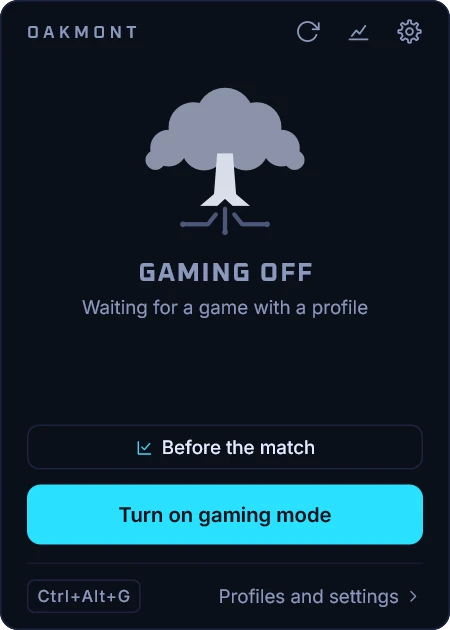
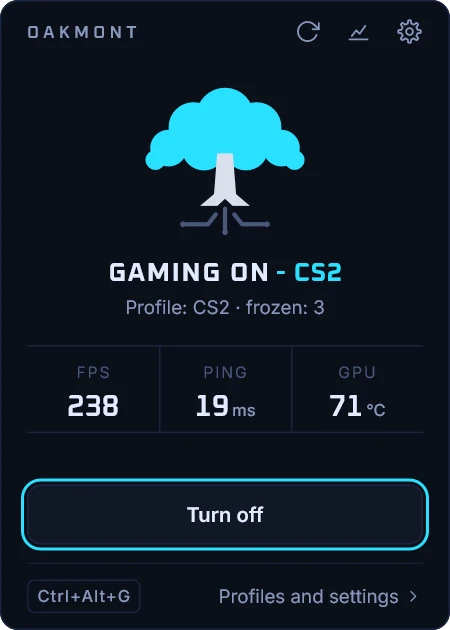
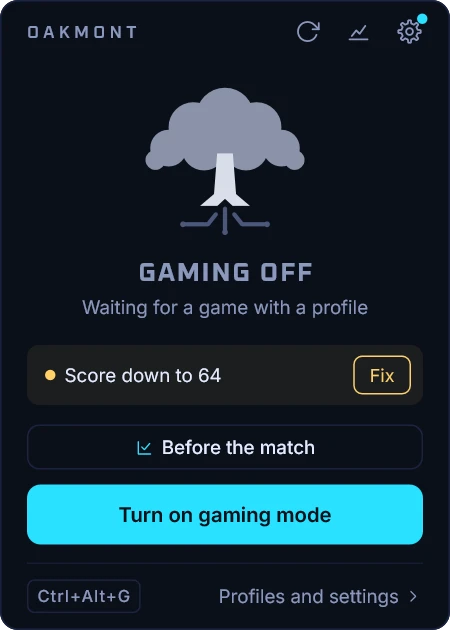
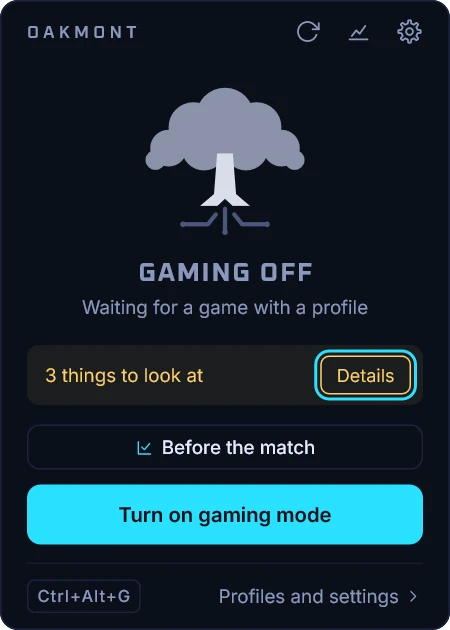
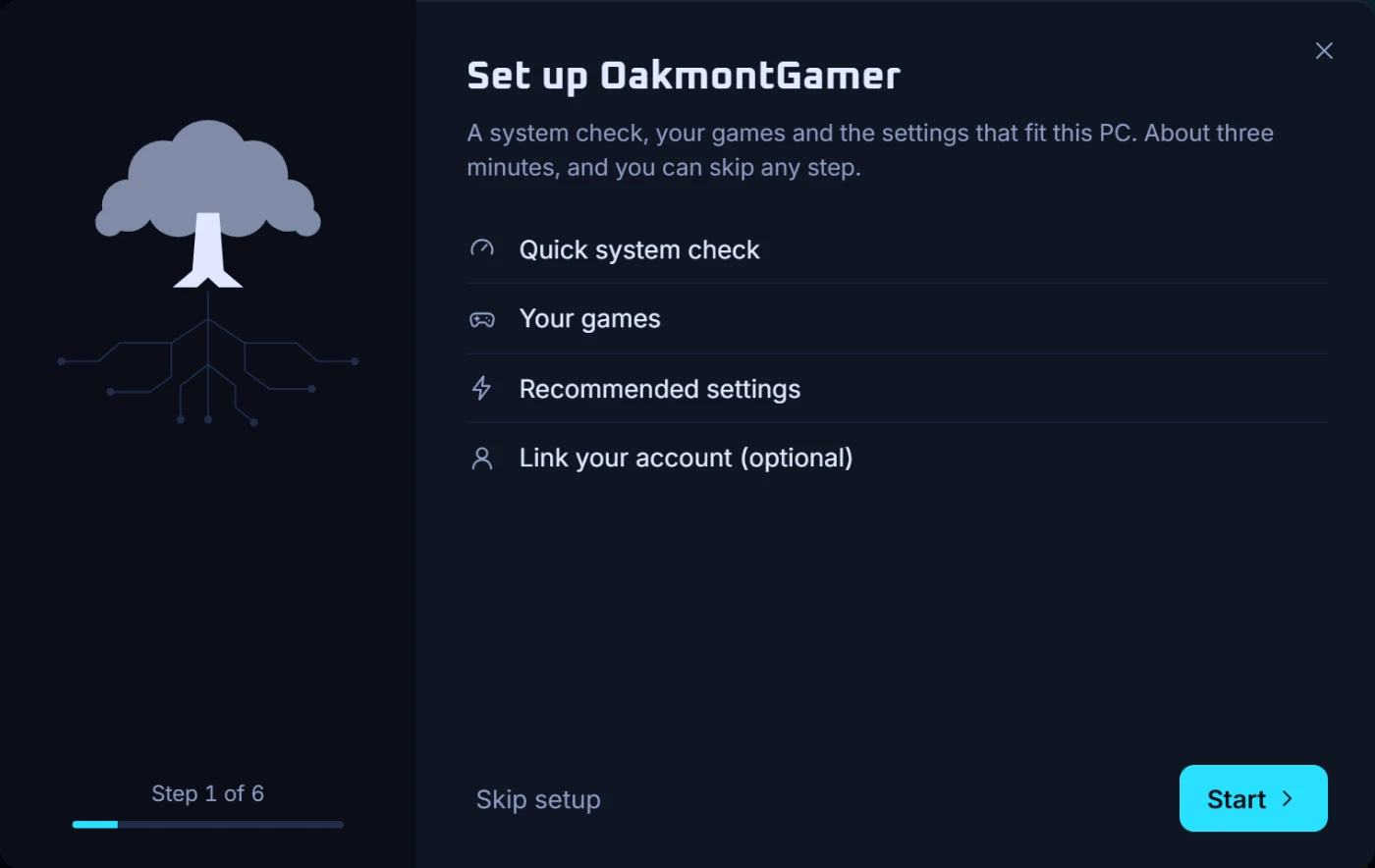
Setup takes about three minutes: a 60-second system check, the games found in your launchers, and the settings that fit this PC. Linking an account is optional, and every step can be skipped. After that the app lives in the tray, and its own settings sit behind the gear.
What it measures
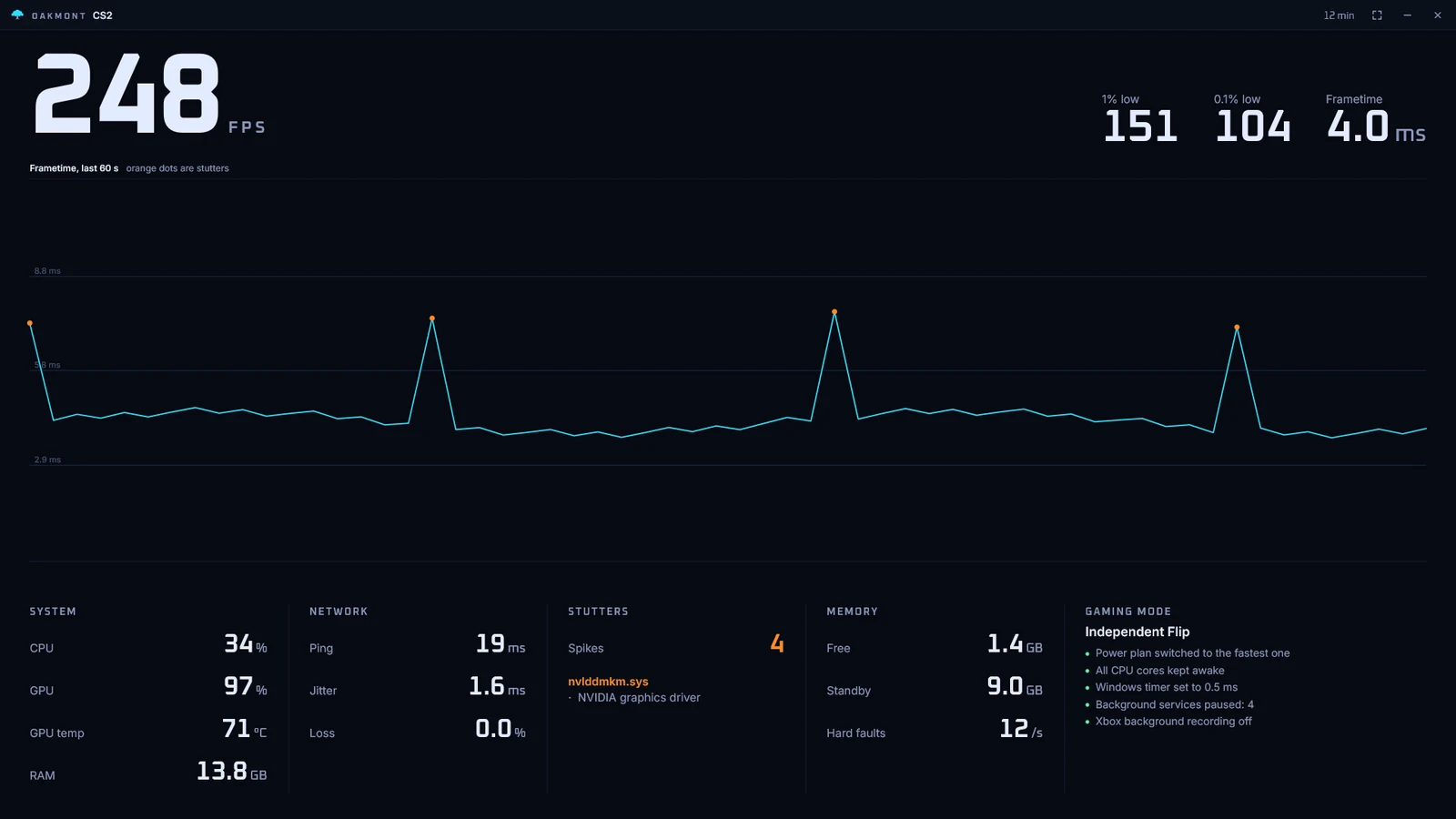

| Reading | What you get | Source |
|---|---|---|
| Frames | FPS, 1% and 0.1% lows, P95 and P99 frame time | PresentMon |
| Stutter | Each spike matched to the longest driver call in the same moment | ETW, DPC and ISR per driver |
| Display | Display latency and how frames reach the screen: independent flip or composed | PresentMon |
| Network | Ping, jitter and packet loss | Live probe |
| Hardware | CPU, GPU and RAM load, AMD and NVIDIA GPU temperature | ADLX, nvidia-smi |
| Memory | Free and standby memory, hard faults per second, and pressure that lines up with a stutter | Windows counters |
| Input | The real polling rate of your mouse and keyboard, USB power saving, hubs in the way | A 2-second check |
| After the game | A diagnosis naming the causes, with the fix one click away | The session |
Every stutter gets a cause
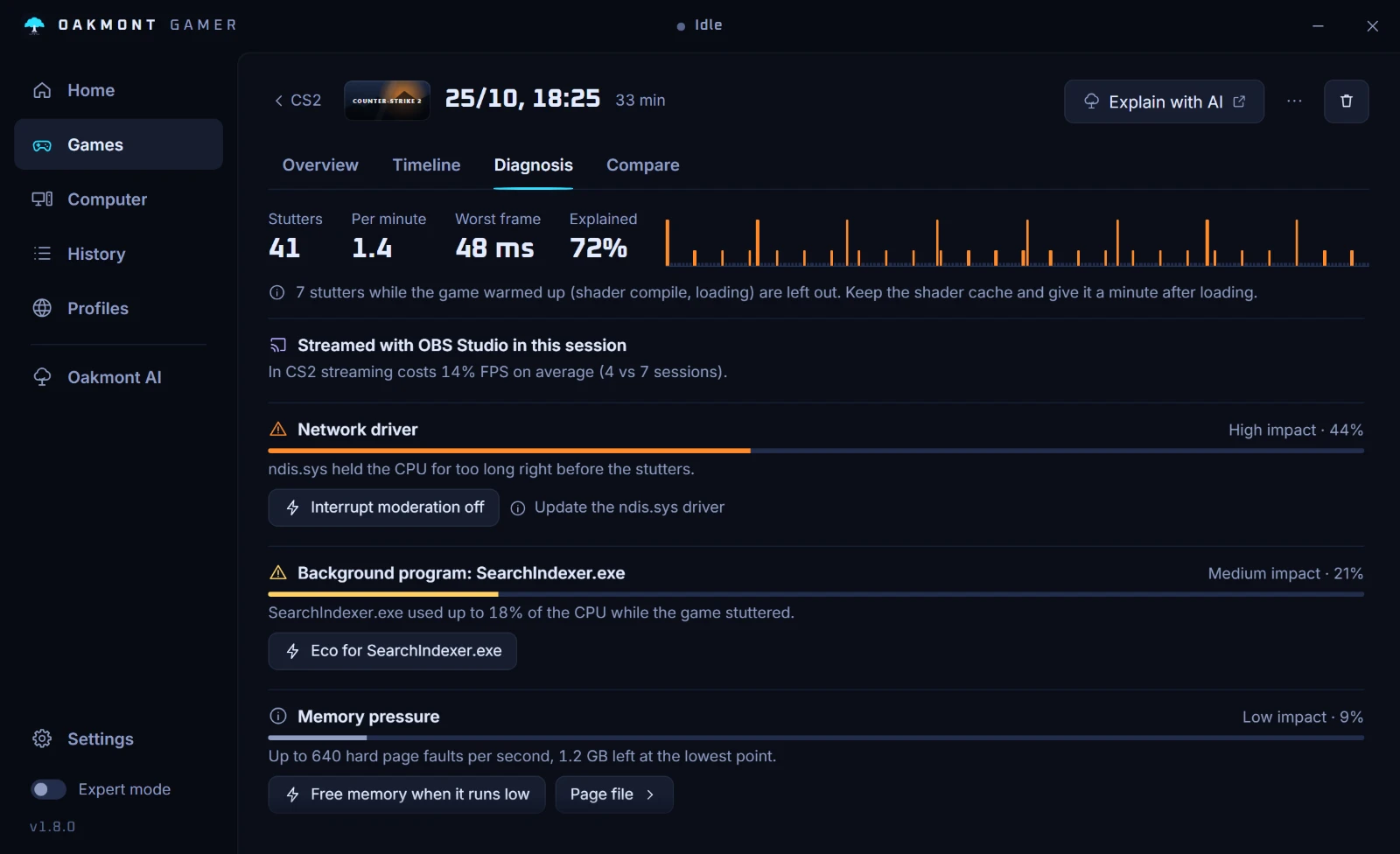
Every session opens on a page of its own, and its Diagnosis tab counts the stutters and splits them by what was going on at that moment: a driver holding the CPU, a background program, memory running out, the network. Each cause comes with its share and a fix you can apply from the same row. Stutters from shader warm-up and loading are left out, so they are not blamed on your drivers.
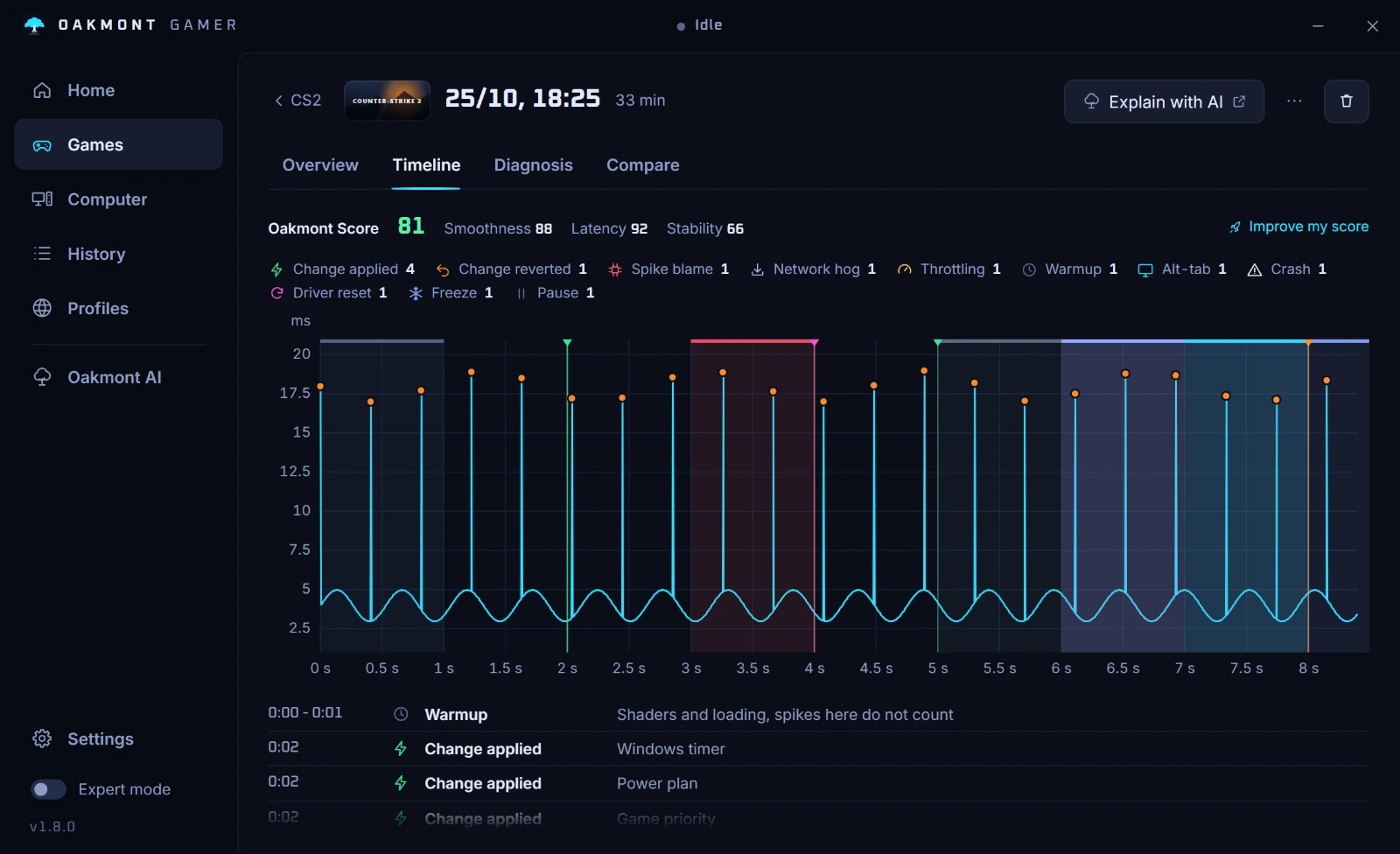
The session on a timeline
The frame-time chart with what happened drawn on it: a change applied or reverted, a spike and the driver blamed for it, a download eating the line, thermal throttling, warm-up, alt-tab, a crash or a freeze.
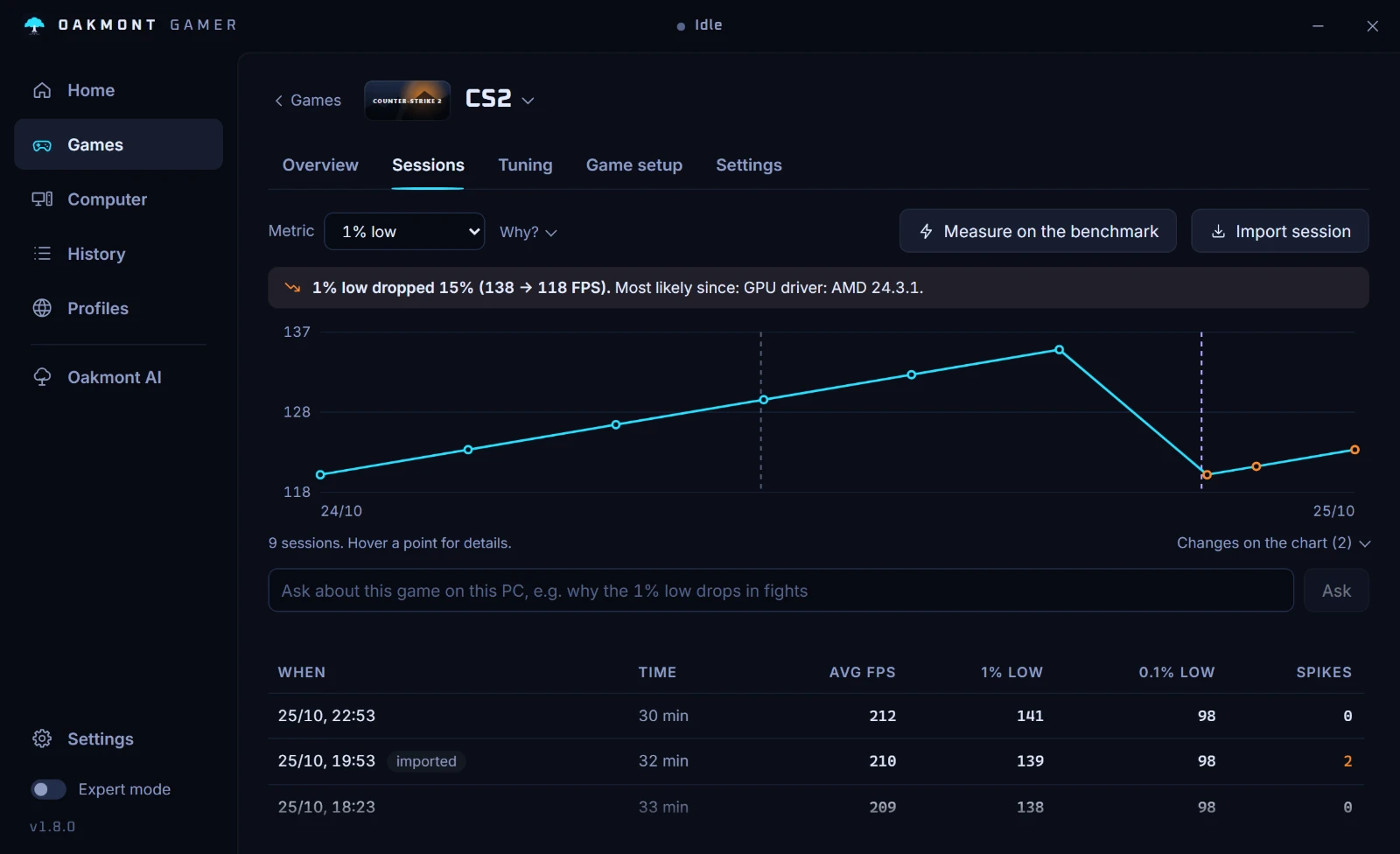
The trend per game
The game's Sessions tab puts every regular session on one line. When the 1% low drops, it says by how much and what changed since: a GPU driver, a Windows update, a setting.
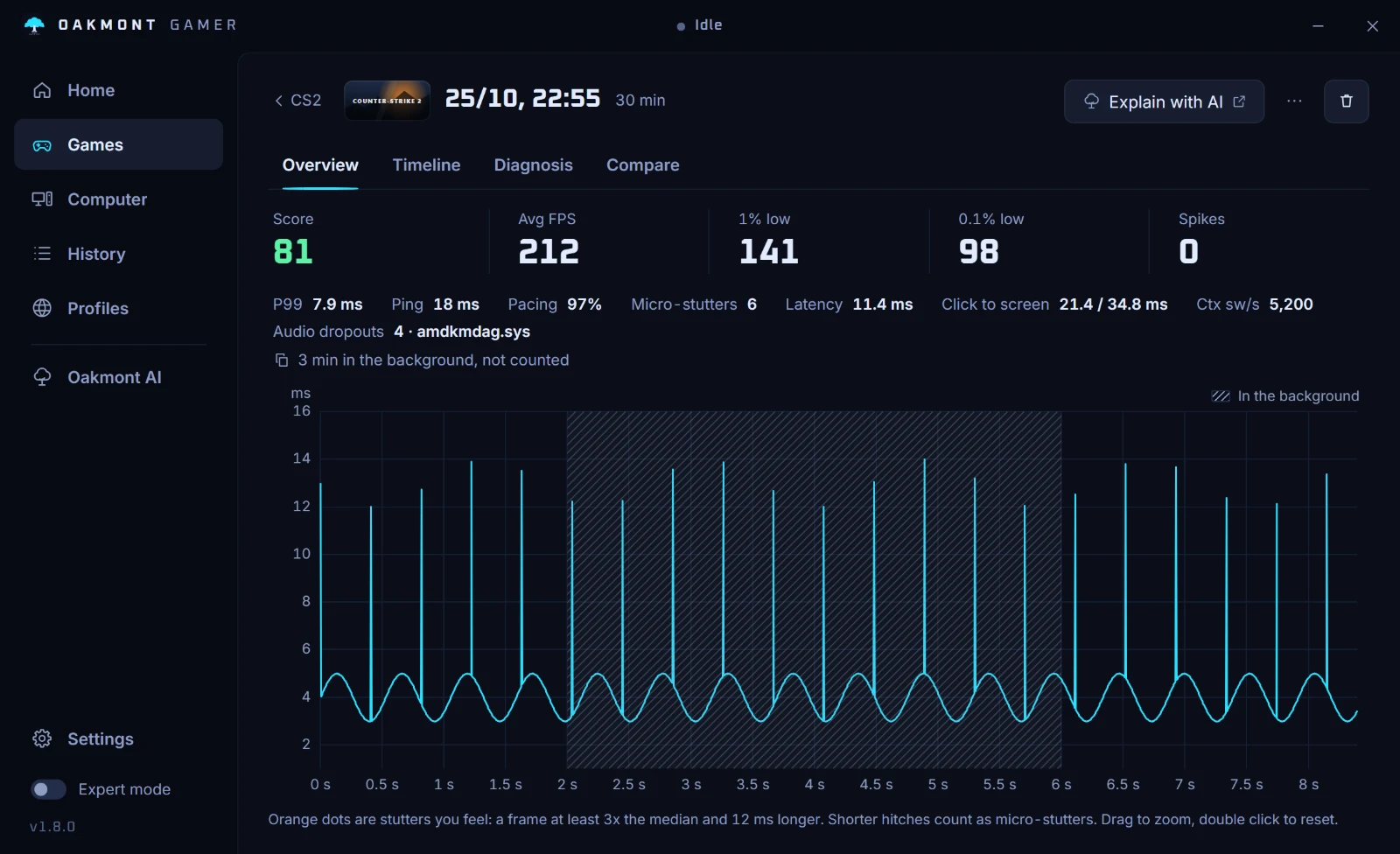
Only the time you played
Minutes the game spent behind another window are cut out of the statistics and hatched on the chart, so an alt-tab to the browser does not drag your averages down. A session with no frame data says why it has none.
Any two sessions can be compared side by side, and a session can be exported as a file.
One number, and the plan to raise it
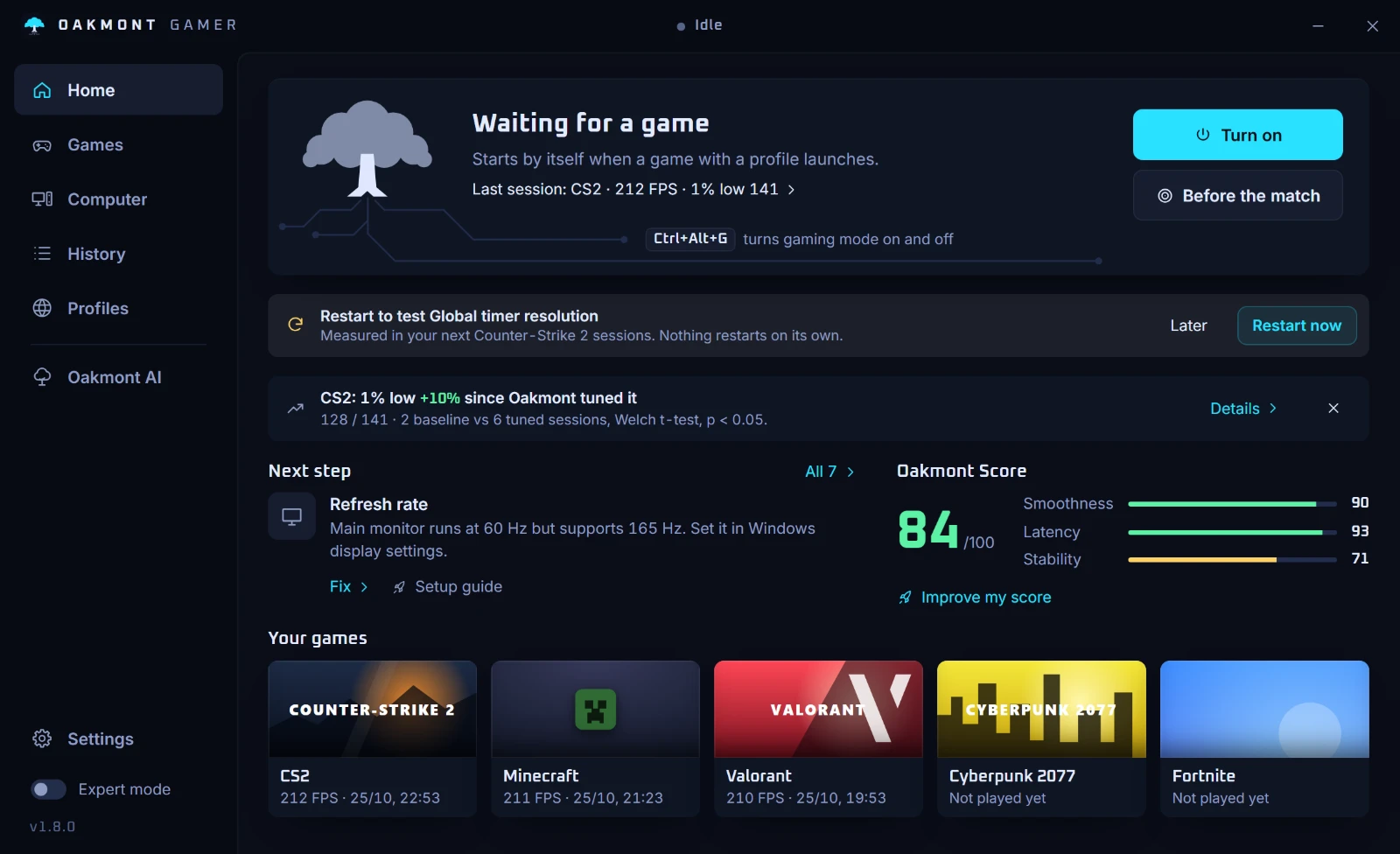
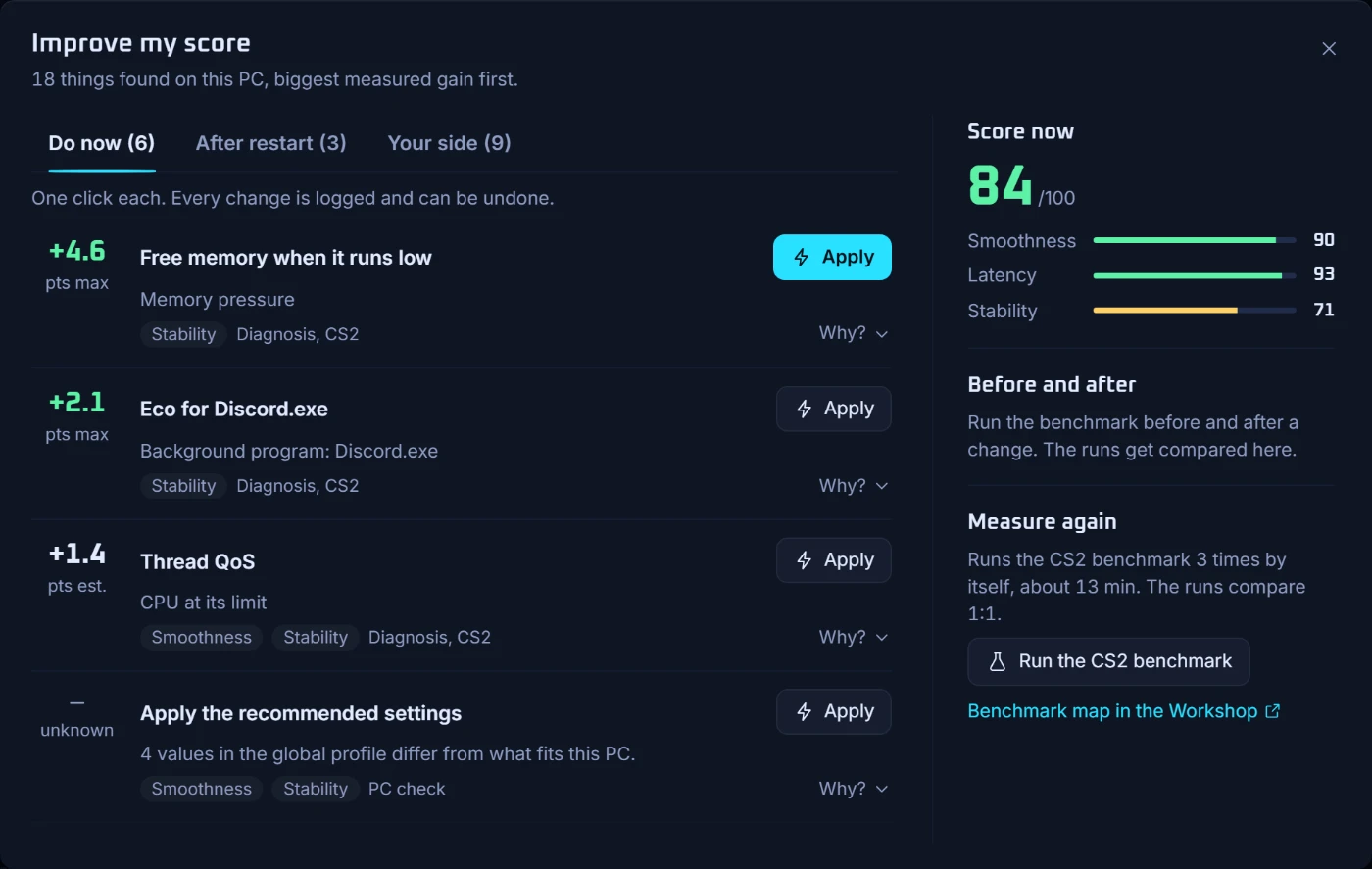
The Oakmont Score is built from what was measured on this PC: smoothness (1% low against average FPS, and how even the frames are), latency (display latency, ping and jitter) and stability (spikes per minute and the slowest driver call). With too little data it says so instead of guessing.
Improve my score
A list of what was found on this PC, biggest measured gain first, in three groups: do now (one click, logged, undoable), after a restart, and your side (BIOS, cables, drivers) with the steps. Each item names the part of the score it lifts. Where the gain was not measured, it reads Unknown. Measuring again runs the game's benchmark where there is one, so before and after compare 1:1.
When the score drops, the tray flyout says so and leads to the plan.
Your games and your PC
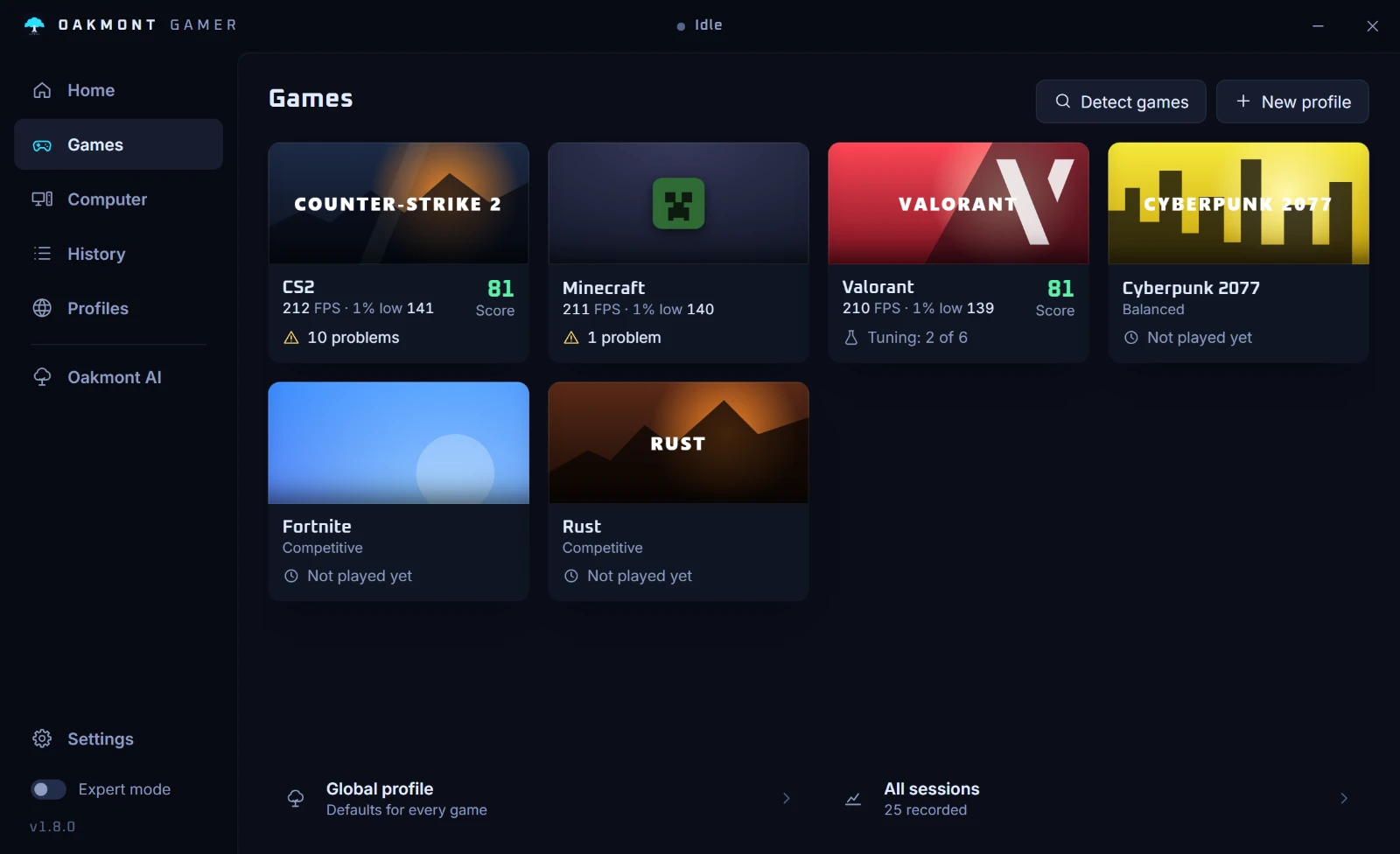
Every game has its own page
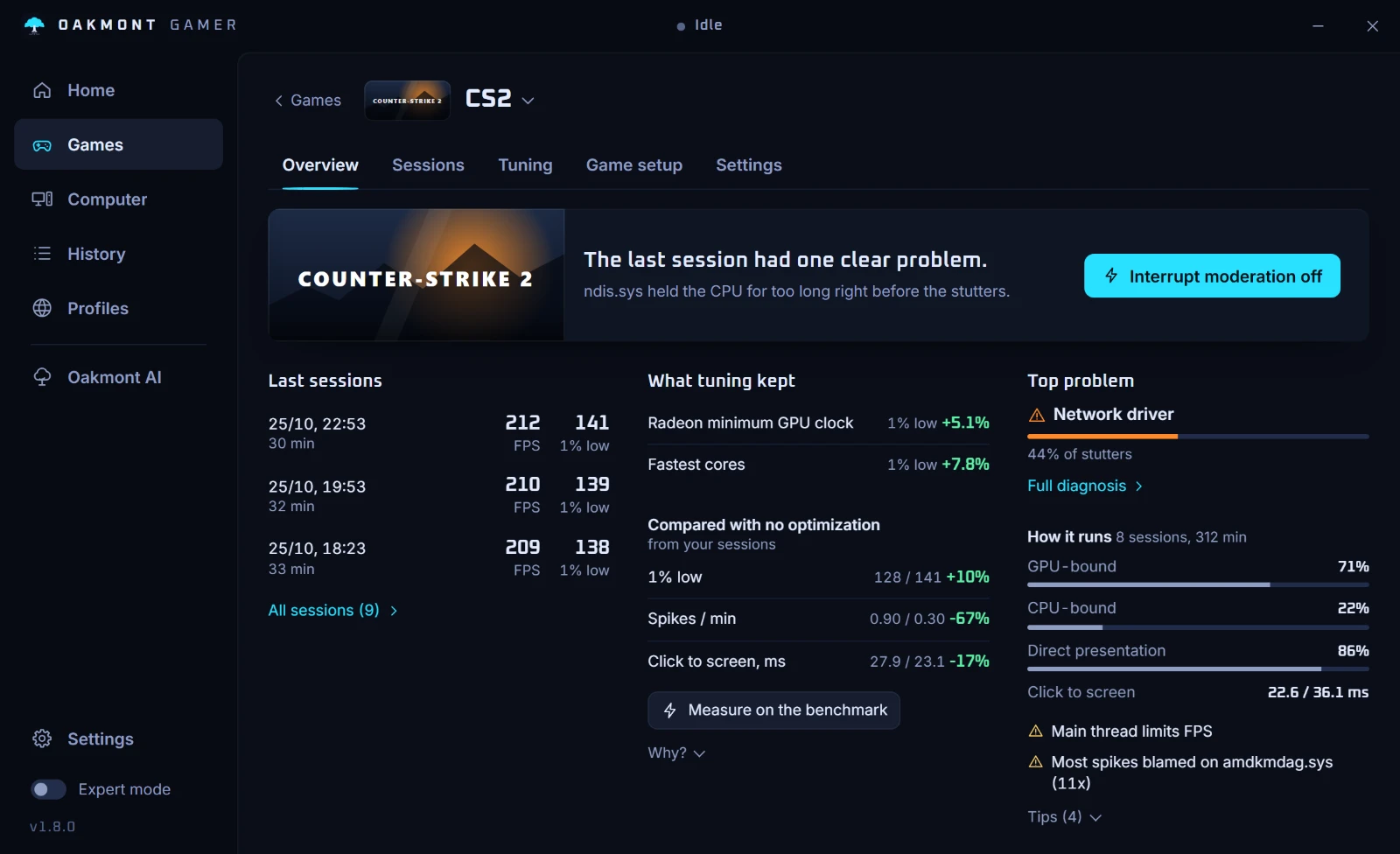
Games is a library: a cover, the last numbers and one line saying what needs attention. A game opens on four tabs. Overview says in plain words how it runs and offers the next step, Sessions keeps the trend and every recorded session, Tuning tests changes, and Settings holds the profile: Balanced, Competitive or Max, with every switch explained in a sentence and tagged with what it helps.
In-game settings
Under the game's Settings: presets written straight into its own config for CS2, Valorant, Fortnite, Apex Legends, Rust, Marvel Rivals, Escape from Tarkov and Minecraft. The old file is backed up first and can be put back.
Steam launch options
For CS2 it reads your launch options, points out the ones that hurt, and removes them with a backup. Also under Settings.
How it runs
On the Overview: how much of the time the game was held back by the GPU or the CPU, how frames reached the screen, and which driver took the blame most often.
The PC around the game
Some things are not a session tweak. The Computer page reads the hardware and Windows and opens on what this PC leaves on the table, most important first. Below that, every check and every tool is a tile with its state in one line, and each opens on a page of its own.
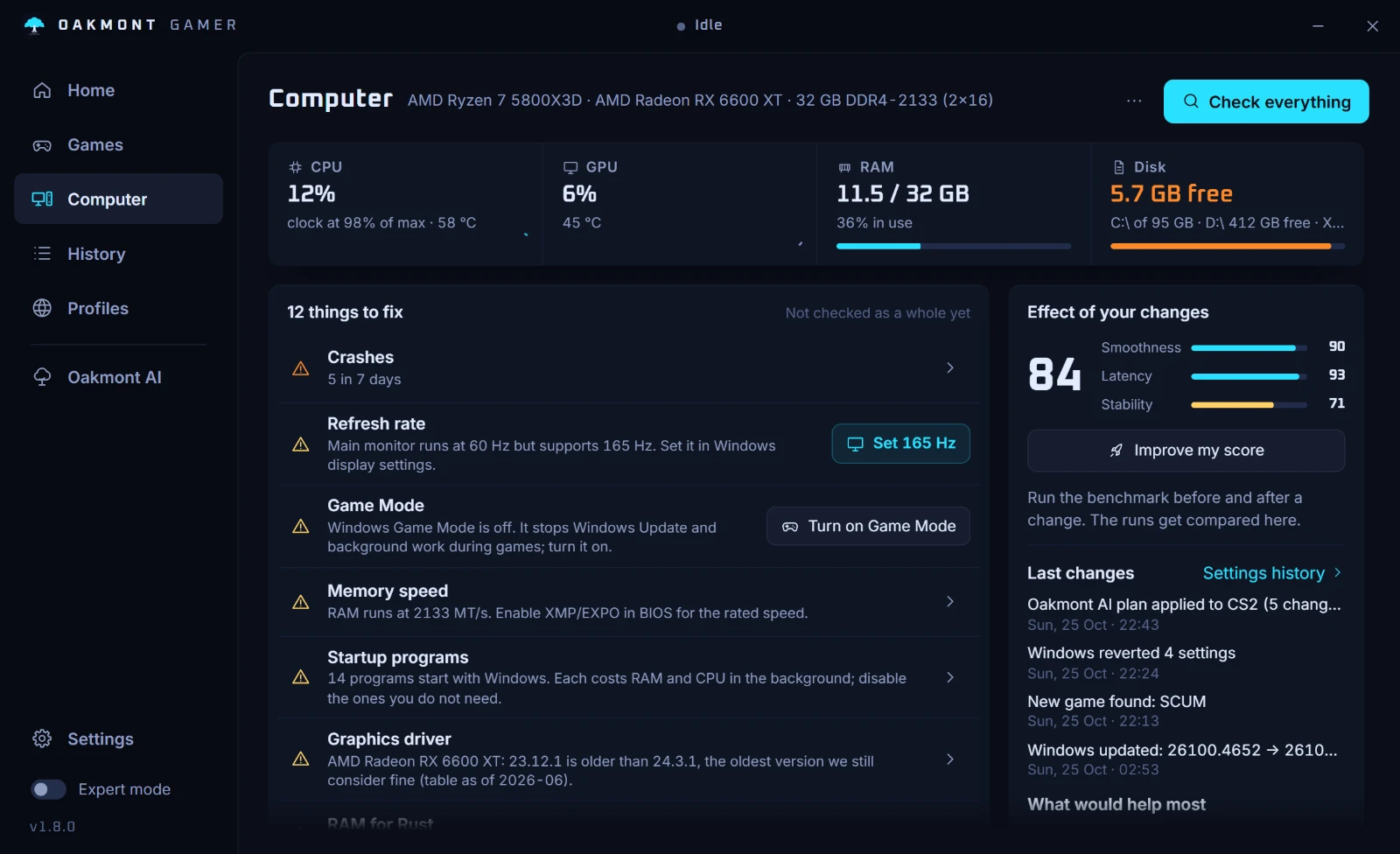
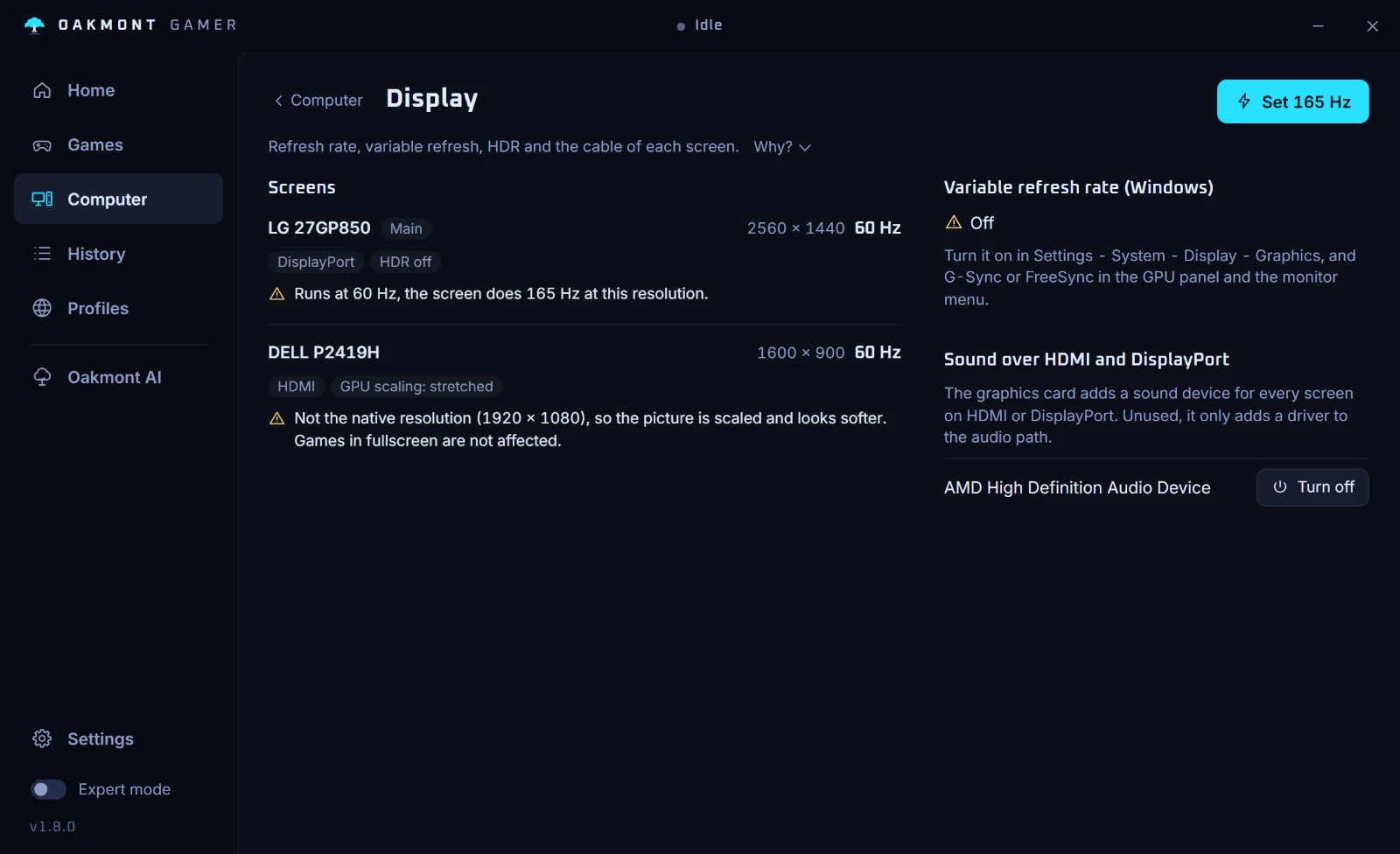
Display
Refresh rate, variable refresh, HDR and the cable of every screen. A 165 Hz monitor running at 60 is fixed with one click; for the rest you get the steps.
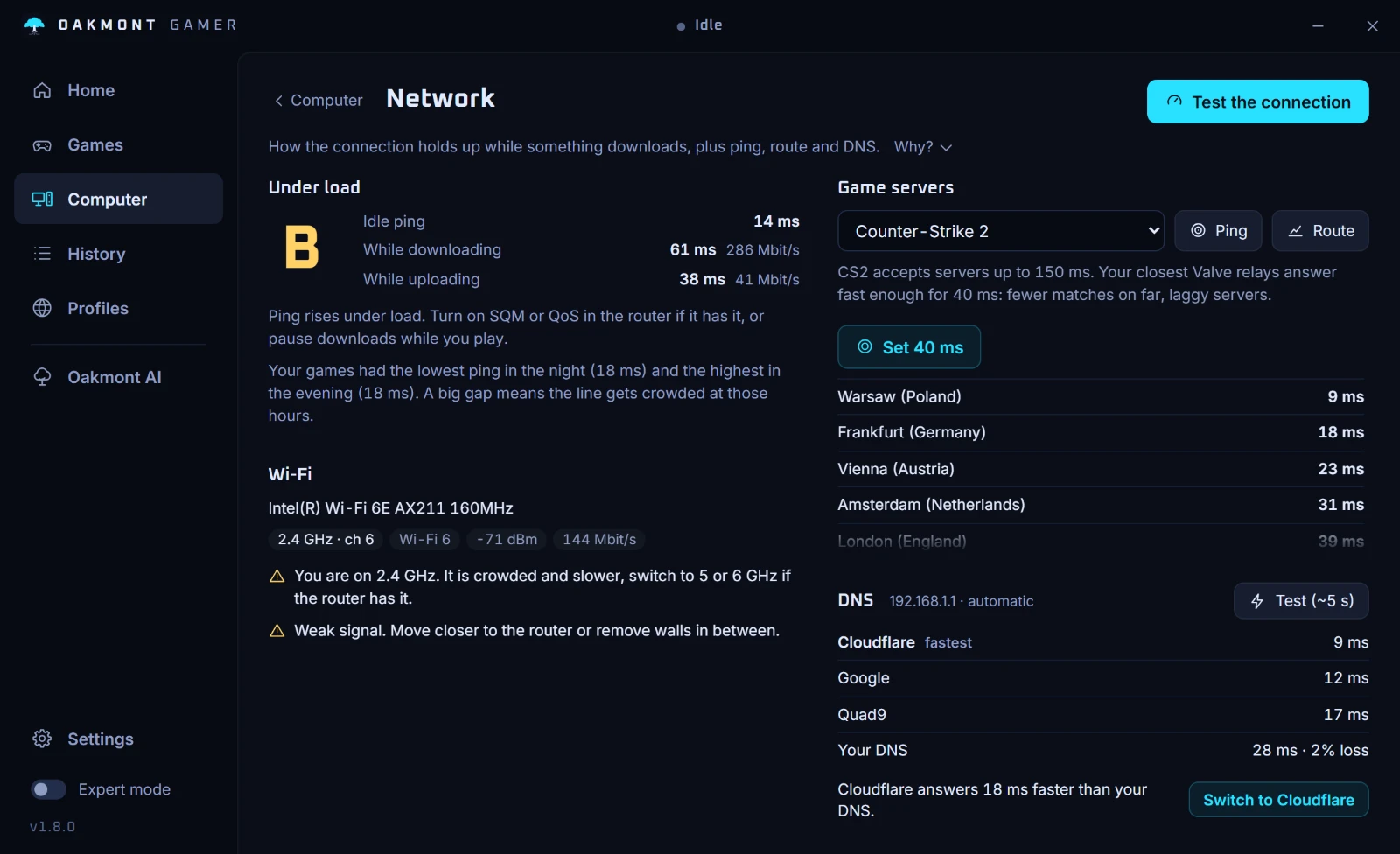
Network and DNS
A connection test under load with a grade, ping to the regions your game plays through, a route test that shows the hop where the delay starts, and what is wrong with the Wi-Fi link. A DNS test times your resolver against Cloudflare, Google and Quad9 and switches to the fastest with one click, undoable. That speeds up logins and matchmaking, not in-game ping.
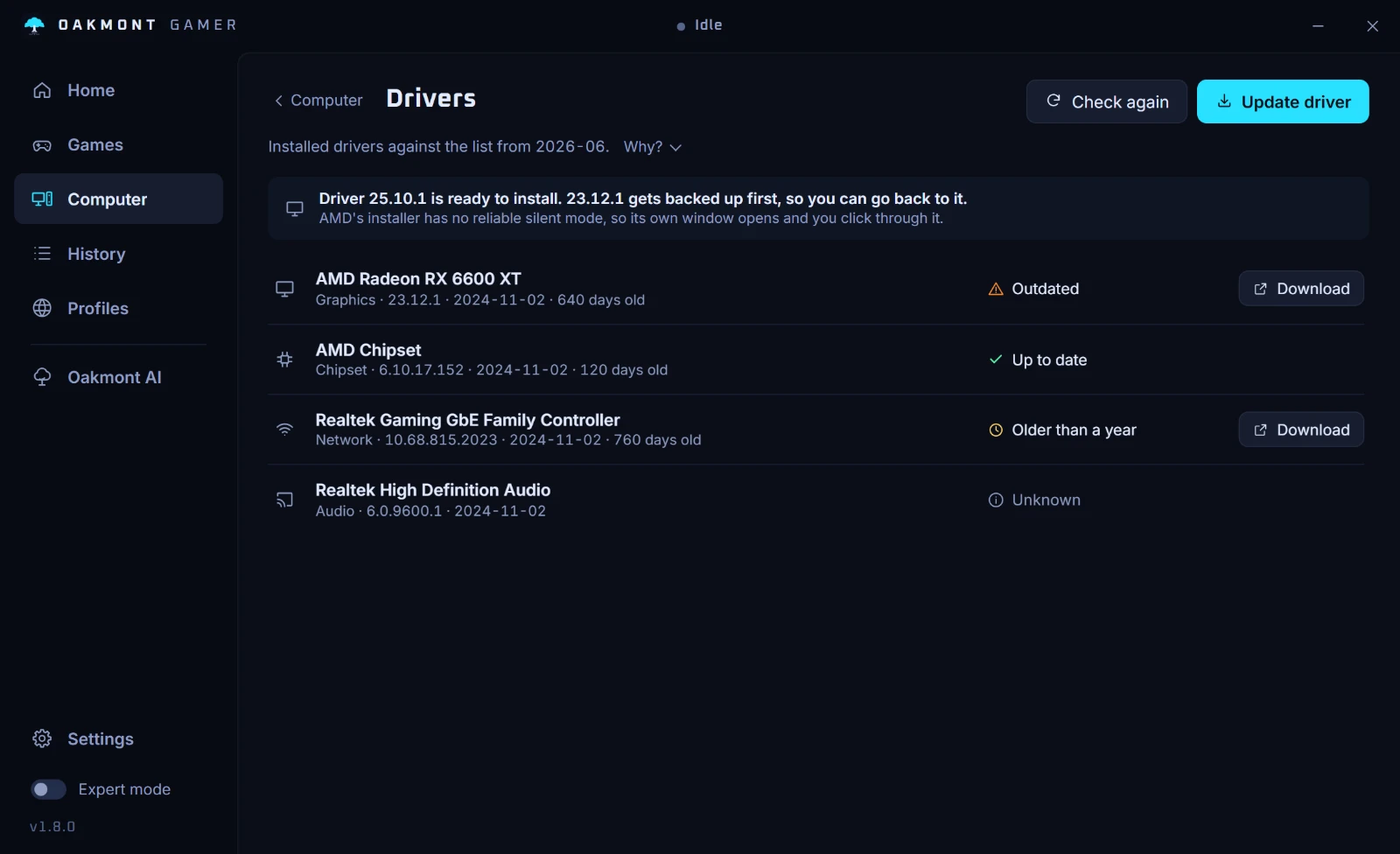
Drivers
Graphics, chipset, network and audio drivers checked against a dated list. Each one is marked up to date, older than a year or outdated, with a link to the maker's download page.
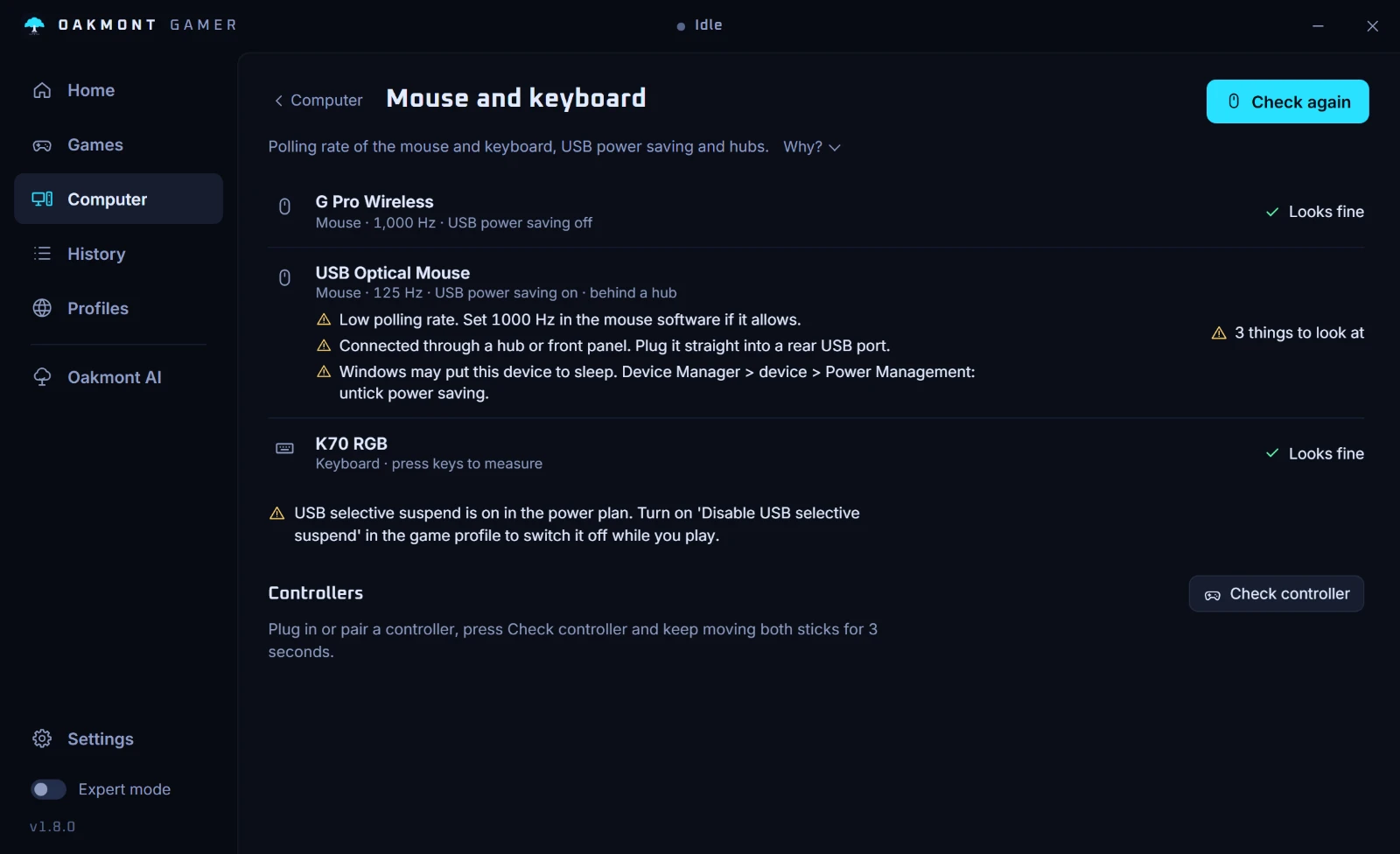
Mouse and keyboard
A two-second check of the real polling rate, USB power saving and hubs in the way, for every mouse and keyboard plugged in.
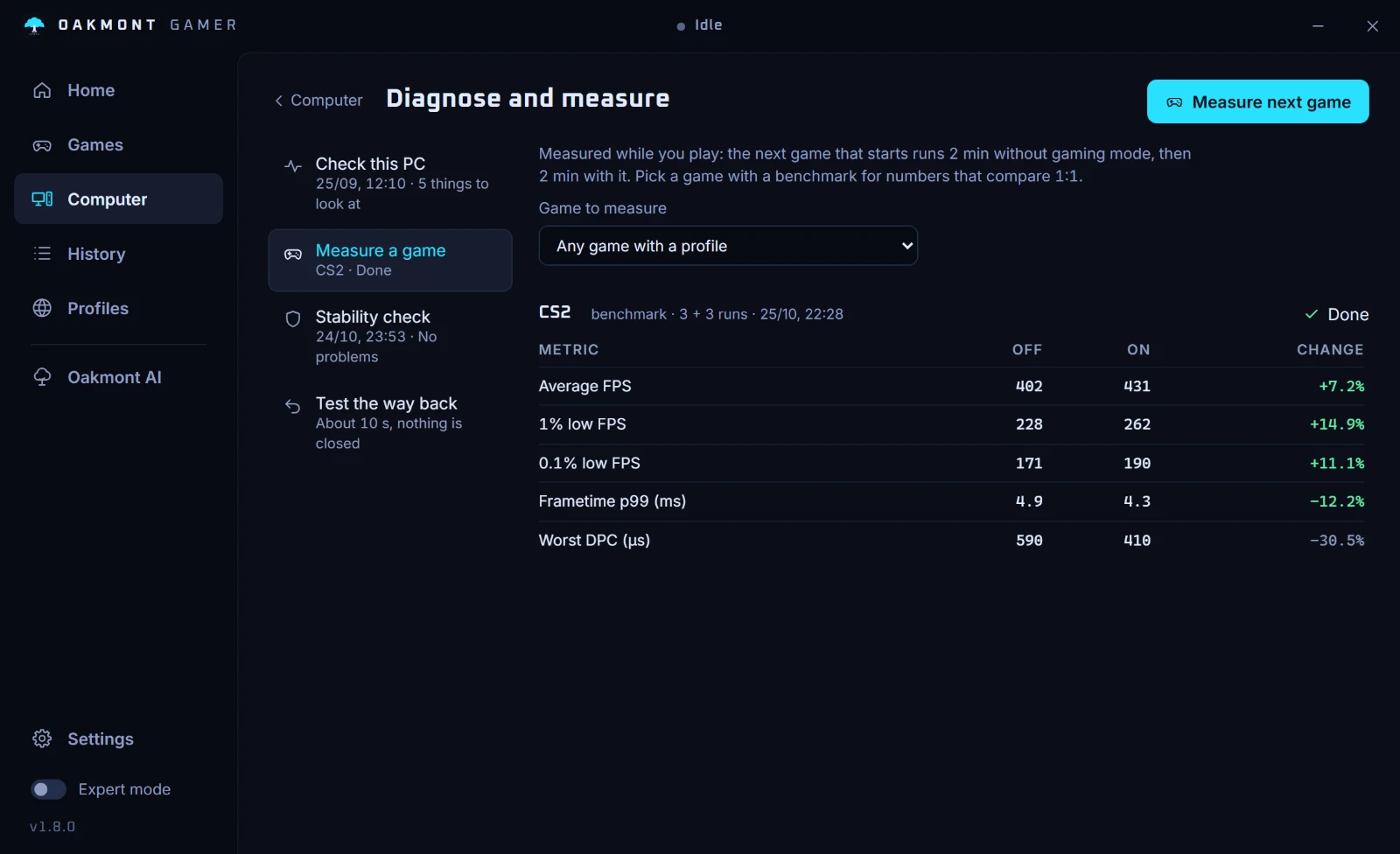
Diagnose and measure
A 60-second check of the idle PC: driver latency, background load, memory, network and CPU clock. And a measurement of gaming mode itself: on a game with a benchmark it runs the benchmark three times without gaming mode and three times with it, in turns, and puts the two columns side by side.
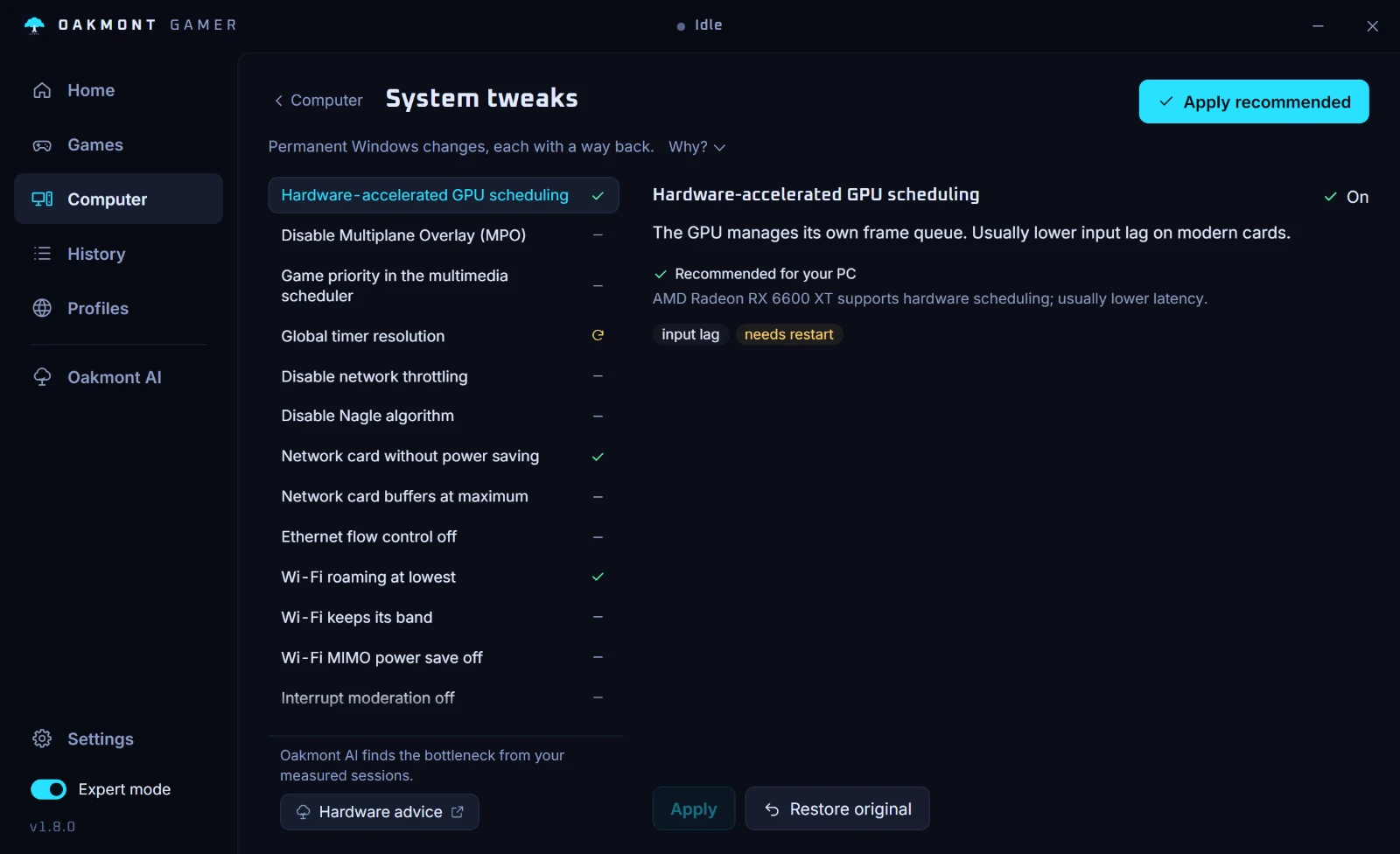
System tweaks
Permanent Windows settings that need a restart, such as GPU scheduling, multiplane overlay, timer resolution and network card power saving. Each has a verdict for your hardware, and the original value is saved so it can be put back. Shown in expert mode.
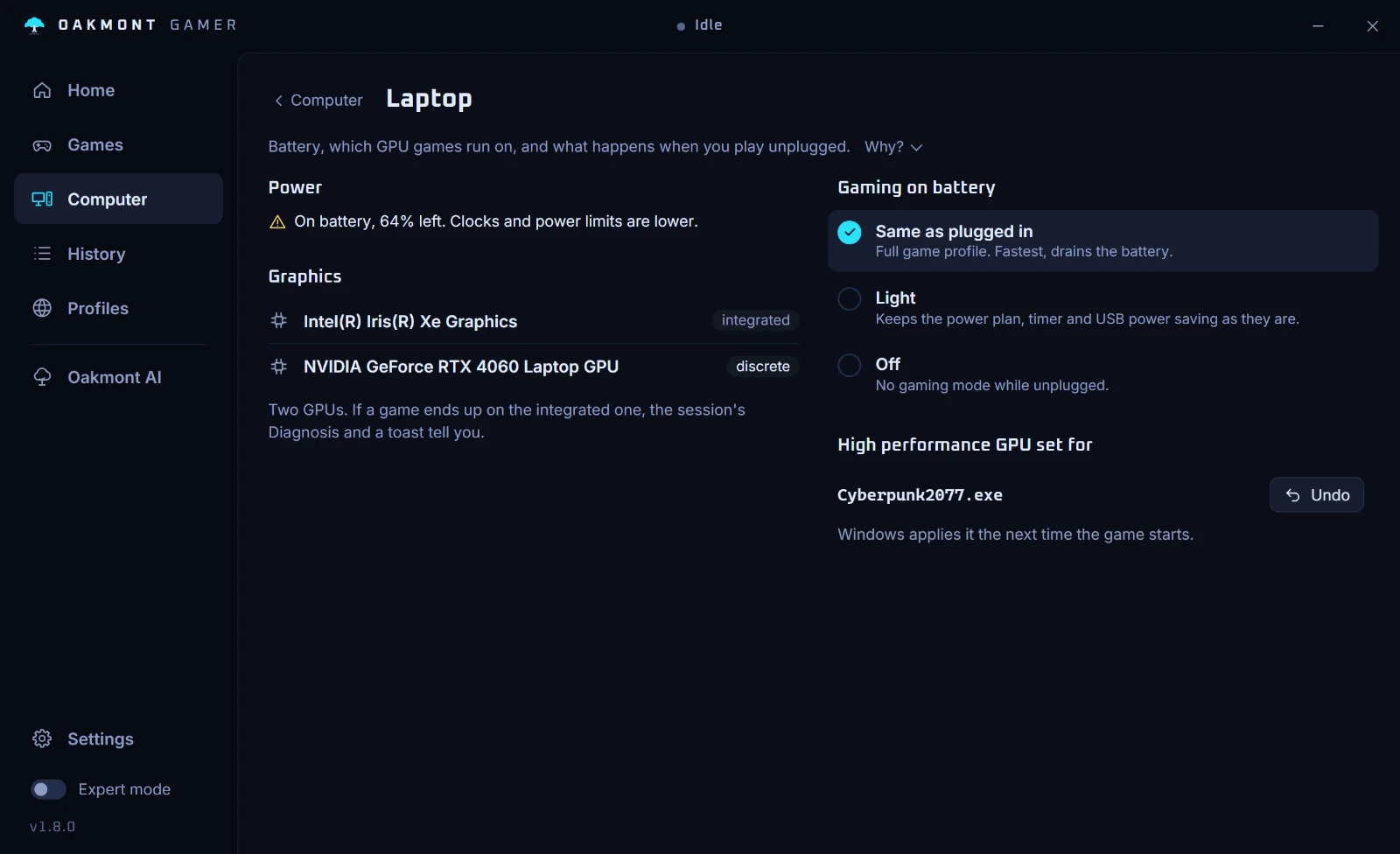
Laptop
Which GPU the game really runs on, what happens on battery, and whether heat or power limits are slowing the CPU down.
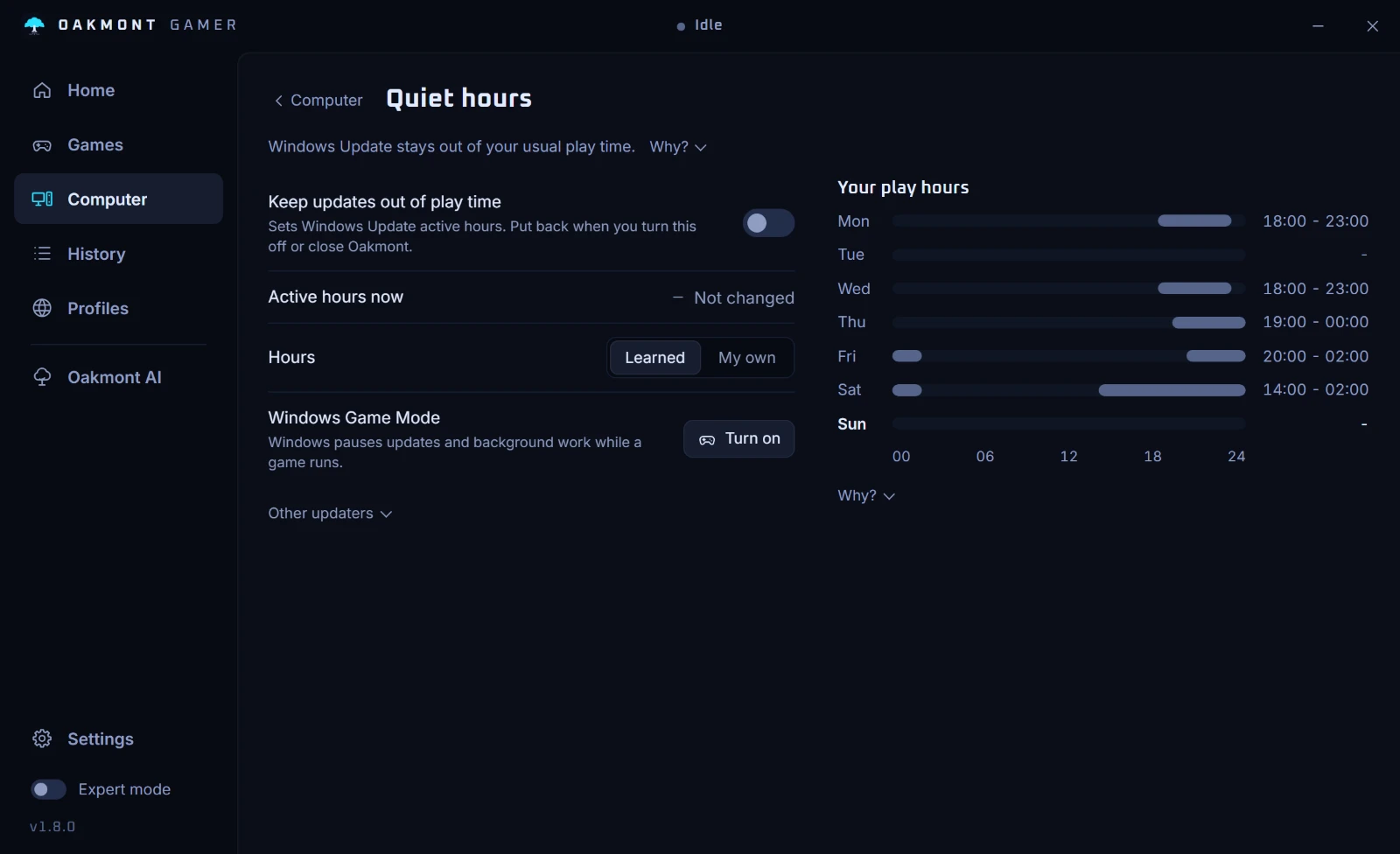
Quiet hours
Learns when you usually play and moves Windows Update's active hours to match, so the PC does not restart in the middle of a match. Put back when you turn it off.
Show all eight Computer pages
Around the match
Frame rate is not the only thing that decides a match. Three tools for everything around it.
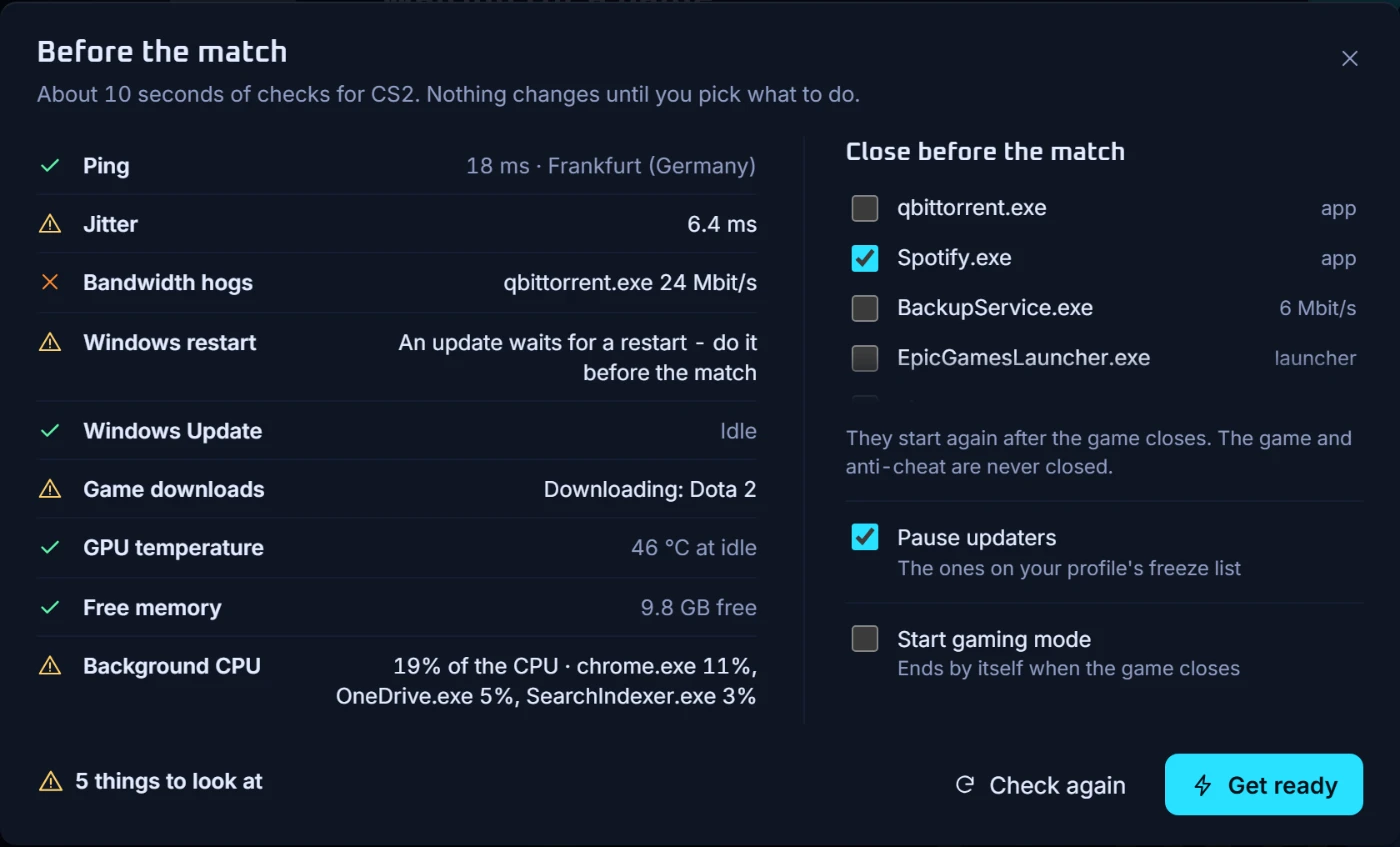
Before the match
One button runs about ten seconds of checks for your game: ping and jitter to its servers, programs eating the line, a Windows restart that is waiting, launcher downloads, GPU temperature, free memory and background CPU. Then you pick what to close and what to pause. Nothing changes until you choose, the game and its anti-cheat are never closed, and everything starts again when the game ends.
Streamer mode
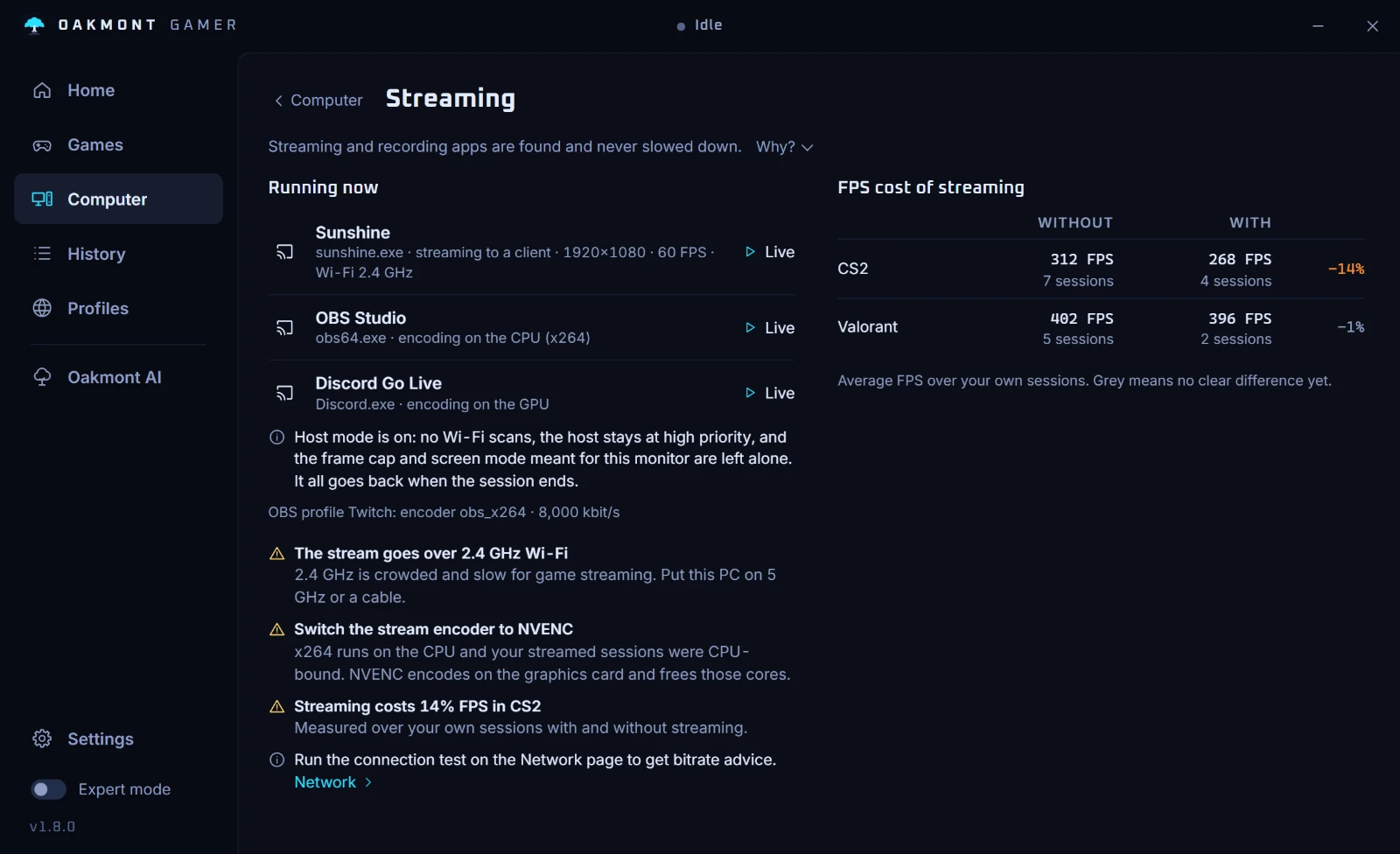
OBS, Streamlabs, XSplit, NVIDIA and AMD recording and Discord Go Live are detected. They are never frozen, slowed or moved off their cores, and they keep their priority. From your own sessions with and without streaming it shows what streaming costs in FPS, and says when the encoder should move from the CPU to the graphics card.
Crashes and freezes
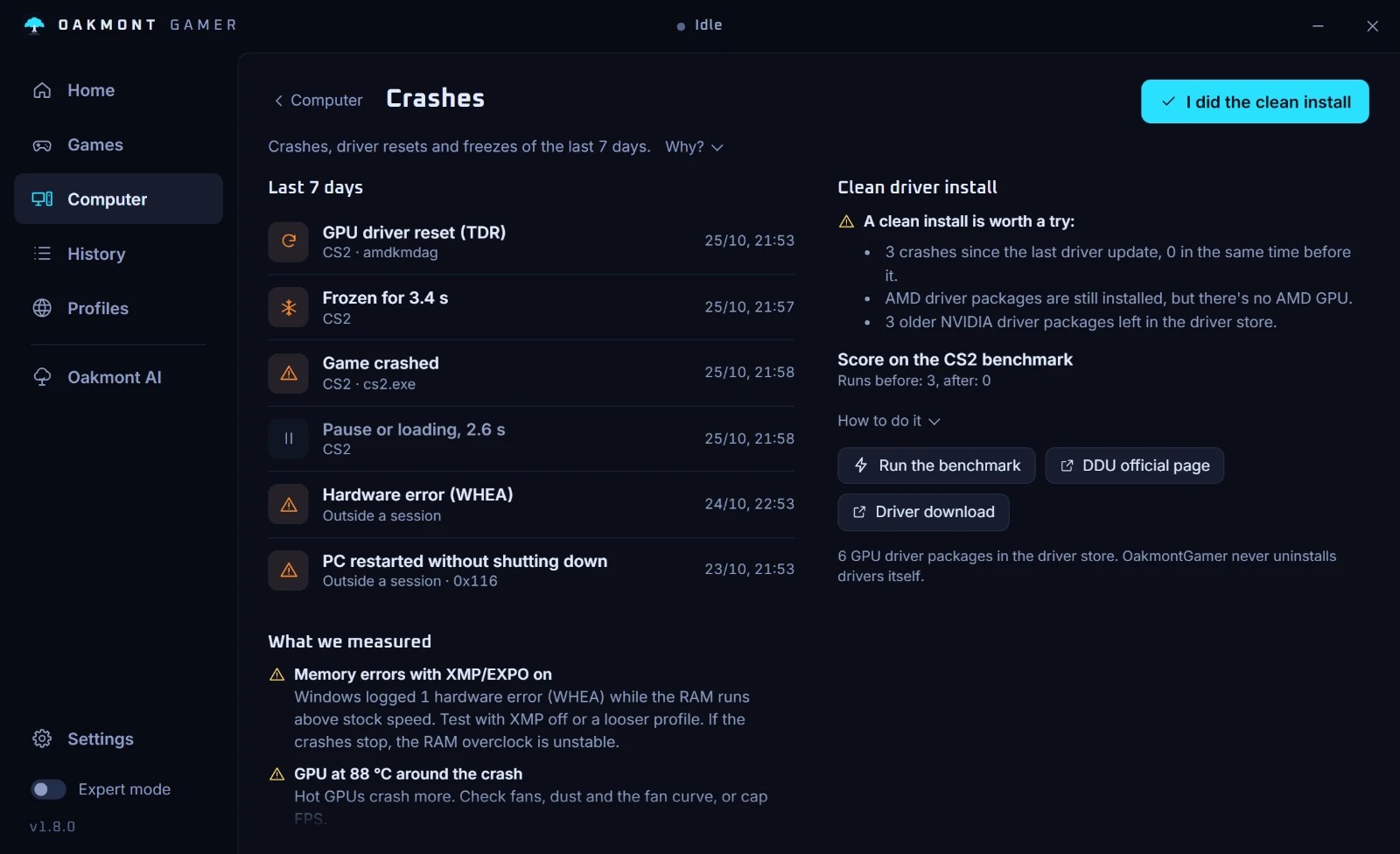
Reads the Windows event log around your sessions: GPU driver resets, hardware errors, game crashes, restarts without a shutdown, and the freezes it measured itself. A pause or a loading screen is not counted as a freeze. Each event is tied to its session and to what was measured around it: memory errors with XMP on, the GPU temperature, overlays running. When a clean driver install is worth a try, it walks you through it, and on a game with a benchmark it scores the PC before and after.
Nothing changes behind your back
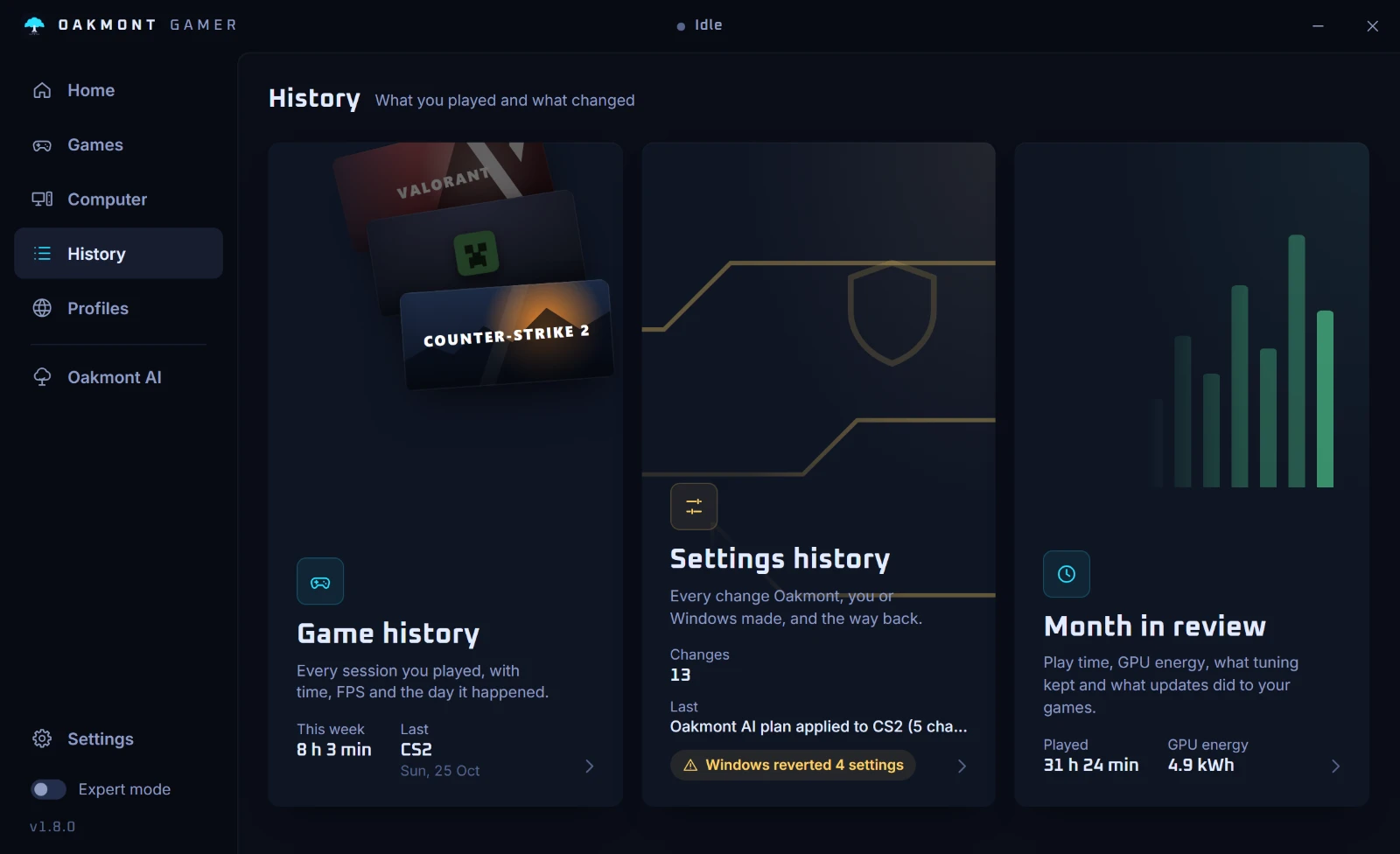
Every change the app made on this PC is in one list: who made it (you, tuning, live tuning, an AI plan, the score plan), when, and what it measured. You can go back to any point.
And when Windows changes it back
After an update Windows often resets settings. The settings check finds them and offers to re-apply each one, or to keep Windows' value. Nothing is put back without you.
An account, if you want one
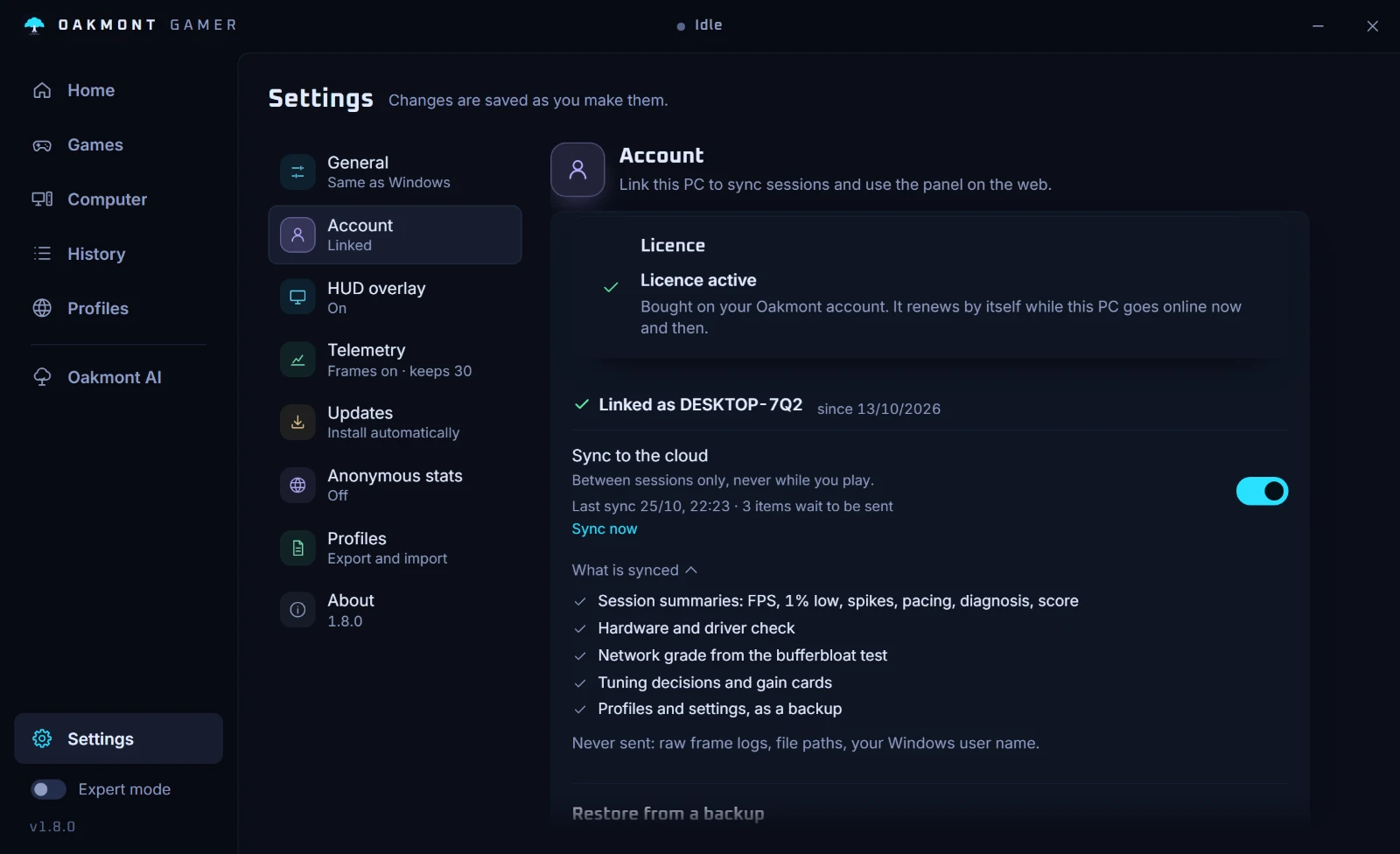
The app works fully without one. Link it with a code and it syncs between sessions, never while you play: session summaries, the diagnosis, the hardware and driver check, tuning decisions, and a backup of profiles and settings. Raw frame logs, file paths and your Windows user name are never sent.
The panel
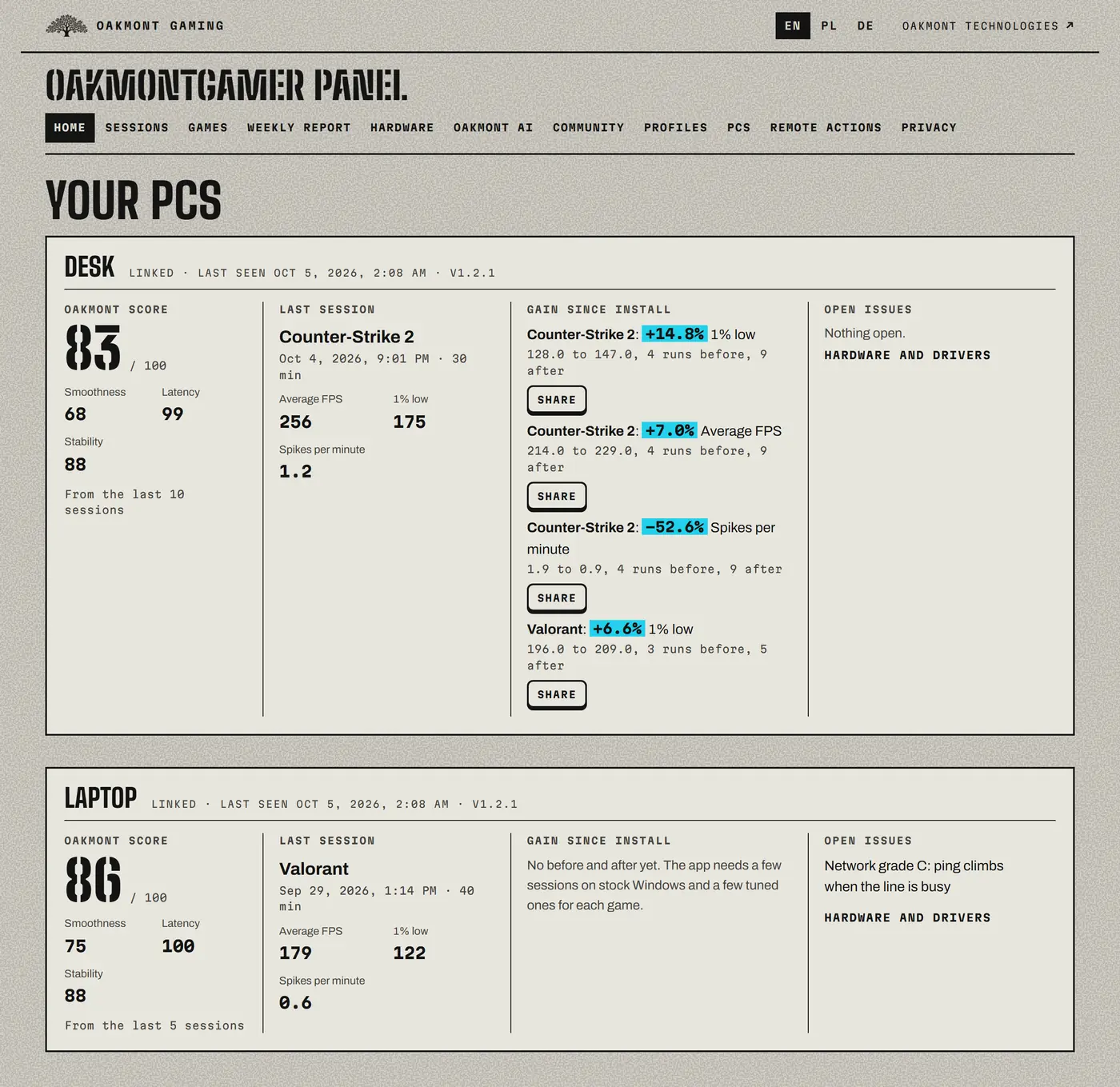
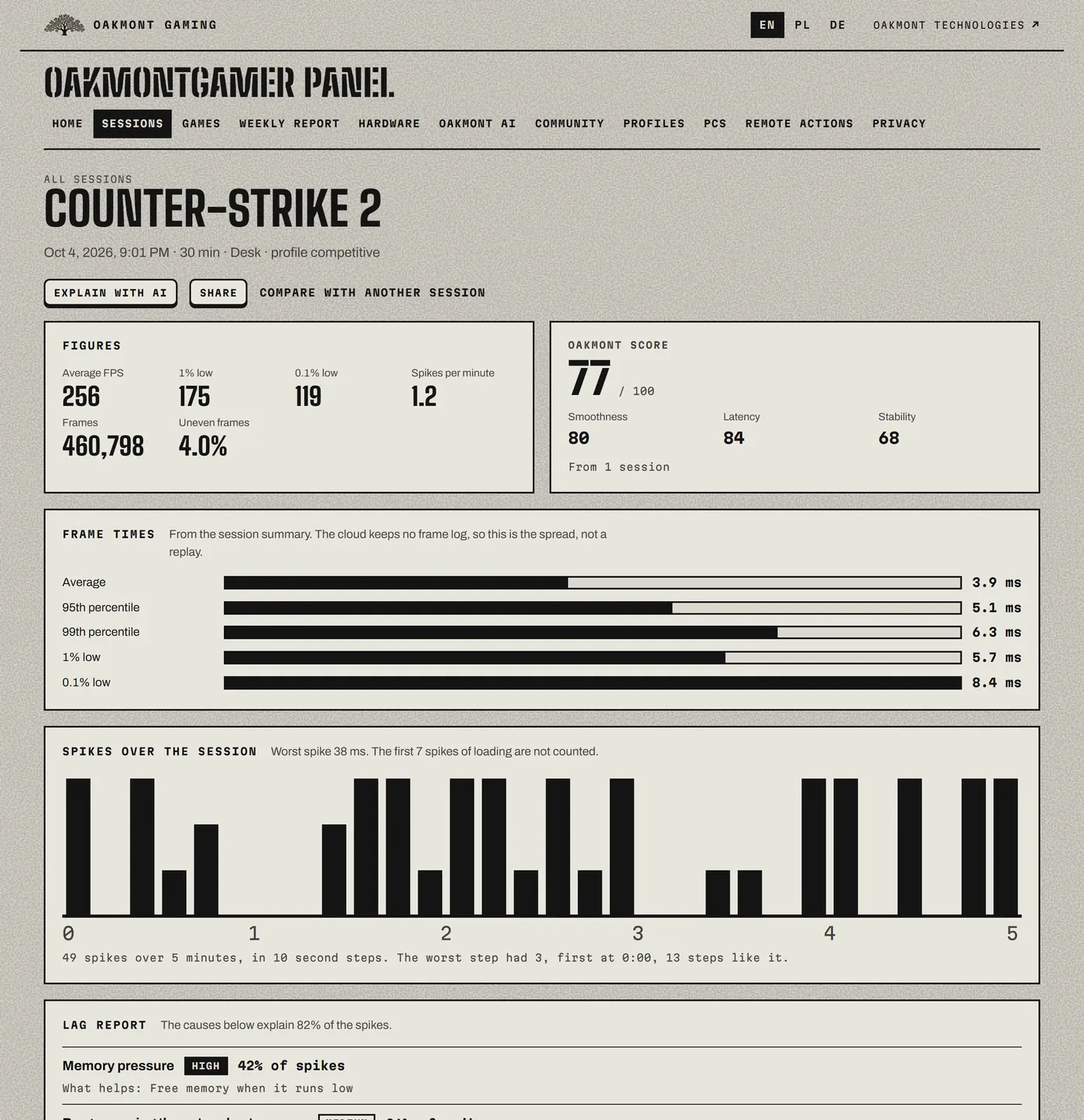
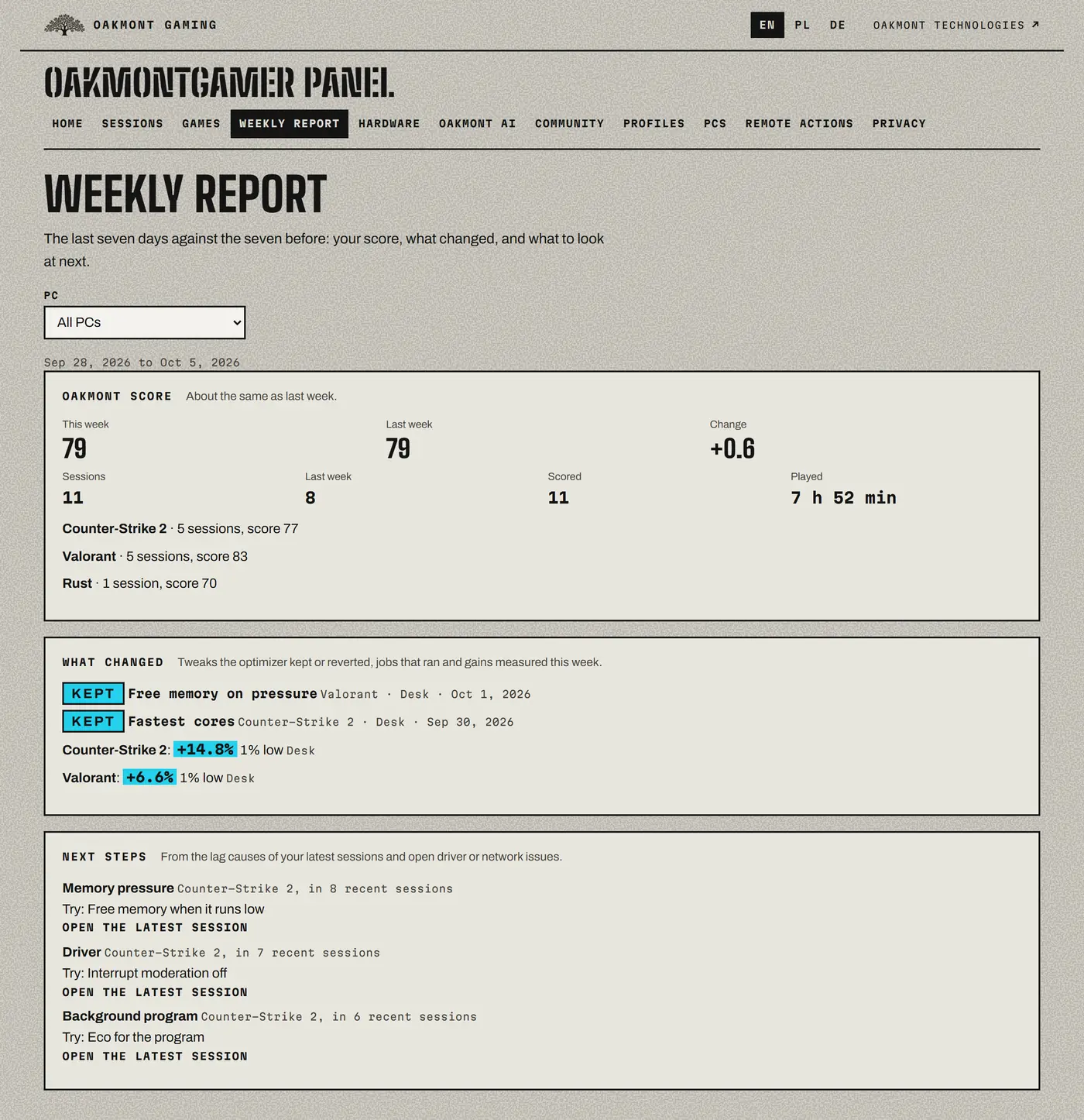
Your sessions, games, hardware and PCs in the browser: compare two sessions, read the weekly report, share one result as a link.
Oakmont AI
Runs in the panel and costs credits. It explains a session in plain language from your own measured data, and suggests what tuning should test first. That only changes the order: every change is still A/B tested on your PC.
Requests from the panel
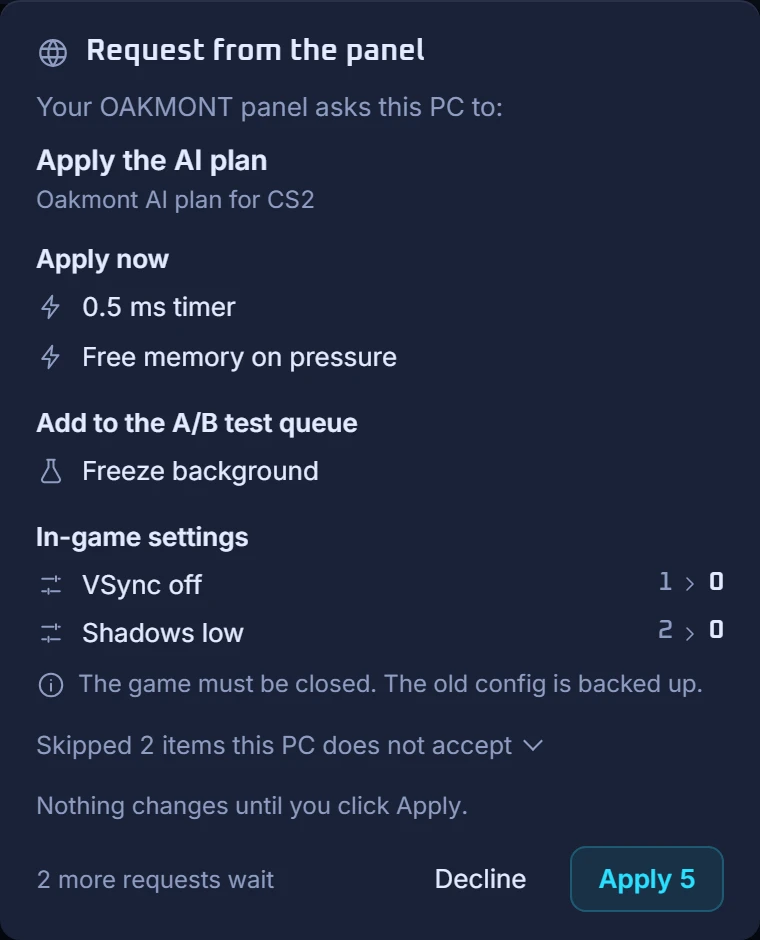
A plan sent from the panel arrives on the PC as a request that lists exactly what it would change. Nothing runs until you click, and it can be undone.
The panel is the same sheet, in the browser:
Show the web panel
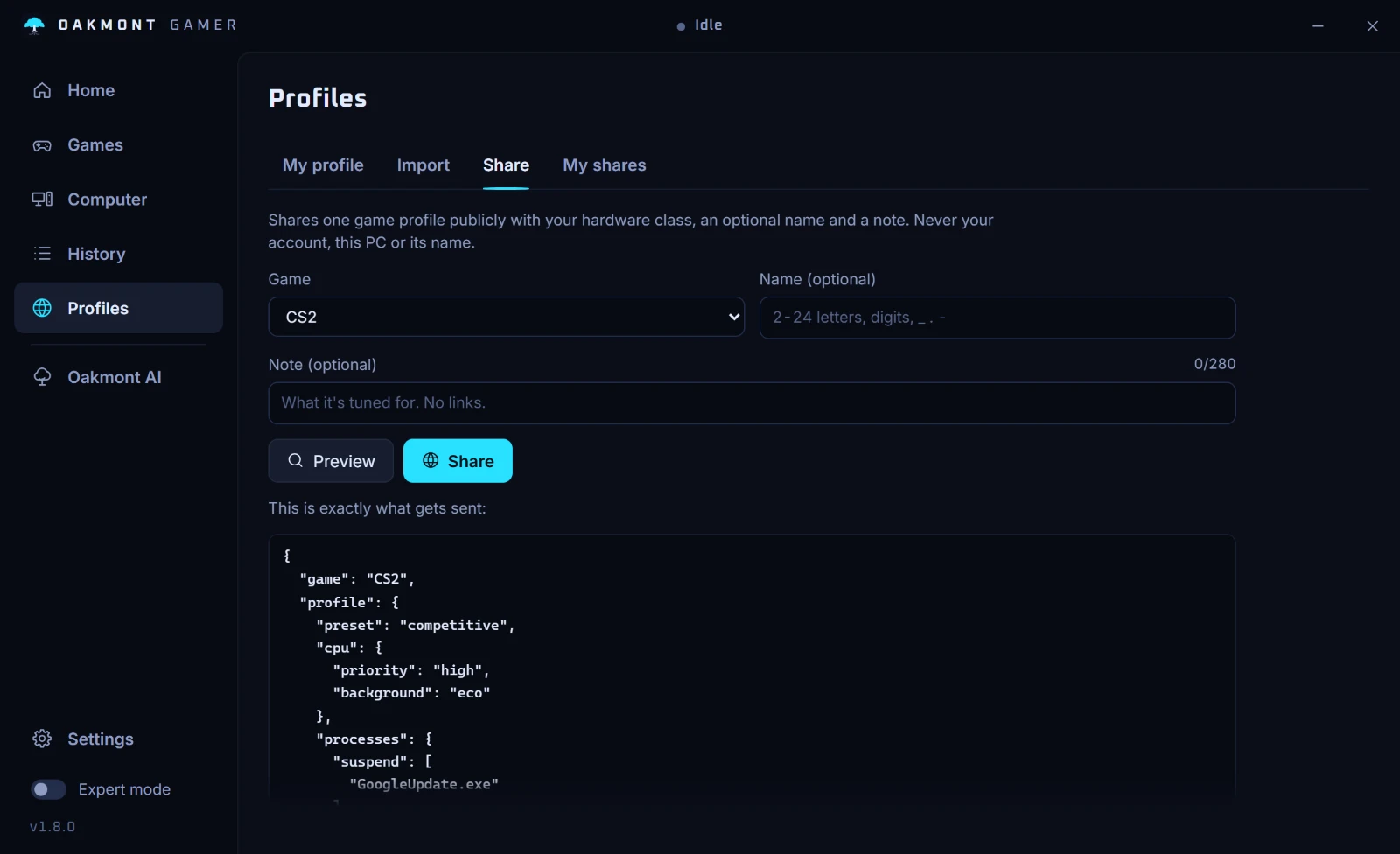
Shared profiles
Share a game profile as a link, and see exactly what gets sent before you do. A profile you import can be A/B tested on your PC first.
Your data
Export or delete what is stored, for one PC or for the whole account, from the app.
Everything it does
Everything in version 1.8, by group.
| Group | What is in it |
|---|---|
| While a game runs | Ultimate Performance power plan, cores kept awake, 0.5 ms timer, background services paused, Game Bar and DVR off, notifications silenced, standby memory freed under pressure, game priority and core affinity, background programs frozen, slowed or closed by your rules, fullscreen optimizations per game. |
| CPU and memory | Preferred or isolated cores, the right cache cores on X3D chips, one thread per core, thread priorities for render, main and audio threads, processor power settings, power throttling off for the game, game memory kept in RAM, USB and audio interrupts off the game's cores, lower memory and disk priority for the background. |
| Graphics | AMD Radeon, NVIDIA and Intel Arc: Anti-Lag, Chill, Boost, Enhanced Sync and VSync per session, Radeon presets, power limit, driver frame cap, fan and memory tuning, a minimum GPU clock, a dynamic frame cap, a VRAM guard, apps moved to the integrated GPU, one-click DXVK for older games and optional OptiScaler frame generation for single-player games. |
| After a restart | Hardware-accelerated GPU scheduling, multiplane overlay, multimedia scheduler priority, timer resolution, network throttling, Nagle, network card power saving, interrupt moderation and affinity, RSC and RSS, windowed-game optimizations. |
| Measured | FPS, 1% and 0.1% lows, P95 and P99, frame pacing and micro stutter, spikes and the driver behind each, DPC and ISR per driver, present mode, display latency, context switches, ping, jitter, loss, CPU, GPU and RAM load, GPU temperature, memory pressure. |
| On screen | The HUD line, the stats screen for a second monitor (on Auto only in exclusive fullscreen), toasts, the tray flyout, and an optional RivaTuner bridge for exclusive fullscreen. |
| After the game | Diagnosis with fixes, session timeline, trend per game with regression detection, compare with similar PCs, AI crash and month reports, a session or month saved as an image, what gaming and eco cost in electricity, session export and import. |
| Tuning | Verdicts from 30-second stretches matched by load, with a 95% range, live A/B windows inside a session, benchmark series for CS2, Dota 2, Cyberpunk 2077 and Hitman, the one-spot test for other games, tuning across normal sessions, the Ultimate test, eco and target-FPS goals, and restart switches checked over the next sessions. |
| Renderers | DX11, DX12 and Vulkan tested against each other from what the game's exe links, Unity and Unreal flags, the winner per card from other players, DLSS and FSR file swap for single-player games. |
| In-game settings | Presets for 41 games with a backup of the old file, the FPS cost of each heavy setting measured on your PC, and tuning to a target FPS that keeps the settings that matter for winning. |
| Per game | A library with a page per game, games found in Steam, Epic, Ubisoft Connect, Xbox, Battle.net, GOG, Rockstar, EA app, Roblox and the Minecraft launcher, three presets, launch options, display, sound device and Windows key per game, a proof card of the real gain, profile export, import and sharing. |
| Around the match | The before-the-match check, streamer mode with the FPS cost of streaming, streaming host mode for Sunshine, Apollo, Steam Remote Play and Parsec, crash and freeze diagnosis, Discord and voice apps kept responsive, a clean driver install assistant, click-to-screen latency in sessions. |
| The PC | The Computer page with recommendations for this PC, driver check, display check, mouse and keyboard check, disk cleanup, startup programs, page file, shader cache, Game Mode, quiet hours, 60-second diagnosis. |
| Network | Bufferbloat grade, game server ping, route test, DNS benchmark and switch, DSCP tagging for online games, network adapter and Wi-Fi settings judged on jitter, upload throttling, programs eating the line. |
| Laptop | Integrated-GPU fix, throttling watch, battery profile. |
| Handhelds | Handheld mode for ROG Ally, Legion Go, Steam Deck and others, and a controller check. |
| Stability | A stability check with hardware errors, driver resets, SSD wear and a short CPU, RAM and GPU load, CPU temperature through PawnIO, and audio dropouts with the likely driver. |
| Safety | A journal entry before every change, restore on exit, logoff, shutdown and after a crash, change history with restore, a settings check after Windows updates, one button that puts everything back before you uninstall. |
| Account, optional | Link by code, cloud sync, the panel, Oakmont AI in the panel (paid with credits), requests you confirm, weekly report, shared profiles, data export and delete. |
| Teams | OakmontGamer Teams for cafes and teams: many PCs under one account. |
| The app | Eleven languages (English, Polish, German, Spanish, Portuguese, French, Russian, Turkish, Chinese, Japanese and Korean), a setup guide, one main action per screen, expert mode, automatic updates, a hotkey for gaming mode, autostart, Get the PC ready before you usually play. |
The next rounds
What is planned for the next two versions. Nothing here is in the app yet.
A plan, not a promise. The order can change, and anything that cannot beat stock Windows does not ship.
House rules
- Nothing is injected into a running game. No overlay hook, so anti-cheat has nothing to object to; the in-game HUD is a window of its own. The DLSS and FSR swap and OptiScaler put files in a single-player game's folder only when you ask, and keep the originals.
- Sync clients are never frozen, and critical Windows services are never stopped.
- Every change is journaled first, and undone on exit, logoff, shutdown or after a crash.
- A change that needs a restart waits for you to click the restart, and goes back if the next sessions do not show a gain.
- No account for the 5-day trial; the licence after that comes with an Oakmont account. Cloud sync, Oakmont AI and anonymous stats stay off until you turn them on.
- Oakmont AI never changes your PC by itself. It can reorder tests and send a request; the PC asks you first.
- About 9 MB of memory at idle and about 16 MB with the HUD, toasts and stats screen open. Measured on our own build.
- Restore everything in Settings puts Windows back the way it was. Run it before you uninstall.
Before you buy
- Is it a subscription?
- No. You pay once, here on the Oakmont site, and the licence stays with your Oakmont account, updates included. The launch price is €14.99 for the first month after release, €29.99 after that. A new install runs in full for 5 days before you pay.
- Which games does it work with?
- Gaming mode and the measurements work with any game on Windows. Games are found in Steam, Epic Games, Ubisoft Connect and the Minecraft launcher, and you can add any other game yourself. CS2, Valorant, Fortnite, Apex Legends, Rust, Marvel Rivals, Escape from Tarkov and Minecraft also have in-game setting presets, and CS2, Cyberpunk 2077 and Hitman are tuned on their own benchmark.
- How much FPS will I gain?
- We do not promise a number, because it depends on your PC. The app tests each change on your hardware and keeps only what raises your 1% lows by more than the noise between runs. On a PC that is already well set up that can be little. What you always get is the measurement: what causes your stutter and what would fix it.
- Will it slow my PC down?
- About 9 MB of memory at rest and about 16 MB with the HUD, the notifications and the stats screen open, measured on our build. Nothing is injected into the game.
- Why does it ask for administrator rights?
- Windows lets only administrators change the power plan, services and the timer. The app asks once when it starts, and every change it makes is undone when the game closes.
- Does it work on a laptop?
- Yes. The Laptop page picks what runs on battery, checks which GPU the game uses and warns when the CPU or GPU is throttled.
Help and contact
One address for everything: admin@oakmonttechnologies.com
Something does not work
Say which Windows version you have, which game it is and what you saw. The app's version is at the bottom of its sidebar. If you can, attach oakmont.log from %APPDATA%\OakmontGamer\logs.
Payment and refunds
You pay on this site through Stripe, so receipts and refunds go through us: write to the address above from the e-mail of your Oakmont account. After a refund the licence is taken off the account.
Putting Windows back
Every change is undone when the game closes. To undo the permanent tweaks too, open Settings in the app and press Restore everything. Do that before you uninstall.
What is new
The app updates itself. This is what changed.
1.8.0
- Every verdict is measured in 30-second stretches matched by load, with a confidence range, and anything that switches live is tested back and forth inside one session.
- Renderer tournament: DX11, DX12 and Vulkan measured against each other; a new install starts from what won on cards like yours.
- The cost of each in-game setting, and tuning to the FPS you want.
- CS2 and Dota 2 demo benchmarks, and a one-spot test for games without a benchmark.
- New tweaks: Radeon minimum GPU clock, dynamic frame cap, browsers and Discord on the integrated GPU, one thread per core, processor power settings, game memory kept in RAM, USB and audio interrupts, learned preload, Dev Drive, network adapter and Wi-Fi settings, overlays off, Roblox flags, DLSS and FSR swap.
- Restart tweaks are tested over your next sessions and put back when they do not help.
Earlier versions
1.7.1
- A stability check: hardware errors, driver resets, SSD wear and a short CPU, RAM and GPU load.
- CPU temperature through PawnIO, and audio dropouts in sessions with the likely driver.
- Get the PC ready before you usually play.
- Streaming host mode for Sunshine, Apollo, Steam Remote Play and Parsec, and OakmontGamer Teams for cafes and teams.
1.7.0
- Per-game display (refresh rate, resolution, HDR) and sound device, put back after the game.
- The Windows key blocked while a game is in front, and Discord and other voice apps kept responsive.
- Click-to-screen latency in sessions, a session or month saved as an image, and what gaming and eco cost in electricity.
1.6.1
- In-game presets for 23 more games, 41 in total.
- A card that shows your real gain once Oakmont has tuned a game.
- Ask Oakmont AI about a game with its session data.
1.6.0
- NVIDIA and Intel Arc support, and eight more languages.
- Xbox, Battle.net, GOG, Rockstar, EA app and Roblox games in the scan.
- Handheld mode for ROG Ally, Legion Go, Steam Deck and others, and a controller check.
- Optional OptiScaler frame generation for single-player games, DSCP tagging for online games, compare with similar PCs, AI crash and month reports.
- One main action per screen, the rest under the more menu.
1.5.2
- The Ultimate test closes background apps, waits for a quiet PC, measures it, tunes every game with a benchmark and walks you through the rest.
- The full check ends in a setup wizard, and diagnosis findings get a button to the fix.
1.5.1
- OakmontGamer is a paid app: every feature works for 5 days, then a one-time licence keeps the tuning on. One licence covers 3 PCs.
1.5.0
- Fixes a crash on Radeon cards when a session ends, and the app checks for a new version before anything else starts.
- An eco tuning goal, moving Steam games from a hard drive to an SSD, a month review, a VRAM guard, preloading games from hard drives, and Radeon fan and memory tuning.
1.4.7
- Fixes a crash on Radeon cards when a game starts.
- Presets for Palworld, Bellwright and Dying Light 2, and the renderer test for Unity games.
1.4.6
- A Fixes tab per game: measured tests for Unreal Engine stutter settings, the renderer, DirectStorage and Control Flow Guard, a 4 GB patch for old 32-bit games, Java memory advice for Minecraft.
- Animated wallpapers pause while you play.
1.4.5
- Radeon tuning (turbo preset, power limit, driver frame cap), one-click DXVK for older single-player games, an upgrade advisor and frame generation hints.
- Competitive games never get frame generation, Chill or a driver frame cap.
1.4.4
- Game and settings history, an always-fix for settings Windows put back, and new games added on their own.
1.4.3
- Launch options and In-game settings tabs per game, and better CS2 defaults.
1.4.2
- OakmontGamer no longer takes a CPU core during a game when programs start and exit often in the background.
1.4.1
- Stutters you feel are now counted by event, and short hitches are shown apart as micro-stutters. Earlier versions counted every long frame, so fast games looked worse than they played.
- The diagnosis blames a driver only for a long call, and no longer names what holds for the whole session (CPU limit, GPU at 100%) as the cause of a stutter.
- VSync is reported only when the frame rate is locked to the display.
- Older sessions are counted again the same way on first start, so your history stays comparable.
1.4.0
- Games is a library with covers; each game has Overview, Sessions, Tuning and Settings.
- Computer: one page with every check and maintenance tool, each showing its state in one line.
- Tuning runs on the game's own benchmark where there is one (CS2, Cyberpunk 2077, Hitman).
- Crash diagnosis for games, a check before a ranked match, streamer mode.
- DNS benchmark and display check.
- Sessions are scored only on the time the game was in the foreground.
Guides
How to find the cause of a stutter, read 1% lows and test a tweak yourself. Every step works without the app, and each guide shows which ones the app does for you.
FPS drops every few seconds
A hitch every few seconds, like clockwork? A steady rhythm points at a program, a device or a driver, not at the game. How to find which one.
Valorant stutter
Valorant stutters or drops FPS mid-round? Riot's own checks, the video settings that matter, and how to see what caused each hitch on your PC.
CS2 stutter
CS2 stutters even at high FPS? Record a match in OakmontGamer and see whether a driver, a background program, memory or the network caused each stutter.
Launch price
€14.99 instead of €29.99 for the first month after launch.
First month price€14.99€29.99
- One-time purchase, no subscription
- Bought here, with an Oakmont account
- Every change undone when the game closes
What it needs
- Windows 10 (version 2004 or newer) or Windows 11, 64-bit
- Admin rights, asked for when it starts
- 100 MB of disk space