
OakmontGaming
Tools for people who play on PC. Built the way Oakmont builds everything else: every change measured, every change reversible.
Season 01
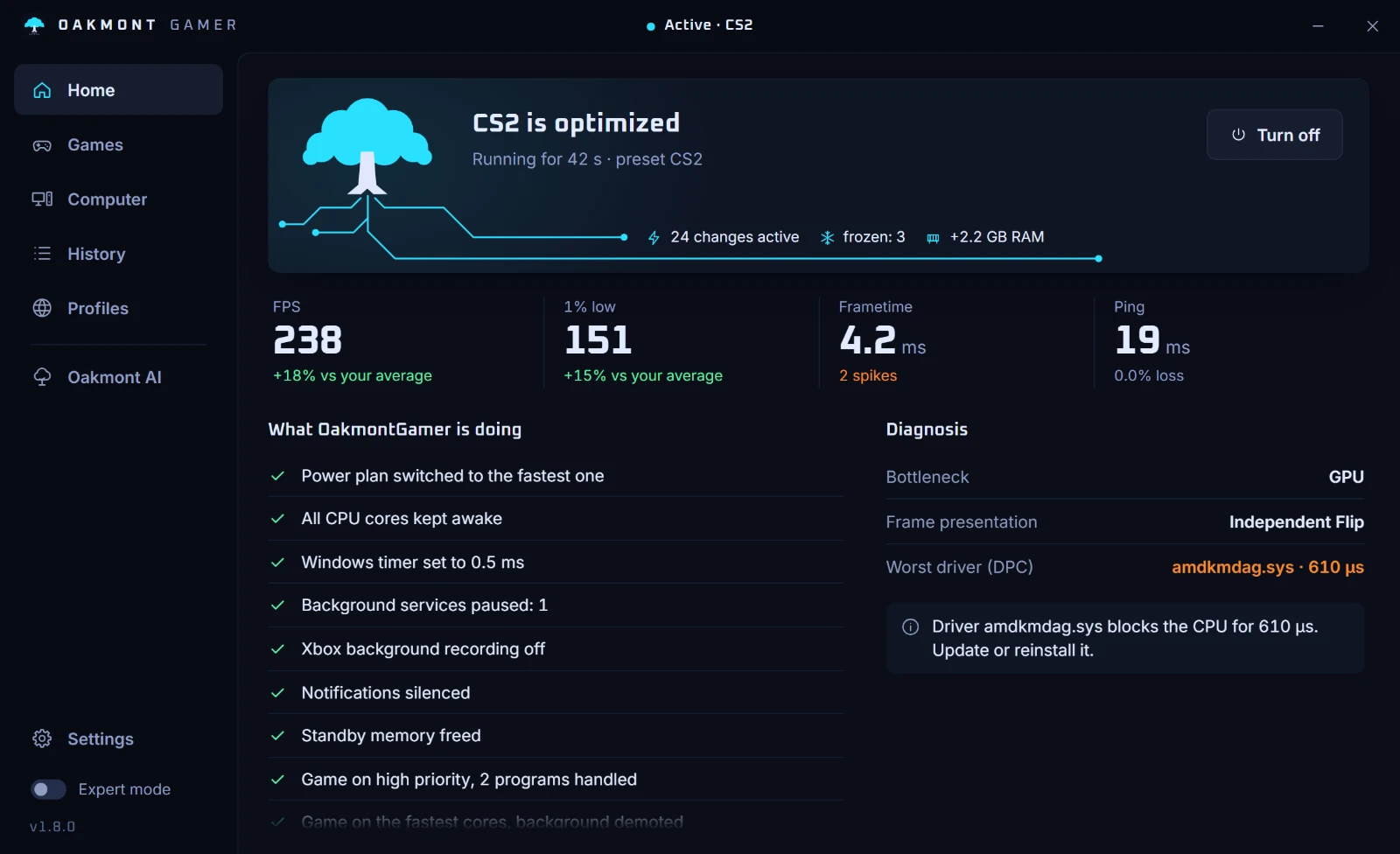
- Seed 1OakmontGamerTunes Windows while a game runs. Puts everything back when it closes.
- Seed 2TBDAnnounced when it ships. Not before.
- Seed 3TBDAnnounced when it ships. Not before.
- Seed 4TBDAnnounced when it ships. Not before.


Your PC
Every entry has to leave it the way it found it.
The first entry
OakmontGamer is a Windows tray app. When a game starts it applies a set of system changes, measures every frame while you play, and undoes all of it when the game closes. A change stays in your setup only after it has beaten your own baseline on your own PC.

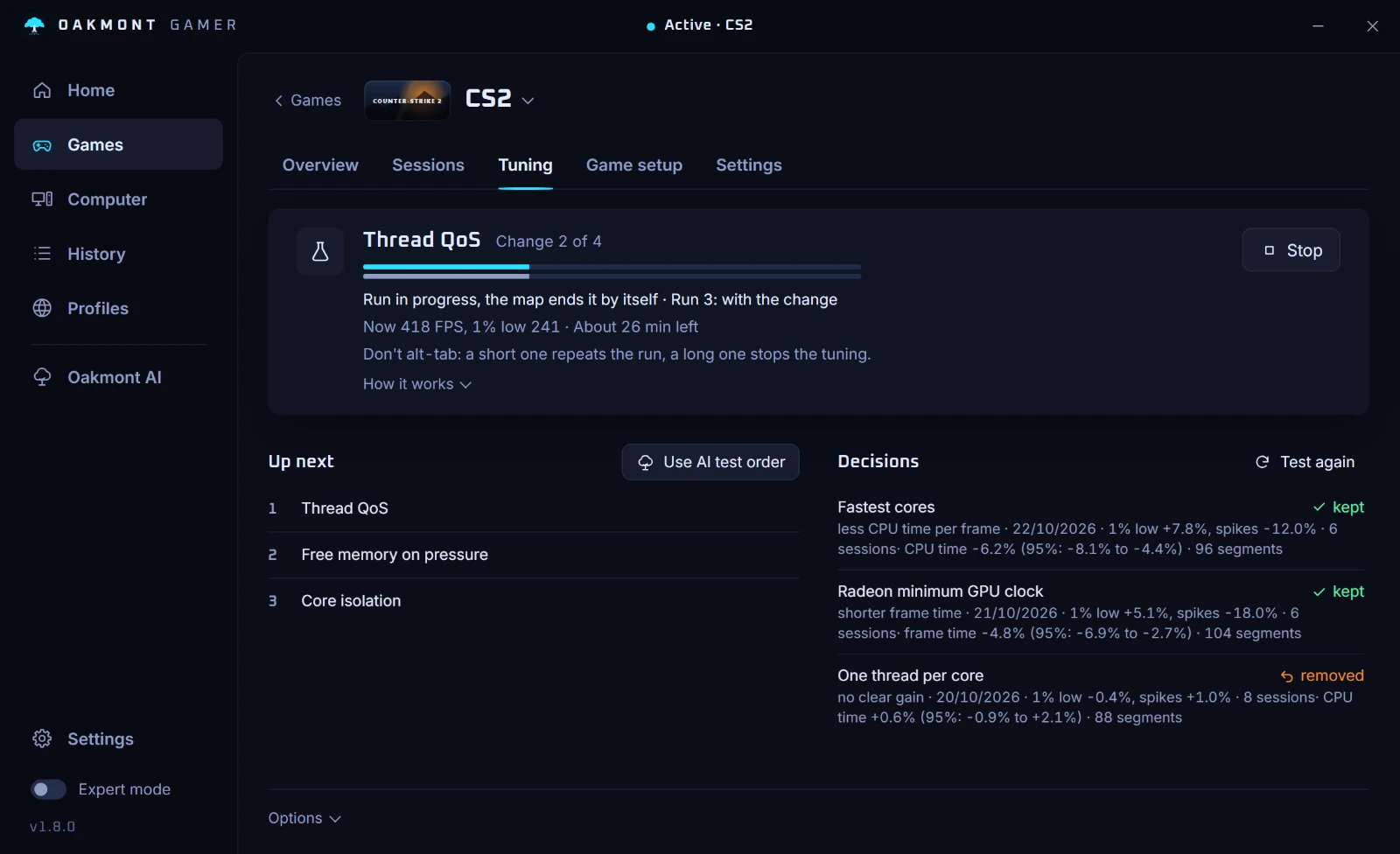
A change has to win
Tuning runs a change on, then off, then on again: on the game's benchmark where it has one, across your own sessions where it does not. The change stays only when your 1% lows improve by more than the noise between runs.
Diagnosis
After a session it splits the stutters by what was going on at that moment: a driver holding the CPU, a background program, memory running out or the network. Crashes and freezes are read from the Windows event log and tied to the session they hit.
Oakmont Score
One number per session, built from smoothness, latency and stability as measured on your PC. With too little data it says so instead of guessing.
The PC itself
The Computer page reads the hardware and Windows and says what to change and why: a monitor below its refresh rate, RAM below its rated speed, an old graphics driver, a slow DNS, too many startup programs.
How every entry is built
These are the conditions a product has to meet before it gets a seed here. OakmontGamer meets them today.
- Nothing is injected into a running game. No overlay hook, so anti-cheat has nothing to object to; the in-game HUD is a window of its own. The DLSS and FSR swap and OptiScaler put files in a single-player game's folder only when you ask, and keep the originals.
- Every change is journaled first, and undone on exit, logoff, shutdown or after a crash.
- Restore everything in Settings puts Windows back the way it was. Run it before you uninstall.
- No account for the 5-day trial; the licence after that comes with an Oakmont account. Cloud sync, Oakmont AI and anonymous stats stay off until you turn them on.
- Oakmont AI never changes your PC by itself. It can reorder tests and send a request; the PC asks you first.
- Sync clients are never frozen, and critical Windows services are never stopped.
Asked before buying
- What is Oakmont Gaming?
- The gaming line of Oakmont Technologies LLC. It makes tools for people who play on PC. The first one is OakmontGamer, a Windows app that tunes the system while a game runs and puts everything back afterwards. Further products are announced when they ship.
- Will OakmontGamer get me banned by anti-cheat?
- It does not inject anything into the game and has no overlay hook, so there is nothing inside the game process for anti-cheat to object to. The in-game HUD is a separate window drawn over the game.
- Does it need an account or an internet connection?
- Not for the 5-day trial. After that the licence comes with an Oakmont account: link the app to it in Settings > Account, and it has to reach us at least once a month. Measuring, diagnosis and advice keep working without it. Cloud sync, Oakmont AI and anonymous stats stay off until you turn them on.
- What does it cost and what does it run on?
- The launch price is €14.99 instead of €29.99 and holds for the first month after release. You buy it once on this site, and a new install runs in full for 5 days first. It runs on 64-bit Windows and asks for administrator rights when it starts. The interface is in English, Polish and German.
- What happens to my settings if I uninstall it?
- Every change is written to a journal before it is made and undone on exit, logoff, shutdown or after a crash. Before you uninstall, press Restore everything in Settings: it also puts back the permanent tweaks you applied, and Windows is the way it was.
Guides
How to find the cause of a stutter, read 1% lows and test a tweak yourself. Every step works without the app, and each guide shows which ones the app does for you.
FPS drops every few seconds
A hitch every few seconds, like clockwork? A steady rhythm points at a program, a device or a driver, not at the game. How to find which one.
Valorant stutter
Valorant stutters or drops FPS mid-round? Riot's own checks, the video settings that matter, and how to see what caused each hitch on your PC.
CS2 stutter
CS2 stutters even at high FPS? Record a match in OakmontGamer and see whether a driver, a background program, memory or the network caused each stutter.
Launch price
€14.99 instead of €29.99 for the first month after launch.
First month price€14.99€29.99
- One-time purchase, no subscription
- Bought here, with an Oakmont account
- Every change undone when the game closes
What it needs
- Windows 10 (version 2004 or newer) or Windows 11, 64-bit
- Admin rights, asked for when it starts
- 100 MB of disk space