
Step 1: Riot's own checks
Riot's support article on micro-freezing in Valorant lists the basics first, and they are worth doing before anything else, because each one removes a whole class of cause.
- Set Windows to its best performance power mode, so the CPU does not sit at a low clock between rounds.
- Update the graphics driver and Windows.
- Run the Riot Client as administrator.
- If the stutter stays, try a clean boot: Windows with only Microsoft services running. If it is gone there, one of your startup programs is the cause.
Riot also asks you to check system files with SFC and DISM. That fixes a broken Windows install, which is rare, so leave it for last.
Step 2: see the stutter instead of guessing
Valorant can show it for you. Under Settings, General, Other, the instability indicators put a small icon on screen when the client frame rate drops, and Settings, Video, Stats can show performance graphs while you play. That tells you a hitch happened. It does not tell you why.
For the why, record a match with OakmontGamer running. Each stutter is a dot on the session's Timeline, and the Diagnosis tab lines them up with what else the PC was doing at that moment. How to read 1% lows explains the numbers on the Overview tab.
Step 3: the video settings Riot points at
Riot's guidance for more FPS is short. Under Settings, Video, Graphics Quality:
- Lower Material Quality, Texture Quality, Detail Quality and UI Quality first.
- Turn off Improve Clarity, Experimental Sharpening, Bloom, Distortion and Cast Shadows.
- Under General, try Fullscreen display mode.
- Test VSync off. It adds input lag, and the price is tearing.
Multithreaded Rendering is the first option on that page. Riot lists it for a CPU with 8 or more threads, 8 GB of RAM and 2 GB of video memory. On a CPU below that, compare a match with it on and one with it off.
Graphics settings raise the average. They rarely touch a stutter that comes from outside the game, which is why this is step 3 and not step 1.
Step 4: cap the frame rate
An uncapped Valorant on a fast PC swings between very high and merely high frame rates, and the swings feel like hitches. A cap a little under what your PC holds in a busy fight keeps frame times even. The setting is Limit FPS Always, in the video settings.
With a G-Sync or FreeSync monitor, keep the cap a few frames under the refresh rate so variable refresh stays active. On an NVIDIA card, turn on NVIDIA Reflex in the video settings: it keeps the render queue short, so input reaches the screen sooner.
Leave Vanguard alone
Vanguard is Riot's anti-cheat, a client and a kernel driver. Riot is clear that it has to stay active to play, and it starts with Windows. Guides that tell you to disable it for FPS are giving advice that ends with the game refusing to start, and Riot frames uninstalling it as a repair step for broken files, not as a speed fix.
OakmontGamer never freezes, closes or lowers the priority of vgc.exe, whatever profile you choose.
If the stutter is in your aim, not your frames
A mouse that feels like it skips while the frame time graph stays flat is a different problem. Valorant has a Raw Input Buffer setting, added as a beta in patch 3.07, which Riot says helps most with very high polling rate mice. If you use one at 8000 Hz, try it on.
A very high polling rate also costs CPU time in the USB driver. If OakmontGamer names usbxhci.sys in a session's Diagnosis, lower the polling rate one step and record again. DPC latency explains why a driver can cause a stutter.
What OakmontGamer does for Valorant
The app finds Valorant in the Riot Games folder and records its matches like any other game: from outside, with nothing injected.
- Counts the stutters after the first two minutes and after loading, so map loads and shader warm-up do not count against you.
- Names the cause it can see in the same seconds: a driver call of a millisecond or more, a busy background program, memory pressure, a hot GPU, or network lag with the frames still steady.
- Puts a busy background program in Eco or freezes it while the game runs, with one press on its Diagnosis row. Anti-cheat is never touched.
- Writes VSync off into Valorant's own config file, with a backup. The FPS limit stays yours: the app does not write it.


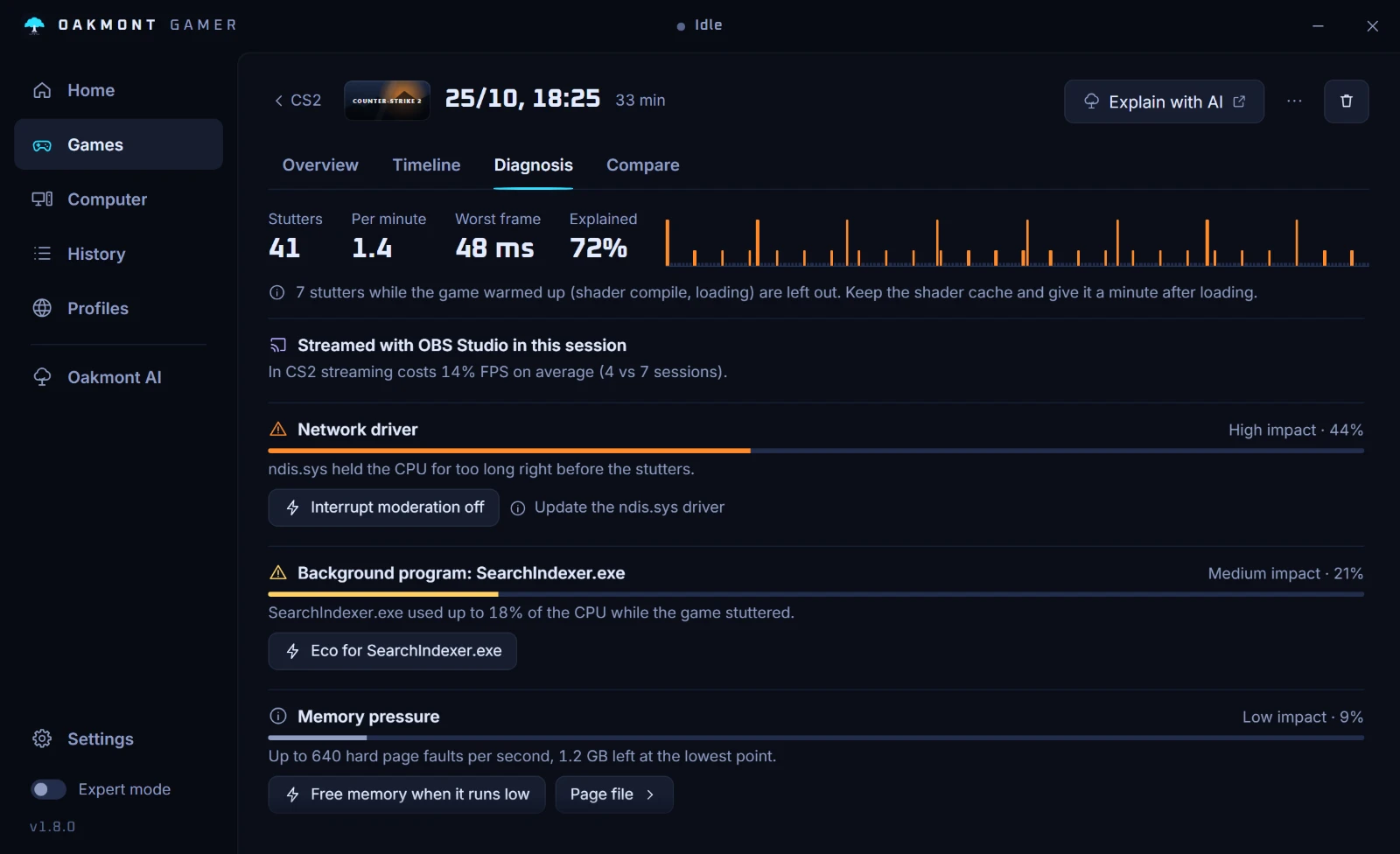
When nothing lines up with the stutters, the app says so rather than inventing a cause. Then the game itself, or its servers, is the likely source.
How the stutter diagnosis works