
What VBS and Memory integrity are
Virtualization-based security (VBS) uses the Windows hypervisor to create an isolated environment that Windows trusts even if the normal kernel is compromised. Memory integrity, also called HVCI, runs the kernel's code integrity checks inside it: kernel memory becomes executable only after passing those checks, and executable pages are never writable. That is what stops a bad driver from slipping its own code into the kernel.
Microsoft turns Memory integrity on by default on clean installs of Windows 11 on compatible hardware. Since September 2026 Microsoft has also said that, beginning in October 2026, quality updates turn it on for eligible devices, together with VBS where it is off. Devices where Memory integrity was already turned off are not changed by that rollout.
What Microsoft said about gaming
Microsoft's support page on gaming performance in Windows 11 said that in some scenarios and some configurations of gaming devices there may be a performance impact with Memory integrity and the Virtual Machine Platform on. It went on: gamers who want to prioritize performance have the option to turn off these features while gaming and turn them back on when finished playing, and if they are off, the device may be vulnerable to threats.
Two things are worth knowing about that page. It gave no number for the cost, so anyone quoting a percentage did not get it from Microsoft. And Microsoft took it down in late 2025; the text is still in the Web Archive, linked under Sources.
Step 1: check what runs on your PC
- Press Start, type
msinfo32and open System Information. - On the System Summary page, find Virtualization-based security. Running means VBS is on.
- Under Virtualization-based security Services Running, Hypervisor enforced Code Integrity means Memory integrity is on.
- Windows Security, Device security, Core isolation details shows the Memory integrity switch itself.
Anti-cheats that ask for it
Riot Vanguard (Valorant, League of Legends) may require TPM 2.0, Secure Boot, Memory integrity and IOMMU, depending on the system, and asks with a VAN: RESTRICTION error. Riot's own steps for turning Memory integrity on start with the same msinfo32 check as above.
FACEIT says you do not need Memory integrity unless its anti-cheat asks for it, with the message Please enable Memory Integrity to continue. It also requires VBS to support IOMMU, which it rolls out in waves. FACEIT's own note on cost: IOMMU and VBS can have a minor performance impact in some cases, mostly on older systems or immature firmware.
If you play these, the decision is made for you: turning Memory integrity off means the game will not start until you turn it back on.
Step 2: if you turn it off, do it this way
- Memory integrity: Windows Security, Device security, Core isolation details, switch Memory integrity off, restart.
- Virtual Machine Platform: search for Windows features, open Turn Windows features on or off, untick Virtual Machine Platform, OK, restart. Tools that run virtual machines, such as WSL 2, need it back.
- If Memory integrity will not turn back on later, Windows lists the drivers that block it under Review incompatible drivers. Old mouse, keyboard and RGB software is a common cause.
Microsoft's own suggestion was to turn them off only while gaming. A PC you also use for banking, work or shared accounts is a reason to keep them on.
Step 3: measure your own cost
Microsoft gave no figure because it depends on the CPU, the drivers and the game. Measure it: play the same scene three times with Memory integrity on, restart with it off, play it three times again. Compare the 1% low and the stutter count, as in how to measure 1% lows. If the two blocks overlap, the protection is costing you nothing you can see, so turn it back on.
Memory integrity is one of the Windows settings with the most tips and the least numbers behind them. Windows settings for gaming and HPET and timer resolution cover others with the same approach.
On or off: the short version
| Your case | Verdict |
|---|---|
| Vanguard or FACEIT asks for it | Keep it on |
| The PC is also used for work, banking or by others | Keep it on |
| No difference in your own test | Keep it on |
| Offline games, a clear loss in your test | Off while playing, your call |
What OakmontGamer does about VBS
The app reads from Windows whether VBS and Memory integrity are running, and keeps the switches in expert mode, never in the one-click recommendations.
- The Computer page lists Virtualization security as a hint when Memory integrity or VBS is running, marked optional. It also says when VBS is there because Hyper-V, WSL or Docker need it.
- Memory integrity off in System tweaks is the same switch as in Windows Security. It is not offered when the setting is locked in UEFI or set by a group policy. Its warning names Vanguard and FACEIT, stays on screen, and the button asks a second time. Restore turns it back on.
- Hypervisor off at boot shows only where Windows has the hypervisor set up to start. Windows then starts without Hyper-V, so VBS cannot run, and Docker, WSL 2, Windows Sandbox and Android apps stop working until you switch it back.
- Both need a restart, and the original value is saved.


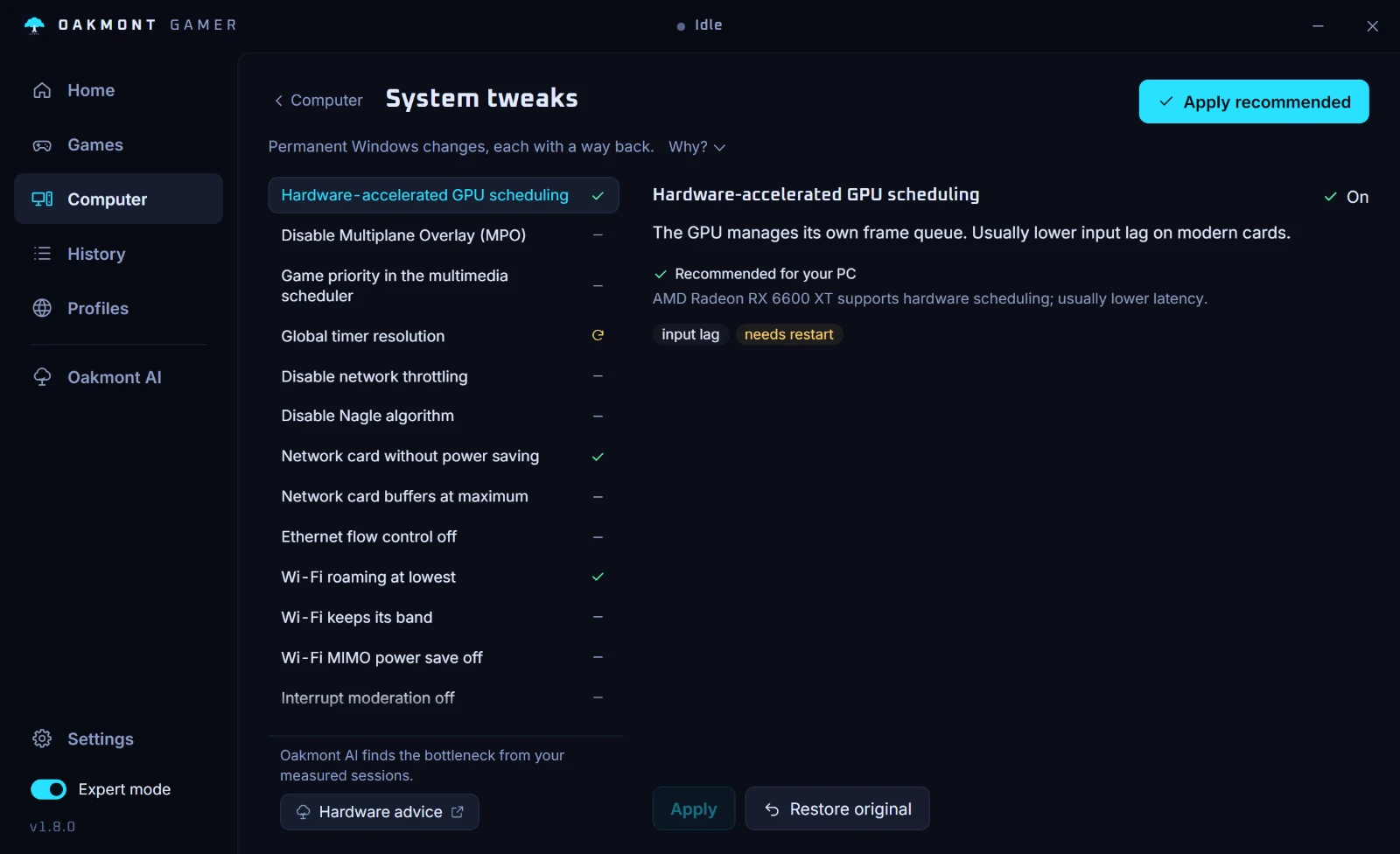
The app does not touch the Virtual Machine Platform feature and does not decide for you. It shows what runs and keeps the sessions, so you can see what the switch changed. More on the Computer page.
What the Computer page checksQuestions people ask
- Does Memory integrity lower FPS?
- It can on some PCs: Microsoft said there may be a performance impact in some scenarios and configurations, without giving a number. Measure it in your own game before you give up the protection.
- Should I turn off VBS for gaming?
- Only if your own test shows a clear loss, your games do not require it and the PC is not used for anything sensitive. Microsoft's advice was to turn it off while gaming and back on after.
- Does Valorant need Memory integrity?
- It can. Riot says Vanguard may require Memory integrity, TPM 2.0, Secure Boot and IOMMU depending on your system, and shows a VAN: RESTRICTION error when it does.
- How do I check if VBS is running?
- Open msinfo32. On System Summary, Virtualization-based security says Running when VBS is on, and Hypervisor enforced Code Integrity under the services running means Memory integrity is on.
- Will Windows turn Memory integrity back on?
- Microsoft says quality updates from October 2026 turn it on for eligible devices, but devices where it was already turned off are not changed by that rollout.
- Is it safe to turn off Memory integrity?
- It lowers protection against malicious drivers, and Microsoft says the device may be vulnerable to threats with it off. It is a trade you make knowingly, ideally only while you play.
Sources
The technical claims on this page were checked against these official pages.
- Microsoft Support: Options to optimize gaming performance in Windows 11 (Web Archive copy, October 2025)
- Microsoft Learn: Memory integrity enablement
- Windows IT Pro Blog: Expanding memory integrity protection across Windows devices
- Riot Games: Vanguard security requirements
- Riot Games: Enable Memory Integrity
- FACEIT: Enabling Memory Integrity (HVCI)
- FACEIT: Windows Security Requirements FAQ
- Microsoft Learn: BCDEdit /set, hypervisorlaunchtype