
Where to set them
Apex runs from the EA app or from Steam, and each has its own field. EA's help page gives both paths.
- EA app: Library, Apex Legends, the three-dot menu on the game tile, View properties, Advanced launch options.
- Steam: right-click Apex Legends in the library, Properties, General tab, Launch Options.
Put a space between options. A -option is a switch the game reads while it starts. A +command value is a console command it runs at every start, which is why a + option wins over the matching setting in the menu each time the game opens.
+fps_max: the one EA documents
Apex has no frame rate limit in its menu. EA's way to set one is a launch option: +fps_max followed by the number. EA's own example is +fps_max 200 for a cap of 200 FPS.
Which number depends on the monitor:
- With G-Sync or FreeSync: a few frames under the refresh rate, for example
+fps_max 138on a 144 Hz monitor. Variable refresh stays active and frame times stay even. - Without variable refresh: a number your PC holds in a busy fight, not the one it reaches in the lobby. A cap you keep hitting gives even frame times; one you keep falling under does not.
EA warns that changing the cap can cause performance issues and asks you to check your PC's specs first. So measure before and after. To see your frame rate, turn on Performance Display under Settings, Gameplay, or use Steam's in-game FPS counter.
The usual list, with a verdict for each
These are the options most Apex lists repeat. Only the first one is documented by EA; for the rest, the verdict says what is known and what is not.
| Option | Verdict | Why |
|---|---|---|
+fps_max | Use it | EA's documented way to cap the frame rate. |
-novid | Harmless | Meant to skip the intro videos at start. It saves seconds, not frames. |
-fullscreen | Use the menu | Display Mode under Settings, Video does the same, and the menu shows what you picked. |
-forcenovsync | Use the menu | V-Sync has its own setting in the video menu. Turn it off there. |
+cl_showfps | Use the menu | Performance Display under Gameplay is the supported FPS counter. |
-dxlevel 95 | Does nothing | Apex runs on DirectX 12 only now, so a DirectX 9 level has nothing to set. |
-preload, +mat_queue_mode 2 | Unverified | From older Source games. Nothing documents them for Apex, so only a measurement can justify them. |
-high | Risky | Meant to start the game at high priority, which can push your sound and input drivers back when the CPU is busy. |
Why most of the list is unverified
Apex runs on Respawn's own branch of the Source engine. Valve's lists of Source launch options describe Valve's games, and many Apex lists were copied from them years ago. Some of those options may still be read, some are not, and nothing on screen tells you which.
The game also changed under them. EA made DirectX 12 the default in January 2025 and its PC requirements now list DirectX 12 only, so anything written for the old DirectX 11 renderer is out of date. Apex Legends stutter covers what that change means for shaders.
That is the reason for the short line. Each option you keep without knowing what it does is one more thing to rule out the day the game starts to stutter.
How to test an option yourself
- Pick a scene you can repeat. The Firing Range with the same route each time works well.
- Play it a few minutes with OakmontGamer running, once with the option and once without, and do that three times each. Every run is its own session.
- Compare the 1% lows in the Compare tab. If the difference is smaller than the spread between runs of the same setup, the option did nothing. How to measure 1% lows explains the method.
Test one option at a time. Two changes in one run tell you nothing about either of them.
What OakmontGamer does with Apex launch options
For Apex on Steam, the game's Settings page in the app has a Steam launch options section. It shows the line Steam starts the game with, one option per row.
- Under Worth adding it offers
+fps_maxsized just under your monitor's refresh rate, for example 138 at 144 Hz or 157 at 165 Hz, and-novid. Both start unticked. - Your own options can be typed into the same section.
- A backup of Steam's config file is made before every change, and the last ones can be put back.
- Steam has to be closed while the app writes, because Steam rewrites that file when it exits.


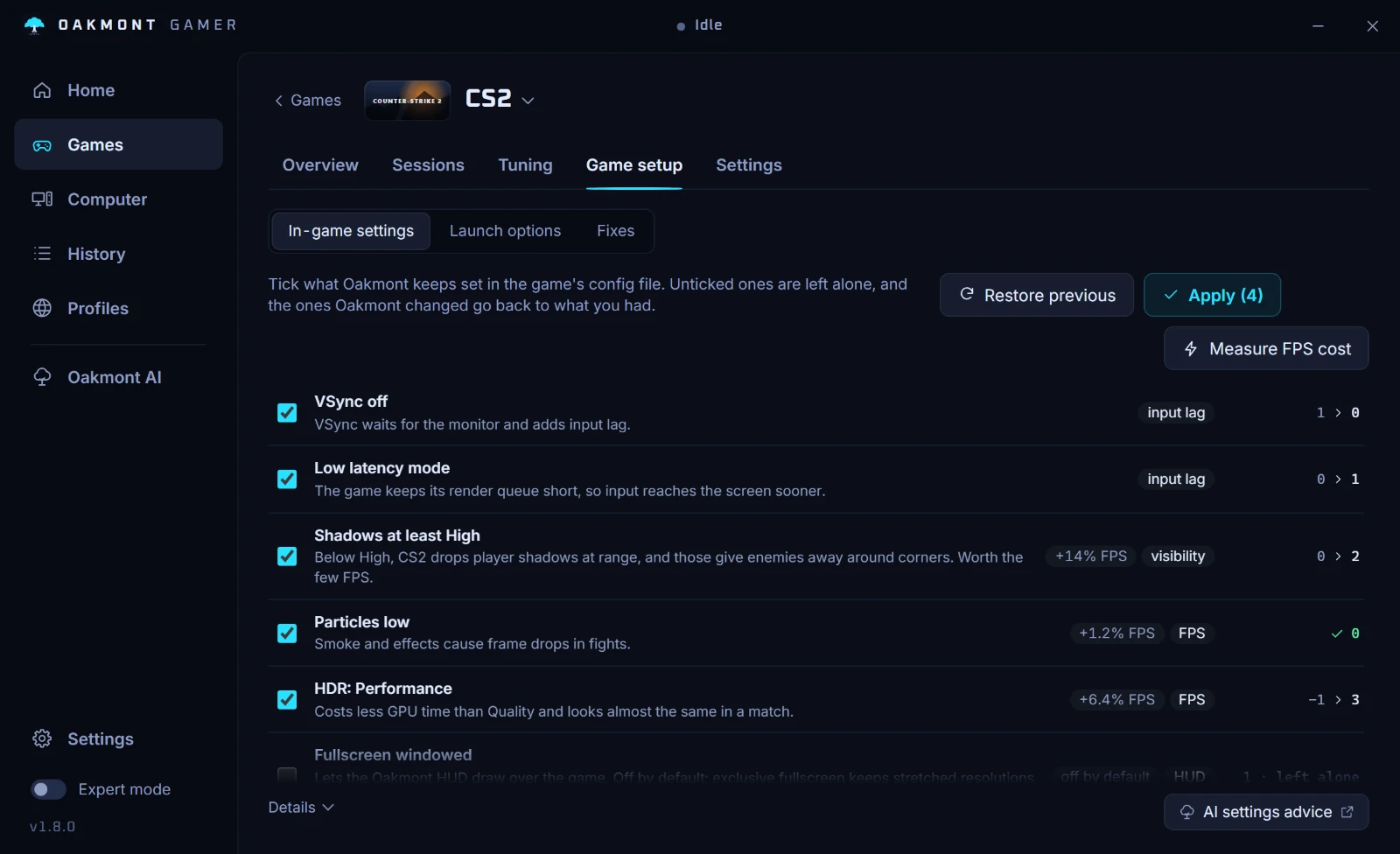
The section reads Steam's config only. In the EA app, launch options stay a field you fill in by hand. The in-game preset on the same page writes V-Sync off, sun shadows off and low particle detail into videoconfig.txt, with a backup.
Questions people ask
- Where do I put Apex launch options in the EA app?
- Library, Apex Legends, the three-dot menu on the game tile, View properties, then Advanced launch options. On Steam it is Properties, General, Launch Options.
- What FPS cap should I use in Apex?
- With a G-Sync or FreeSync monitor, a few frames under the refresh rate, such as
+fps_max 138at 144 Hz. Without variable refresh, a number your PC holds in fights. Measure the 1% lows with and without it. - Do launch options give more FPS in Apex?
- Not that anyone has documented. The cap is the only option EA describes, and it limits the frame rate rather than raising it. Its gain is even frame times, not a higher number.
- Does
-novidstill work? - It is meant to skip the intro videos when the game starts. It has nothing to do with performance, so keeping it or leaving it out changes nothing in a match.
- Why does my in-game setting reset every time I start Apex?
- A
+launch option runs as a console command at every start and overrides the menu. If a setting keeps coming back, look for a matching+option in the launch line and remove it.