
First, tell the three apart
- Only in the first match after an update or a new graphics driver: shaders compiling. It fades on its own.
- Hitches when you land, open a new area or fight in smoke: textures that do not fit in video memory. Step 1.
- A frame rate that swings between very high and much lower: no cap. Step 2.
- Players teleporting while your frame rate stays steady: the connection, not the PC.
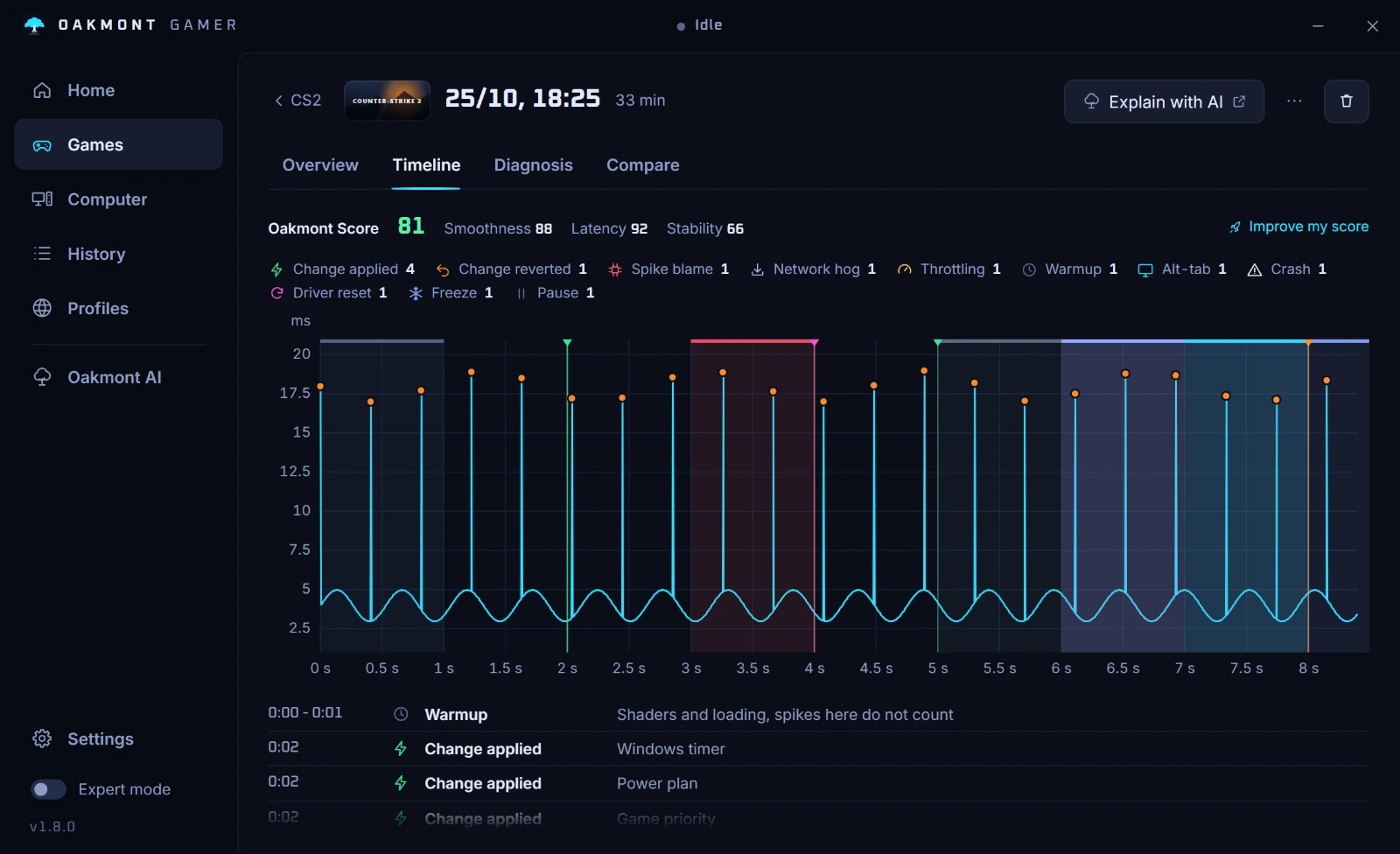
A recording of one match answers this in a minute: OakmontGamer's Timeline shows whether the stutters bunch up at the start, follow the fights, or come at any time.
After an update: let shaders compile
EA made DirectX 12 the default in January 2025 and its PC requirements now list DirectX 12 only. On DirectX 12 the game compiles shaders for your card, and EA warns that the first launch after an update can take a while for that.
Let it finish in the lobby before you queue. Stutter in the first match after an update or a new graphics driver is mostly that, and it fades on its own.
EA has worked on this side of the game in its patches. In November 2024, when DirectX 12 left beta, it fixed the main cause of lobby stutter when maps preload for the first time and sped up shader compiling on CPUs with four cores or fewer. An old guide that blames DirectX 12 for every hitch predates those fixes.
Step 1: size the texture streaming budget to your card
Apex keeps a budget of video memory for textures and streams them in and out as you move. The setting is Texture Streaming Budget under Settings, Video, with values from None up to 8 GB.
When the budget is bigger than your card's free memory, textures spill into system RAM, and fetching them back costs you a hitch, often in the busiest fight. Set it a step below your card's memory: a card with 8 GB has to share it with Windows and every other program.
A browser or a video on another screen uses video memory too, so the right value is lower with them open.
Step 2: cap the frame rate the way EA documents
Apex has no frame cap in its menu. EA's help page gives a launch option instead:
- In the EA app: Library, Apex Legends, the three dots, View properties, Advanced launch options.
- On Steam: right-click the game, Properties, General, Launch Options.
- Type
+fps_maxand the cap, for example+fps_max 141for a 144 Hz monitor.
EA warns that changing the cap can cause performance issues, so measure before and after. A cap a few frames under your refresh rate keeps variable refresh active and frame times even. To see your frame rate, turn on Performance Display under Settings, Gameplay.
Step 3: the video settings worth changing
| Setting | Value | Why |
|---|---|---|
| V-Sync | Disabled | Waits for the monitor and adds input lag. The cap does its job better. |
| Adaptive Resolution FPS Target | 0 unless you want it | Lowers resolution on the fly to hold a frame rate. Off keeps the picture steady. |
| Texture Streaming Budget | A step under your card's memory | Textures that do not fit spill into system RAM and come back as hitches. |
If your card supports it, turn on NVIDIA Reflex in the same menu: it keeps the render queue short, so input reaches the screen sooner.
When the cause is outside the game
If the stutters keep coming after shaders have settled and memory fits, look outside the game. A driver that holds the CPU, a program busy in the background or a GPU running hot all stutter Apex the same way. The checklist for finding a stutter's cause applies here, and so does the one for hitches every few seconds.
Teleporting players with a steady frame rate is the connection, not the PC: ping spikes and bufferbloat.
And close what you do not need while you play: a browser playing video, a recording tool you are not using, lighting software. Each costs little alone. Together, in the one second a fight needs every frame, they add up.
What OakmontGamer does for Apex Legends
The app knows Apex by both of its executables and reads its video config from your Saved Games folder.
- Records every frame of a match from outside the game and counts stutters after warm-up and loading.
- Names Video memory full when the card's memory was over 95% full while the game stuttered, and suggests one step lower textures.
- The In-game settings section writes V-Sync off, sun shadows off and low particle detail into
videoconfig.txt, with a backup. - Easy Anti-Cheat is never frozen or closed, whatever profile you use.


The app does not write your frame cap: that stays a launch option you set and measure yourself.
What the app does per game