
What HAGS changes
Before HAGS, Windows scheduled GPU work with a high-priority thread on the CPU. To hide that cost, games batch their commands and submit them only a few times per frame, and Microsoft says that buffering adds latency.
With hardware-accelerated GPU scheduling, Windows hands most of that scheduling to a dedicated scheduling processor on the GPU. Windows still decides which program gets priority. Microsoft introduced it in the Windows 10 May 2020 Update as an opt-in option that was off by default, and it needs supported hardware and a WDDM 2.7 driver.
Microsoft's own expectation, from the DirectX team's post: the transition should be transparent and users should not notice any significant changes. That is the honest baseline. HAGS is not an FPS switch.
Which cards support it
The switch only shows in Windows when the card and its driver support it. If you do not see it, update the graphics driver first; if it is still missing, the card does not offer it.
AMD was late. Its Adrenalin 23.12.1 driver added HAGS for the Radeon RX 7900, 7800 and 7700 series on Windows 11 version 22H2 and newer. Older Radeon cards do not have it.
Why frame generation needs it
NVIDIA's developer guide for DLSS Frame Generation lists two Windows requirements: Windows 10 version 2004 (build 19041) or newer, and hardware-accelerated GPU scheduling turned on. If either is missing, frame generation is unavailable.
So a greyed-out frame generation option on a supported GeForce card is first a HAGS question. What frame generation does to latency is a separate topic: frame generation and input lag.
Step 1: find the switch
- Open Settings, System, Display, Graphics.
- Open the default graphics settings. The exact label moves a little between Windows versions.
- Turn Hardware-accelerated GPU scheduling on or off.
- Restart the PC. The change does nothing until you do.
Step 2: test it in your game
Because of the restart you cannot flip HAGS back and forth inside one match. Test it in blocks instead: play the same scene three times with it off, restart with it on, play the same scene three times again.
Compare the 1% low, the stutter count and the latency, not only the average FPS. How to measure 1% lows explains when a difference is bigger than the noise, and input lag on PC explains what the latency numbers mean. If the two blocks come out the same, either setting is fine.
On or off: the short version
| Your case | Verdict |
|---|---|
| You use DLSS Frame Generation | On, it is required |
| Supported card, game leans on the CPU | Try on first |
| Supported card, no difference in your test | Either way |
| Worse 1% low or more stutter after turning it on | Off |
| The switch is missing | Not available on this card |
HAGS is one of several Windows switches with a reputation larger than its effect. Windows settings for gaming goes through the rest the same way.
What OakmontGamer does with HAGS
HAGS is one of the System tweaks, a list shown in expert mode on the Computer page. It is a permanent setting, so the app writes it, saves the original value and marks it as needing a restart.
- A verdict for your card: recommended on GeForce GTX 10, GTX 16 and RTX cards and on Intel Arc with Windows 10 version 2004 or newer, and on Radeon RX 7000 and 9000. On other cards it says the card does not support hardware scheduling.
- When a game spends a lot of its time waiting on the CPU, the game's advice suggests trying HAGS.
- With Tuning on for your most played game, the app can test HAGS across sessions: several sessions as it is, a restart you click, sessions with the change, and a restart back if it did not help. Nothing restarts on its own.
- Restore puts the original value back, also from Restore everything in Settings.


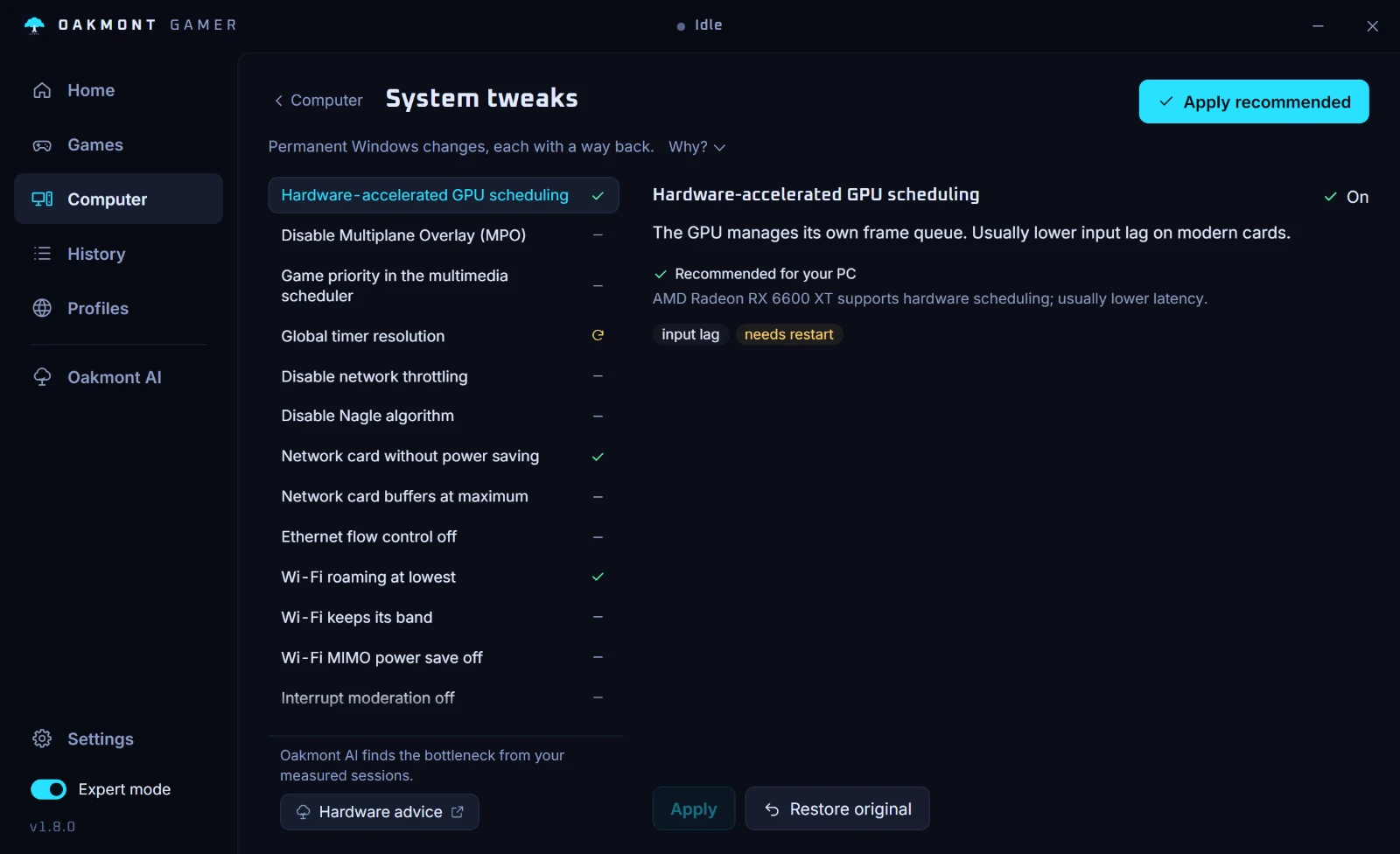
The verdict says whether HAGS can work on your card. Whether it helps your game is what the sessions show. More on the Computer page.
What the Computer page checksQuestions people ask
- Should I turn HAGS on for gaming?
- Yes if your card supports it and you use DLSS Frame Generation, which requires it. Otherwise it is a coin toss that only a test in your own game settles: Microsoft expected no significant change for most users.
- Does HAGS increase FPS?
- Usually not by much. It moves GPU scheduling from a CPU thread to the GPU, which can trim latency and CPU overhead, but Microsoft said most games already hide that cost by buffering.
- Why is DLSS Frame Generation greyed out?
- NVIDIA requires Windows 10 version 2004 or newer and hardware-accelerated GPU scheduling turned on. Turn HAGS on, restart, and check again.
- Does AMD support HAGS?
- On newer cards. AMD added it in Adrenalin 23.12.1 for the Radeon RX 7900, 7800 and 7700 series on Windows 11 version 22H2 and newer.
- Does HAGS need a restart?
- Yes. Windows only uses the new setting after a restart, which is also why it cannot be tested on and off inside one match.
Sources
The technical claims on this page were checked against these official pages.