
Low FPS or lag: two different problems
When people say Roblox lags they mean one of two things. Low FPS is the picture: the game draws fewer frames, the camera feels heavy and hitches show up as jumps. Lag is the connection or the server: players teleport, doors open late and your hits register after a delay, while the camera itself still turns smoothly.
Roblox's own docs for creators draw the same line. If client FPS is healthy and ping is high, the problem is in the network or the game's replication, not in drawing. A server that cannot keep up raises ping for everyone on it, and that is out of your hands: try another server of the same experience.
Press Shift+F5 in a Roblox game to show the debug stats summary with your frame rate. Check it before you change anything, so you know which of the two problems you have.
Step 1: lift the 60 FPS cap
Since 30 May 2024 the Windows app has a Maximum Frame Rate setting in the in-game settings menu. Before that, the client was locked to 60 FPS and people used external unlockers to get past it.
- Default is 60 FPS. Roblox says so plainly: it is not your monitor's refresh rate.
- The other values are 60, 120, 144 and 240.
- Pick the one that matches your monitor, or the next one under it. On a 165 Hz screen that is 144.
A higher cap only helps if the PC can reach it. Set to 240 on a PC that makes 90, the game runs at 90 either way. With a G-Sync or FreeSync monitor, keep the frame rate a little under the refresh rate: G-Sync and FreeSync settings explains why.
Step 2: set Graphics Mode to Manual
Roblox's help page gives two choices under Graphics Mode: Automatic, where the device decides the quality, or Manual, where you move the Graphics Quality slider yourself. Right is better looking, left is faster.
In Automatic mode Roblox's frame rate manager changes the quality while you play. That is why Roblox tells creators to set the slider to its maximum when they measure frame rate: it takes the manager out of the result. For you it means two runs in Automatic are not always the same test.
- Open the in-game menu, then Settings.
- Set Graphics Mode to Manual.
- Start with the slider in the middle, play the same place for a few minutes, and check Shift+F5.
- Move it one or two notches at a time. Busy places with many parts and players cost far more than an empty map.
Step 3: see what the slow frames have in common
An FPS number tells you how fast the game runs on average. It hides the hitches. For those you need frame times: how long each frame took. 1% low FPS explains the numbers.
Record a session with OakmontGamer running and open it afterwards. Each stutter is a dot on the Timeline, and Diagnosis lines it up with what else the PC did in that second: a driver holding the CPU, a busy background program, memory running out. A hitch that comes back every few seconds on a steady rhythm is almost never Roblox itself: FPS drops every few seconds goes through the usual causes.
Fast flags: most of them stopped working
Fast flags are internal Roblox switches set in a file called ClientAppSettings.json. Tools like Bloxstrap made them popular, and a lot of guides still list dozens of them.
On 29 September 2025 Roblox started an allowlist. The client now reads only the flags on that list and ignores the rest without any warning. Roblox says that applies to flags set by Bloxstrap too. On the list at the time of writing are, among others:
FFlagHandleAltEnterFullscreenManually: how Alt+Enter switches to fullscreen.FIntDebugForceMSAASamples: the anti-aliasing sample count.FIntFRMMaxGrassDistanceandFIntFRMMinGrassDistance: how far grass is drawn.DFFlagDebugPauseVoxelizer: pauses the voxel lighting updates.DFIntTextureQualityOverridewithDFFlagTextureQualityOverrideEnabled, and the renderer choicesFFlagDebugGraphicsPreferD3D11,FFlagDebugGraphicsPreferVulkanandFFlagDebugGraphicsPreferOpenGL.
Frame rate unlocker flags are not on it, and neither are most "FPS boost" lists. Roblox can change the list at any time, so a flag that works today may be ignored after an update.
When the frames are fine and it still lags
If Shift+F5 shows a steady frame rate while players jump around, look at the connection. Use a cable instead of Wi-Fi if you can, and stop downloads and uploads on the same network while you play. A connection that is fine until someone else starts a download is bufferbloat: ping spikes and bufferbloat shows how to test for it and fix it on the router.
On an OakmontGamer session this case is easy to spot: the frame time line on the Timeline stays flat while ping jumps, and Diagnosis lists it as Network lag, with the name of a program that was moving data at that moment if there was one. Minecraft has its own guide.
What OakmontGamer does for Roblox
The app finds Roblox in its own folder and in Bloxstrap and Fishstrap installs, picks the newest version, and records your sessions like any other game: from outside, with nothing injected.
- Under Game setup, In-game settings it offers four fast flags, all on Roblox's allowlist: Exclusive fullscreen on Alt+Enter (ticked), and MSAA off, No grass and Lighting updates paused (unticked until you tick them).
- It writes them into
ClientAppSettings.jsonwith Roblox closed. The file does not exist until someone makes it, so the app creates it, and removes it again on Restore previous. Every change keeps a backup. - With Bloxstrap or Fishstrap installed it writes their own copy of the file, because they copy it into the Roblox folder at every start.
- It does not touch Maximum Frame Rate or Graphics Quality. Those stay in the Roblox menu, where you set them.


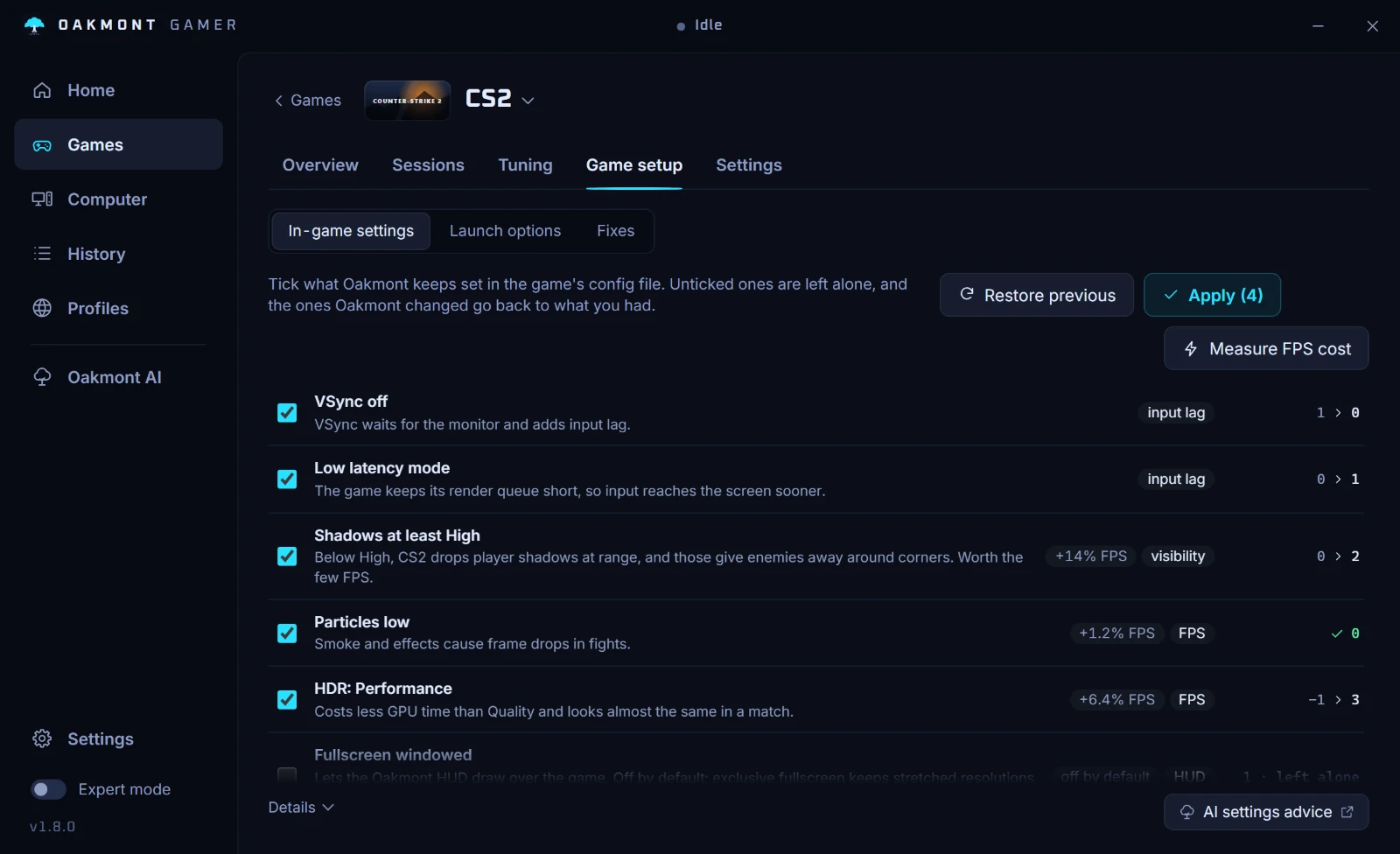
Every session gets the same stutter diagnosis as other games: stutters split by cause, network lag kept apart from slow frames, and the Windows changes of gaming mode undone when Roblox closes.
What the app does per gameQuestions people ask
- Why is Roblox stuck at 60 FPS?
- Because the Maximum Frame Rate setting starts at Default, which is 60 FPS and not your refresh rate. Open the in-game settings and pick 120, 144 or 240.
- Do I still need an FPS unlocker for Roblox?
- No. Roblox added a Maximum Frame Rate setting on Windows in May 2024, with values up to 240 FPS. Unlocker flags are not on Roblox's fast flag allowlist, so they are ignored now.
- Do Bloxstrap fast flags still work?
- Only the ones on Roblox's allowlist, which started on 29 September 2025. Roblox says flags set through Bloxstrap follow the same rule, and anything else in the file is ignored.
- Is my Roblox lag my PC or the server?
- Press Shift+F5. If the frame rate is steady while players teleport and actions land late, it is the connection or the server. If the frame rate itself drops, it is the PC.
- Is Automatic or Manual graphics better in Roblox?
- Manual, if you want the same result each time. In Automatic mode Roblox changes the quality while you play, which hides what your settings really cost.
Sources
The technical claims on this page were checked against these official pages.