
Lag, low FPS or stutter?
- Low FPS all the time. The video settings, above all render distance and graphics mode.
- Short freezes, worse with many mods. Java memory that does not fit, so the game keeps cleaning up memory.
- Blocks and mobs lagging behind while the frame rate is fine. The connection or the server. Mojang's help center sends you to its network troubleshooting for that.
OakmontGamer records the frame times of each session, so you can see which one you have: a low line, regular spikes, or a flat line while the world lags. What 1% low means explains how to read it.
Step 1: give Java the right amount of memory
Java gets a memory limit when the game starts, set with -Xmx in the JVM arguments. Too little, and the game spends its time cleaning up memory, which you feel as stutter. Too much, and Windows itself runs short and starts paging. Mojang's steps for the Minecraft Launcher:
- Open the Minecraft Launcher, select Minecraft: Java Edition, then the Installations tab.
- Select the installation, then More Options. Copy the JVM arguments into a text file first, so you can put them back.
- Change the number in
-Xmx, for example-Xmx4Gfor 4 GB, and save.
Mojang's ceiling is half your RAM on a 64-bit system. Since 26.1 the game allocates 4 GB by default, up from 2 GB, and on a PC with less than 4 GB of RAM Mojang says to set it back to 2 GB. How much a modpack needs is up to the pack. OakmontGamer's rule: 4 GB up to 50 mods, 6 GB up to 150, 8 GB above that, never more than half the RAM.
Step 2: lower the settings Mojang names
Mojang's help center lists these under Options, Video Settings, and suggests raising them again step by step once the game runs well:
| Setting | Change | Why |
|---|---|---|
| Graphics | Fast | Mojang's first suggestion if it is on Fancy or Fabulous. |
| Render Distance | Below 12 chunks | 12 is the default. Far chunks cost CPU and memory. |
| Simulation Distance | Lower than render distance | Entities are not updated beyond it, so you see far with less CPU load. |
| Smooth Lighting | Off | On Mojang's list for when performance drops. |
| Chunk Builder | Threaded | Instead of Fully Blocking or Semi Blocking. |
| Clouds | Fast | If set to Fancy. |
| VSync | Off, with a frame cap under the refresh rate | VSync waits for the monitor and adds input lag. |
Mojang's July 2026 requirements ask for 8 GB of RAM with a discrete GPU or 12 GB with integrated graphics, and a GPU with Vulkan 1.3, because Java Edition is moving from OpenGL to Vulkan. Keep the graphics driver current.
Step 3: check the mods
Mojang's own advice for lag is to disable mods and see whether it improves, then add them back one at a time. A large pack also needs more Java memory than vanilla, which is why the memory step comes first.
- Disable half the mods, play the same world, and compare. Keep halving until you find the one that costs the most.
- In Prism, MultiMC, the Modrinth App or CurseForge, memory is set per instance in that launcher. In the Modrinth App it is the instance's Settings, Java and memory; in CurseForge, Settings, Minecraft, Java Settings, Allocated Memory.
- Change one thing per session. A new mod and a new memory size in the same session tell you nothing about either.
Short freezes at a steady rhythm in a big pack are typical of memory being cleaned up, the same kind of hitch Rust has with its garbage collector. A steady rhythm with no mods at all is something else: FPS drops every few seconds.
Which Java version
The Minecraft Launcher brings its own Java, so there is nothing to install. Since 26.1 (March 2026) the game needs Java 25 and ships Microsoft's build of OpenJDK 25. The same release switched the garbage collector from G1GC to ZGC on compatible devices, which Mojang says should give a more stable frame rate in memory-heavy moments.
Mojang warns that third-party launchers may not support these changes. In Prism or MultiMC, check that the instance uses Java 25, and remove old JVM arguments copied from a guide, such as -XX:+UseG1GC, that would force the previous collector back on.
Bedrock Edition in short
Bedrock has no Java and no JVM arguments, so the memory step does not apply. Mojang's tips are in Settings, Video: a field of view below the default 60, Fancy Leaves, Fancy Bubbles and Render Clouds off, and the Simple graphics mode, which uses the least. Vibrant Visuals uses the most; lower its sliders or turn effects off until the game runs smoothly. Roblox has its own guide.
What OakmontGamer does for Minecraft
Minecraft Java gets two things in the app: a Java memory check and an in-game preset.
- When Minecraft starts, the app reads the
-Xmxvalue and the game folder from the running Java process and counts the.jarfiles in that folder'smodsfolder. - Games, Minecraft, Game setup, Fixes shows it under Java memory: the GB Java had and the mod count. It warns when the memory is clearly short for the mods, or so large that Windows has too little left.
- When it is short, Set 6 GB (or whatever fits) writes the new value with one click for Prism and MultiMC instances and for the Minecraft Launcher profiles that play from that folder. Close the launcher first. For the Modrinth App and CurseForge it shows the steps.
- In-game settings writes into
options.txt, for the launcher's own folder and for Prism and Modrinth instances: VSync off, a frame cap just under the refresh rate, Graphics: Fast, particles low and entity shadows off, and render distance 12 and simulation distance 8 when yours are higher. The old file is backed up. - Bedrock gets no preset and no memory check. Add it as a game, and its sessions are recorded and diagnosed like any other.


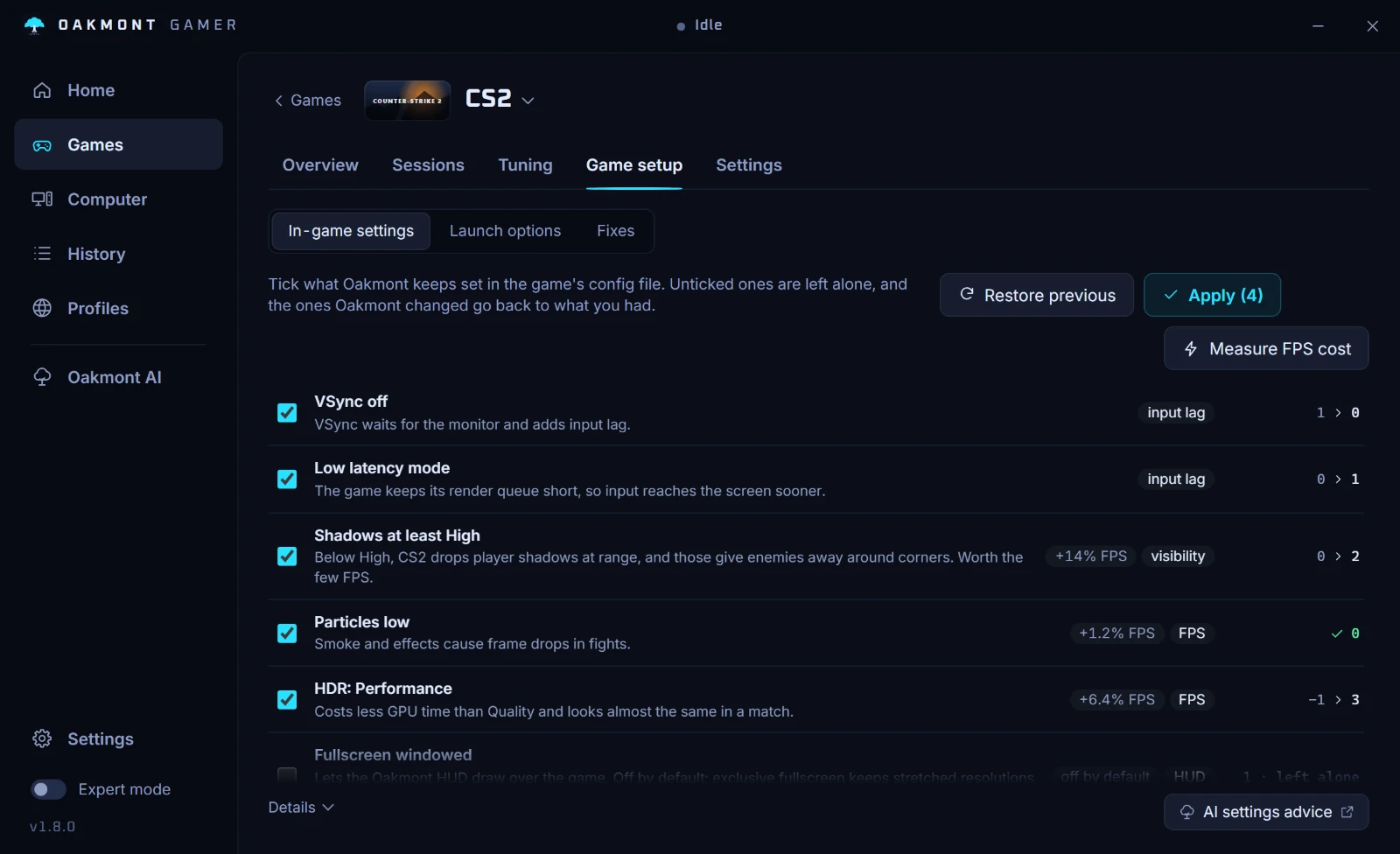
The same page has presets for Marvel Rivals, Escape from Tarkov and Rust. The app changes nothing inside the game itself, and its Windows tweaks for a session are undone when the game closes.
What the app does per gameQuestions people ask
- How much RAM should I allocate to Minecraft?
- Vanilla runs on the 4 GB default Mojang set in 26.1. For mods, OakmontGamer uses 4 GB up to 50 mods, 6 GB up to 150 and 8 GB above, and Mojang's ceiling is half your RAM.
- Can allocating too much RAM make Minecraft lag?
- It can. Java may grow up to that size, and Windows and every other program have to live on the rest. When they run short, Windows starts paging, which shows as freezes. Mojang recommends at most half your RAM.
- What render distance should I use in Minecraft?
- Mojang suggests going below the default of 12 chunks when the game struggles, then raising it step by step. Keep simulation distance lower: entities are not updated beyond it, so the CPU has less to do.
- Why does modded Minecraft freeze every few seconds?
- When the memory is tight for the pack, Java has to clean it up often, and each cleanup can be a short freeze. Give the instance more memory, within half your RAM, and check that its launcher uses the Java version the game needs.
- Which Java does Minecraft need?
- Java 25 since Java Edition 26.1. The Minecraft Launcher ships it, so only third-party launchers need checking.
Sources
The technical claims on this page were checked against these official pages.
- Fix Java Edition crashes by checking memory allocation (Minecraft Help)
- Optimizing Java Edition video settings and performance (Minecraft Help)
- Fix crashes and lag issues in Minecraft (Minecraft Help)
- Minecraft snapshot 21w38a: simulation distance
- Minecraft Java Edition 26.1: Java 25, 4 GB default, ZGC
- Minecraft: Java Edition system requirements
- Optimizing Bedrock Edition video settings and performance (Minecraft Help)