
Legacy or Enhanced: check which one you run
Since 4 March 2025 GTA V on PC comes in two versions, and everyone who owns the game gets both in the launcher. They need different things.
| Enhanced | Legacy | |
|---|---|---|
| Minimum graphics card | GTX 1630 or RX 6400, 4 GB | 9800 GT or HD 4870, 1 GB |
| Minimum memory | 8 GB | 4 GB |
| Drive | SSD required (105 GB) | Hard drive (125 GB) |
| Recommended drive | DirectStorage-compatible | Hard drive |
| Graphics | Ray tracing, FSR 1 and 3, DLSS 3 | DirectX 10, 10.1 or 11 cards |
Rockstar recommends 16 GB of RAM in dual channel for Enhanced. GTA Online players on the two versions play on separate servers, so friends have to pick the same one.
If the PC is below Enhanced's minimum, Legacy is the better choice, not a slower Enhanced. If it meets it, Enhanced loads faster from an SSD with DirectStorage on supported setups.
Step 1: put the game on an SSD
GTA streams the map while you move. On a hard drive the game waits for data, and the waiting shows up as hitches when you drive fast or fly low over the city, and as textures that pop in late. Enhanced does not support a hard drive at all.
Moving the game is the fix with the most effect. Move or reinstall it on the SSD from the launcher you play from, and leave the drive some free space beyond the game itself.
Step 2: stay inside your video memory
GTA's graphics menu keeps count of how much video memory your settings use against what the card has. NVIDIA's guide to the PC version is clear about the limit: with Ignore Suggested Limits on, you can pick settings that need more than the card has, and then you get stutter, pauses and crashes. Leave it off.
When the meter is near the top, the settings that use memory without much frame cost go first. Population Variety, the number of different car and people models kept in memory, has no effect on frame rate but does on video memory. On a small card, lower it before textures and shadows.
Textures that do not fit come back from system RAM, often at the busiest moment. That is the same hitch whatever the game, and 1% low FPS shows how to see it in the numbers.
Step 3: the streaming and crowd settings
These are the settings that decide how much of the city the game keeps loading and drawing. The notes come from NVIDIA's performance guide for GTA V on PC, written for the original release that is now Legacy.
| Setting | What it does | What to do |
|---|---|---|
| Population Density | How many people and cars are around. Reflections, shadows and post effects cost more as it rises. | NVIDIA's sweet spot is 75%. |
| Distance Scaling | Level of detail: buildings, terrain, cars and people far away. | Keep it high enough to stop pop-in; the cost changes a lot by place. |
| Extended Distance Scaling | Extra detail beyond that. | The heaviest setting in the guide. Only for very strong PCs. |
| High Detail Streaming While Flying | Level of detail in the air. | Turn it off if flying stutters. |
| Grass Quality | Foliage density and grass shadows. | Costs a lot even on fast PCs. Lower it in the countryside. |
| Long Shadows | More accurate shadows at dawn and dusk. | Subtle; safe to turn off. |
The guide warns that the built-in benchmark understates the cost of Population Density: in real play the difference is much bigger. Test in the places where it stutters for you, not only in the benchmark.
Step 4: VSync, frame cap and frame generation
VSync makes the game wait for the monitor, and a frame that misses its slot waits for the next one: twice as long. Turn it off and cap the frame rate instead, a few frames under the refresh rate with G-Sync or FreeSync. G-Sync and FreeSync settings explains the cap.
Enhanced supports FSR 3 and DLSS, and since 12 August 2025 DLSS 4 with Multi Frame Generation and DLSS Frame Generation for GeForce RTX 50 and 40 Series cards. Frame generation raises the number on the counter, not the speed of the game: if the base frame rate stutters, the generated frames stutter with it. Frame generation and input lag covers when it helps.
Rockstar's own checks
Rockstar's general troubleshooting article for GTA V on PC is short:
- Start the game while online, so the latest patch is applied.
- Update the NVIDIA or AMD graphics driver.
- Verify the game files in the launcher you play from: Rockstar Games Launcher, Steam or Epic.
- Check that the antivirus does not block GTA V, and test with it off.
If the stutter came right after a driver update, try the previous driver before anything else. Other big games with their own guides: Cyberpunk 2077, Elden Ring and Helldivers 2.
What OakmontGamer does for GTA V
The app finds GTA V in the Rockstar Games Launcher, Steam and Epic, tells Legacy (GTA5.exe) from Enhanced (GTA5_Enhanced.exe), and has an in-game preset for each, written into the game's own settings.xml with a backup.
- Both editions: VSync off and motion blur off, ticked.
- Legacy also offers borderless window, the lowest grass and the lowest post effects, unticked until you tick them.
- Diagnosis flags Video memory full when the card ran out and textures went to system RAM during the stutters.
- The Computer page warns about games you play from a hard disk. Preload from a hard drive reads the biggest game files into the Windows cache at session start on a PC with 16 GB of RAM or more, and a Steam install moves to an SSD with Move to SSD on its game page.
- Frame generation and DLSS file swaps are refused for GTA V, because it is played online.


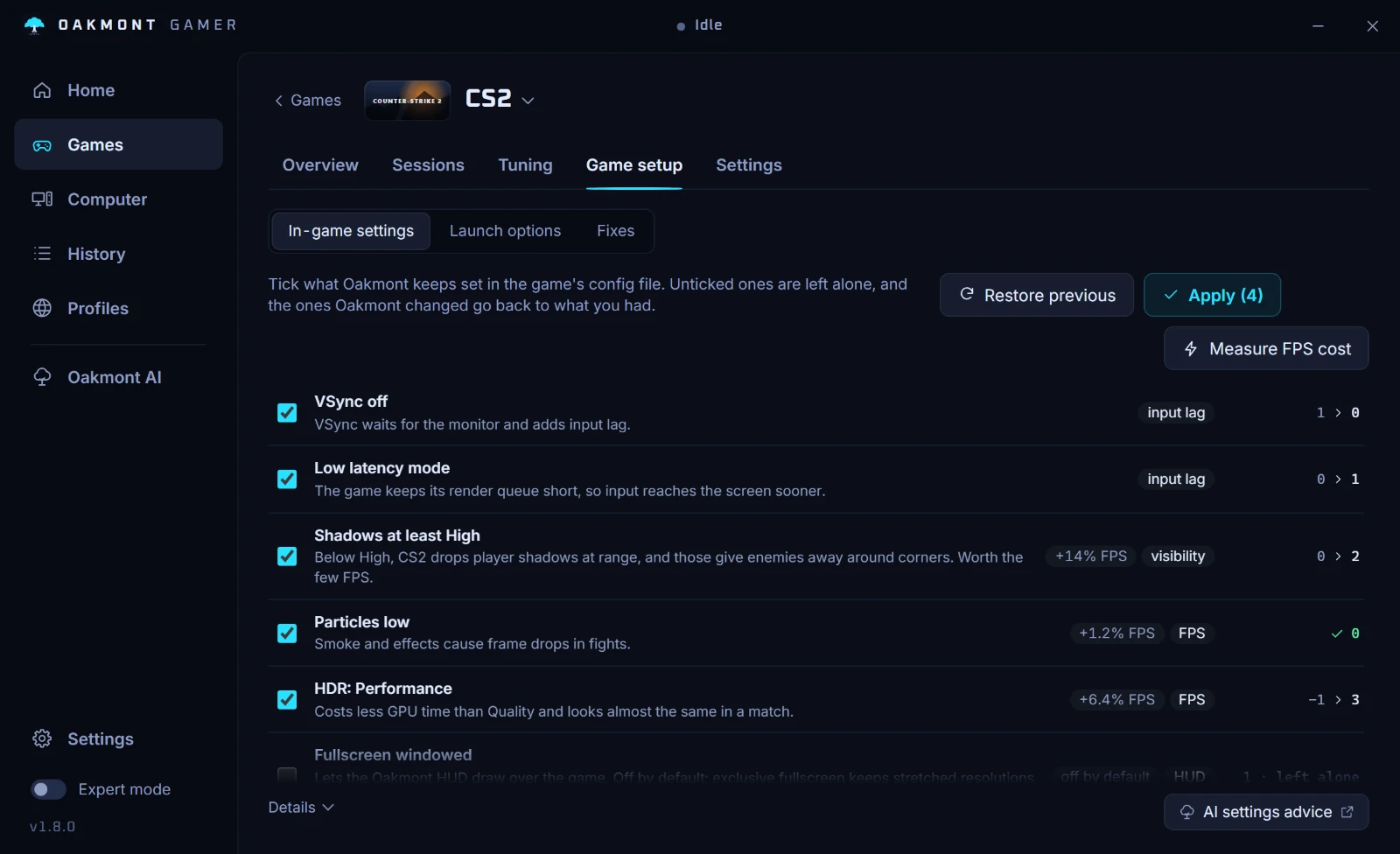
Everything else is the same as for any game: every frame recorded, the stutters split by cause, and the Windows changes of gaming mode undone when the game closes. More in what the app does per game.
What the app does per gameQuestions people ask
- Why does GTA 5 stutter when driving fast?
- Because the game streams the city as you move. A hard drive, full video memory or very high distance and population settings make it wait for data, and the wait shows up as a hitch. Move the game to an SSD first.
- Should I play GTA V Enhanced or Legacy?
- Enhanced if the PC meets its minimum, which includes an SSD and a 4 GB graphics card. Below that, Legacy runs better. Online players on the two versions are on separate servers.
- Does GTA V Enhanced need an SSD?
- Yes. Rockstar lists 105 GB on an SSD as required for Enhanced, and a DirectStorage-compatible drive as recommended. Legacy still runs from a hard drive.
- What does Ignore Suggested Limits do in GTA 5?
- It lets you pick settings that need more video memory than your card has. When you go over, the game stutters, pauses or crashes, so leave it off.
- What Population Density should I use in GTA 5?
- NVIDIA's guide to the PC version suggests 75% as the sweet spot. It also notes that the cost in real play is much bigger than the benchmark shows.
Sources
The technical claims on this page were checked against these official pages.