
Why the big fights drop frames
In a quiet moment the graphics card sets your frame rate. In a fight with a horde, a dozen explosions and four players calling in stratagems, the processor often does. When the CPU is the limit, the GPU sits below full use while the frame rate falls, and lowering resolution or graphics settings changes little.
Arrowhead has been working on exactly that. Patch 7.2.0 in October 2026 lists, under CPU optimizations: better multithreaded performance for smoother frame pacing, particularly on lower core-count CPUs; less stuttering in intense combat by changing how particle effects are processed; and on PC, less hitching from shader compilation.
The Steam page recommends an Intel Core i7-9700K or AMD Ryzen 7 3700X with 16 GB of RAM. The minimum is a Core i7-4790K or Ryzen 5 1500X with 8 GB. Below the minimum, no setting makes the big fights smooth.
Step 1: Arrowhead's own checks
Arrowhead's support article on general tech troubleshooting gives these steps, and each one rules out a whole class of cause:
- Make sure the game is updated. Performance work arrives in patches.
- Update all drivers, not only the graphics driver: chipset and motherboard, network and the rest. Arrowhead calls outdated drivers a common cause of many issues.
- Verify the game files: right-click Helldivers 2 in the Steam library, Properties, Installed Files, Verify integrity of game files.
- Delete the contents of the Arrowhead folder in AppData: press Windows + R, type
%appdata%and open the Arrowhead folder. - If nothing helped and your PC meets the requirements, uninstall and reinstall the game.
The same article says that turning Async Compute on or off may help some players, depending on hardware. That one has no right answer: try both and measure.
Step 2: the settings that matter
Arrowhead and Nixxes added most of the PC options in patch 6.2.5 in May 2026. What each one does for stutter depends on which part of the PC is the limit.
| Setting | What it does | When it helps |
|---|---|---|
| Upscaling: DLSS 4.5, FSR 3.1.5 (FSR 4 on cards that support it), XeSS 3.0 | Renders at a lower resolution and scales the image up | When the GPU is the limit. It does little for a CPU-bound fight. |
| Dynamic Resolution Scaling | Lowers resolution to hold the frame rate | Off by default since 6.2.6. Since 7.2.0 it checks that frames are GPU bound before it lowers resolution. |
| NVIDIA Reflex / AMD Anti-Lag 2 | Keeps the render queue short | Lower input lag. They do not remove stutter. |
| Async Compute | Lets the GPU run some work side by side | Depends on the hardware, by Arrowhead's own words. Test both. |
How the two latency options compare is in NVIDIA Reflex vs AMD Anti-Lag.
Step 3: video memory and the disk
The same May 2026 patch improved VRAM management on PC for systems with limited video memory,. If your card has little video memory, keep the game updated and close browsers and videos on a second screen while you play: they hold video memory too.
The Steam page recommends an SSD. In December 2025 Arrowhead and Nixxes also cut the PC install from about 154 GB to about 23 GB by removing duplicated data, first as an opt-in technical beta, with the plan to make it the default. Their own measurements showed that most of the loading time is level generation, not reading from the disk.
Step 4: rule out the PC around the game
A CPU-bound game feels every bit of CPU time something else takes. A background program busy at the wrong moment or a driver holding a core for too long makes a stutter that no in-game setting fixes. DPC latency explains the driver side, and FPS drops every few seconds the rest.
Memory speed matters here as well. Many PCs run their RAM below its rated speed until XMP or EXPO is turned on in the BIOS, and a game that waits on the CPU feels it: XMP and EXPO for gaming. Other big games with their own guides: Elden Ring, Cyberpunk 2077 and GTA V.
Easy Anti-Cheat replaced GameGuard
On 20 October 2026 Arrowhead moved Helldivers 2 from GameGuard to Easy Anti-Cheat. Its own reason: the GameGuard implementation was not as effective as it could have been. Old guides about GameGuard and stutter no longer apply, and some mods stopped working with the change.
Leave the anti-cheat running: the game needs it. Elden Ring runs with the same one, and its stutter guide is a good comparison.
What OakmontGamer does for Helldivers 2
The app has no Helldivers 2 preset and no launch options for it. It does not change the game's files. It measures every mission and works on what sits around the game.
- Records every frame from outside the game. When the game waited on the CPU during the stutters and nothing else stood out, Diagnosis says CPU at its limit, with Fastest cores and a hint to lower CPU-heavy settings.
- While the game is CPU-bound, it puts the heaviest background programs on eco and, on a CPU with 8 or more threads, keeps them on the last two threads until things have been calm for a minute.
- Names Video memory full when the card's memory was over 95% full while the game stuttered. The VRAM guard then freezes browsers that hold video memory, never the one on screen.
- Every session change is undone when the game closes. The anti-cheat is never frozen, closed or slowed down.


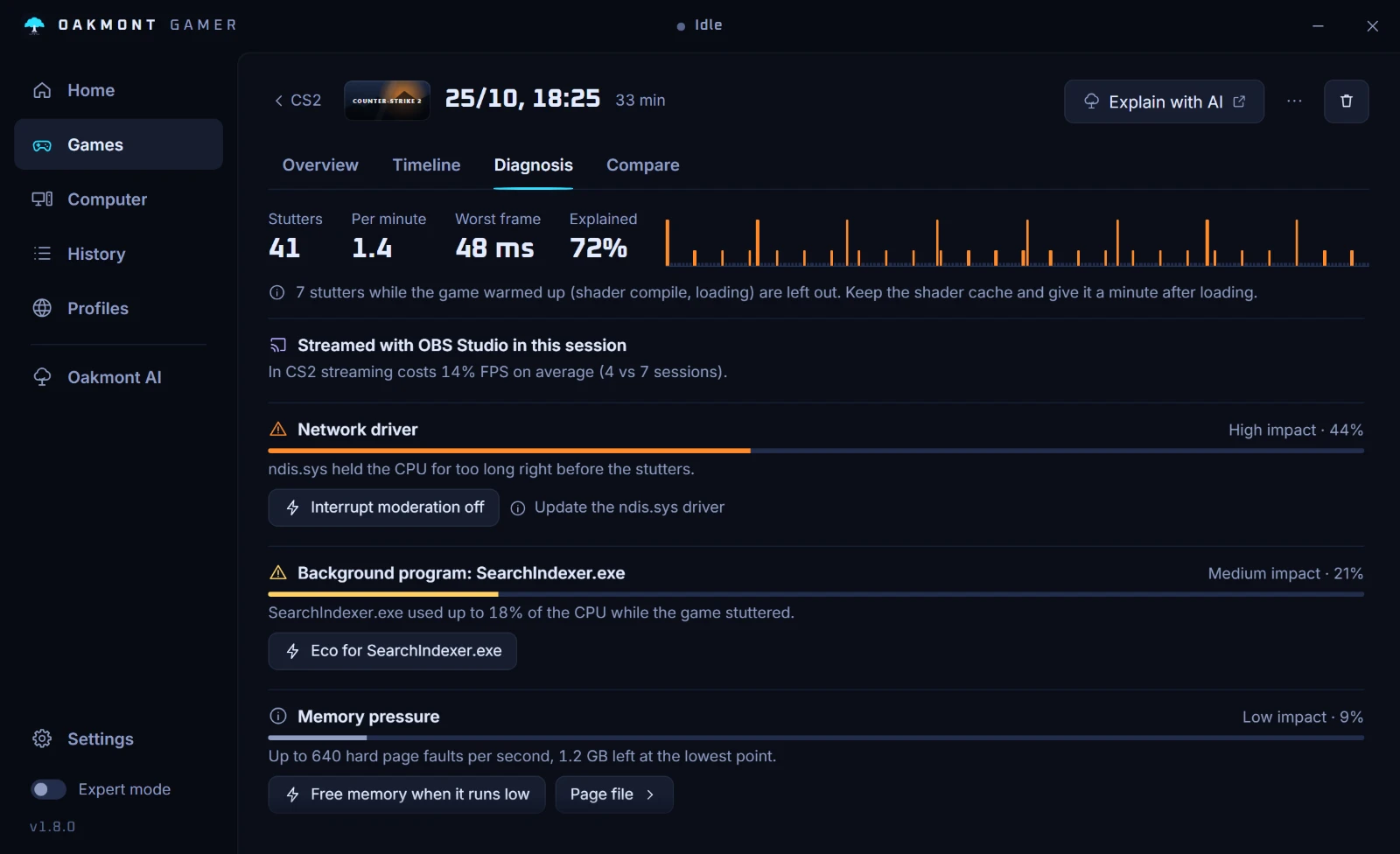
Tuning then tests one change at a time across your missions and keeps it only when the 1% low moves by more than the noise between runs. How tuning decides has the details.
How the stutter diagnosis worksQuestions people ask
- Why does Helldivers 2 lag in big fights?
- Because big fights load the CPU: enemies, effects and physics all add work there. Arrowhead's October 2026 patch lists better multithreading and less stutter in intense combat under CPU optimizations, so keep the game updated.
- Will a better graphics card fix Helldivers 2 FPS drops?
- Only if the graphics card was the limit. If the GPU is not fully busy while the frame rate drops, the CPU is the limit and a faster card raises the average without fixing the fights.
- Should I use DLSS or FSR in Helldivers 2?
- Use one when the graphics card is the limit: it renders fewer pixels and scales the image up. In a CPU-bound fight it changes little. The game supports DLSS 4.5, FSR 3.1.5, FSR 4 on supported cards and XeSS 3.0.
- Should Async Compute be on in Helldivers 2?
- Arrowhead says turning it on or off may help some players, depending on hardware. Play a few missions each way and compare the 1% lows.
- Does Helldivers 2 still use GameGuard?
- No. Arrowhead replaced GameGuard with Easy Anti-Cheat on 20 October 2026.
Sources
The technical claims on this page were checked against these official pages.
- Arrowhead support: General tech troubleshooting tips
- HELLDIVERS 2 on Steam: system requirements
- HELLDIVERS 2 patch 7.2.0: CPU optimizations
- HELLDIVERS 2 patch 6.2.5: upscalers, Reflex, Anti-Lag 2 and DRS on PC
- HELLDIVERS 2 patch 6.2.6: Dynamic Resolution Scaling off by default
- HELLDIVERS 2 Tech Blog #2: the PC installation size
- Changing anti-cheat in HELLDIVERS 2