
Why Tarkov stutters
Tarkov runs on Unity and holds a lot in memory at once: the map, the other players and everything they carry. Three patterns are worth telling apart before you change anything:
- Hitches that get worse as the raid goes on, or in one part of a map. RAM running out and Windows paging to disk.
- Low but even FPS in busy areas. The CPU or the GPU at its limit.
- Players teleporting while your frame rate stays steady. The connection, not the PC: ping spikes and bufferbloat.
BSG has given Streets of Tarkov its own low-texture option and several optimization passes of its own.
Step 1: see whether it is memory
Guessing is expensive here, because the usual answer, more RAM, costs money. Measure one raid first.
- Run OakmontGamer and play a normal raid on the map where you stutter most. Nothing has to be started by hand.
- After the raid, open the session: Games, Escape from Tarkov, Sessions. The Overview tab shows the 1% low and the number of stutters.
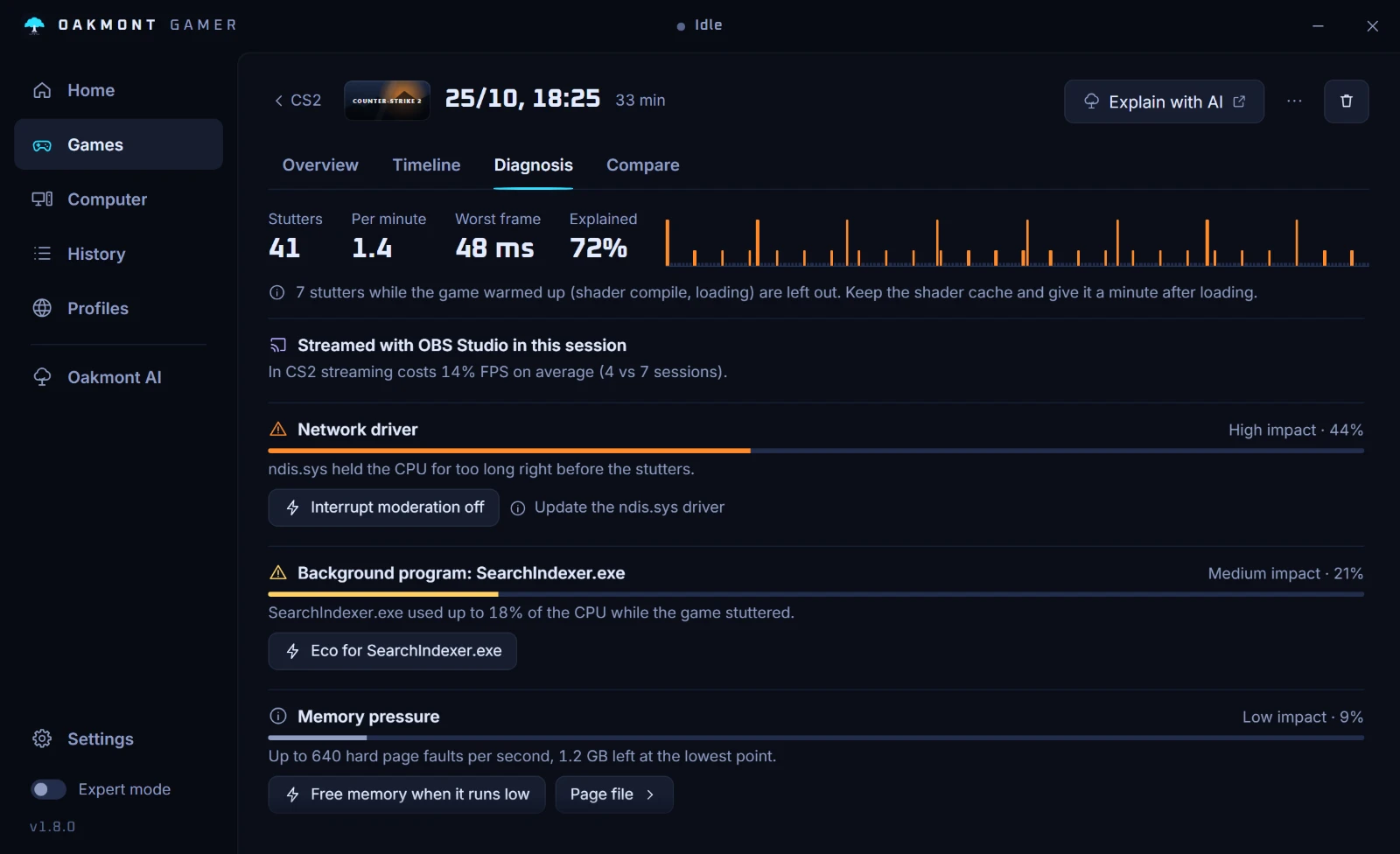
- Open the Diagnosis tab. Tarkov ran out of RAM means hard page faults and nearly full memory lined up with the stutters, with the peak faults per second and the GB that were left.
No memory row means memory was fine in that raid, and more RAM would not have helped. Then look at the other causes in the same tab: a driver holding the CPU, a busy background program, or the CPU at its limit. What 1% low means explains the numbers.
Step 2: make room before the raid
- Close the browser, other launchers and video tools before you queue. Every GB they hold is one Tarkov cannot use.
- Keep one page file on an SSD and let Windows manage its size. A small fixed page file, or one on a hard drive, turns memory pressure into long freezes.
- Make sure the RAM runs at its rated speed, with XMP or EXPO on in the BIOS: XMP and EXPO for gaming.
- If you have 16 GB and the Diagnosis tab names memory raid after raid, more RAM is the real fix. BSG recommends 64 GB.
Tarkov also has an automatic memory cleanup option in its settings. BSG mentions it in the patch 1.0.2.0 notes, where it fixed a client freeze after pressing Esc with the option on. BSG does not say how much it helps, so treat it as something to measure.
Step 3: the in-game settings worth changing
Since patch 1.0.1.0 the settings menu explains how each graphics option works and which part of the PC it loads. Read those tooltips: they come from the developer. Beyond them, BSG's patch notes document a few options worth knowing:
| Setting | Value | Why |
|---|---|---|
| Streets of Tarkov Lower Texture Resolution Mode | On if Streets stutters | Lower texture resolution on Streets only, so the map needs less memory. |
| Automatic memory cleanup | Measure it | Cleans up memory during the raid. BSG fixed a freeze with it in 1.0.2.0. |
| FPS limit in menus | Your choice | Adjustable since patch 1.0.4.5. It only affects the menus. |
| VSync | Off | VSync waits for the monitor and adds input lag. |
| Chromatic aberration | Off | A post effect: costs FPS and hides detail. |
| Film noise | Off | A post effect: costs FPS and hides detail. |
The last three are what the OakmontGamer preset for Tarkov sets. For the rest, such as shadows or resampling, change one at a time and compare two raids on the same map.
An SSD, and a fresh baseline after big patches
BSG asks for 80 GB of space and names no drive type. Still, if the game or the page file sits on a hard drive, every load and every read back from the page file waits on it. Move both to an SSD before anything else.
BSG keeps working on performance: patch 1.0.4.5 reworked objects and geometry on Streets, and 1.1.0.0 changed how the playable area there is calculated, so less location data is processed. BSG has also announced the move to Unity 6 for update 1.3.5.0. After a patch like that, record a fresh raid before you change settings again, because what you measured before may no longer hold.
When it is not memory
A driver that holds the CPU or a program busy in the background stutters Tarkov the same way as any game, and the step-by-step for CS2 applies here too. Hitches at a steady rhythm point at a program or a driver: FPS drops every few seconds.
If the whole raid is slow but even, the CPU or the GPU is the limit, and only lower settings or newer hardware change that. Rust has its own guide: Rust stutter and FPS.
What OakmontGamer does for Escape from Tarkov
Tarkov gets its own memory check, a small preset and a place to test changes in.
- After a raid with memory pressure, Diagnosis names Tarkov ran out of RAM, with the peak hard page faults per second and the GB left. Its fixes: Free memory when it runs low, which frees standby memory during play, and the advice to close heavy apps before a raid.
- In-game settings writes VSync off, chromatic aberration off and film noise off into Tarkov's
Graphics.ini, with a backup. Close the game first: it rewrites that file when it exits. - The Tuning tab can test a change in one spot, switching it every minute for four minutes. For Tarkov it tells you where to stand: in the hideout, in front of the generator.
- The Computer page checks the page file, the RAM speed against what the sticks are rated for, and whether a game you play sits on a hard drive. The Steam version of Tarkov moves to an SSD library from its game page.
- Game file and registry tests in the Fixes tab are refused, because Tarkov is played online with anti-cheat. Escape from Tarkov: Arena has its own preset, with NVIDIA Reflex on GeForce cards.


The same In-game settings page has presets for Marvel Rivals and Minecraft. Nothing is injected into the game, and what the app changes in Windows for a session is undone when the game closes.
How the stutter diagnosis worksQuestions people ask
- How much RAM does Escape from Tarkov need?
- BSG's Steam page lists 16 GB as the minimum and 64 GB as recommended. The game runs on 16 GB, but memory is the first thing to check when it stutters, above all on Streets of Tarkov.
- Why does Tarkov stutter on Streets?
- Streets is the map BSG gave its own low-texture option and several optimization passes. Turn on Streets of Tarkov Lower Texture Resolution Mode, close other programs, and check after a raid whether memory ran out.
- Does the automatic memory cleanup in Tarkov help?
- BSG has not said how much. Play a few raids with it on and a few with it off on the same map, and compare the 1% lows and the stutter count.
- Does an SSD fix Tarkov stutter?
- It helps when the game or the page file sits on a hard drive, because loads and page file reads then wait on that drive. If both already sit on an SSD, look at memory and the other causes first.
- Is it my PC or the server when Tarkov lags?
- Look at the frame time. If it stays flat while players teleport or hits land late, it is the connection. If the frame time spikes, it is the PC.
Sources
The technical claims on this page were checked against these official pages.
- Escape from Tarkov on Steam: system requirements
- Technical update, 18 November 2025 (Streets of Tarkov Lower Texture Resolution Mode)
- Patch 1.0.1.0: settings tooltips
- Patch 1.0.2.0: automatic memory cleanup fix
- Patch 1.0.4.5: menu FPS limit, Streets optimization
- Patch 1.1.0.0: Streets playable area
- Patch 1.3.0.0: Unity 6 moved to update 1.3.5.0