
What XMP and EXPO are
Every memory module carries standard JEDEC settings, which the PC uses by default. Faster kits also store one or more tested profiles: a higher speed, its timings and the voltage it needs. Intel calls these Extreme Memory Profiles (XMP), and XMP 3.0 is the DDR5 version. AMD's EXPO (Extended Profiles for Overclocking) is the same idea for DDR5 on Ryzen AM5.
Intel says XMP memory first boots with the default JEDEC settings, and the profile applies once you enable it in the BIOS. So a DDR5-6000 kit is not running at 6000 until you do. AMD's memory list shows, per kit, whether it supports EXPO or is compatible with XMP, so many XMP kits also work on Ryzen.
Why it matters in games
A game that waits on the CPU also waits on memory: every cache miss goes out to RAM. AMD says high memory frequencies can unlock higher and smoother frame rates. The difference shows most in CPU-bound games and in the lows, not the average: 1% low FPS explains why those are the numbers to watch. In a GPU-bound game at 4K it changes little, and the levers there are upscaling and, in slower games, frame generation.
Step 1: check the speed in Task Manager
- Press Ctrl+Shift+Esc, open Performance, then Memory.
- Read Speed and compare it with the number on the kit's label or box, for example DDR4-3200 or DDR5-6000.
- Read Slots used. 1 of 2 or 1 of 4 means one stick.
If Speed shows far less than the label, the profile is off. If the sticks are different kits, the slowest stick sets the speed for all of them, and no profile can go past that.
Step 2: turn on XMP or EXPO in the BIOS
- Restart and open the BIOS setup, usually with Del or F2 while the PC starts.
- Find XMP or EXPO, often under a memory or overclocking menu. Some boards call it DOCP.
- Pick profile 1, the kit's rated speed. Save and exit, usually with F10.
- Back in Windows, check Speed in Task Manager again.
If the PC does not start after the change, the motherboard manual explains how to reset the BIOS settings. Then try a lower profile.
Step 3: run two sticks in dual channel
Desktop CPUs have two memory channels. With one stick, every access goes through one of them; Intel's datasheet calls this single-channel mode. Two sticks of the same size in the right slots run in dual-channel mode, which Intel says gives the best real-world performance. One stick means half the peak bandwidth, whatever its speed. EA asks for dual channel RAM in every Battlefield 6 spec tier: Battlefield 6 stutter.
- Use two matching sticks rather than one big one: 2 x 16 GB, not 1 x 32 GB.
- Put them in the slots the motherboard manual marks for two sticks. Next to each other is often wrong.
- Mixed sizes on DDR5 run partly in dual channel and partly in single channel, which Intel calls Flex mode.
- Laptops often have memory soldered on, so check the spec before buying a stick.
Step 4: make sure it is stable
XMP and EXPO are overclocks. Intel says changing frequency or voltage outside its specification may void the processor warranty and reduce stability; AMD says running memory outside its specification voids the AMD warranty, even when enabled through EXPO. A game that crashes, a PC that restarts by itself or a blue screen after you turned it on point at the profile.
If that happens, try a lower profile or the next speed down, update the BIOS, and test again. An unstable memory overclock shows up as crashes that look random, so rule it out before you reinstall drivers or Windows.
What OakmontGamer checks on your memory
The Computer page reads every stick and its part number and lists what is worth fixing.
- Memory speed: flagged when DDR4 runs under 3000 MT/s or DDR5 under 5200 and the sticks are rated faster. On a Ryzen it adds that Ryzen performance scales with memory speed. The steps for the BIOS come with it.
- When a slower stick holds the rest back, it names both speeds and says that matched sticks would be faster; turning on XMP would not help there, so it does not suggest it.
- Memory channels: one stick on a desktop is flagged as single channel at half the bandwidth. Laptops are left out, since their memory may be soldered.
- The Stability check under Computer, Diagnose and measure loads the CPU, RAM and graphics card for five minutes, each checking its own results. Memory errors with XMP on are reported as Memory unstable with XMP, with the advice to pick a looser profile or turn it off.
- The Crashes page ties hardware errors that Windows logged for memory to XMP or EXPO when it is on.


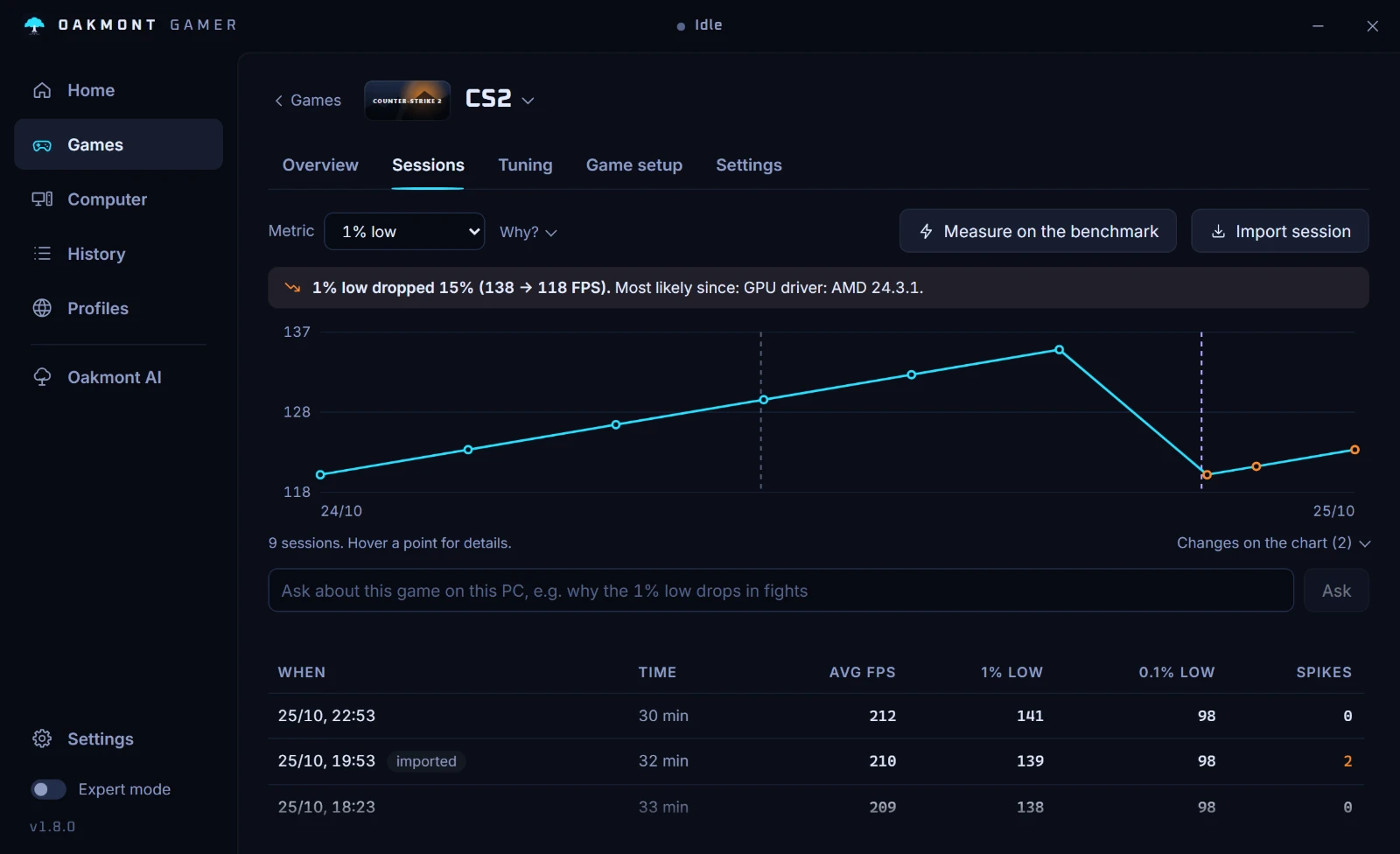
Record a session before the change and one after, on the same scene, and compare them: if the 1% low moved by more than the noise, the profile paid off. More on what the Computer page checks, and on reading a single stutter in the CS2 stutter guide.
What the Computer page checksQuestions people ask
- Should I turn on XMP for gaming?
- Yes, on a desktop with a kit rated faster than the default speed. Without it the RAM runs at its JEDEC default, and CPU-bound games feel the difference most in their 1% lows.
- Is XMP or EXPO safe?
- It is an overclock the kit was tested for, and most PCs run it without trouble. Intel and AMD both say running outside their specifications can void the warranty and reduce stability, so test it, and drop to a lower profile if the PC crashes.
- How do I know if XMP is on?
- Open Task Manager, Performance, Memory and read Speed. If it matches the speed on the kit's label, the profile is on; if it is much lower, it is off.
- What is the difference between XMP and EXPO?
- XMP is Intel's memory profile standard for DDR4 and DDR5; EXPO is AMD's for DDR5 on Ryzen AM5. Both store a tested speed, timings and voltage in the module, and many kits carry both.
- Does one stick of RAM hurt gaming?
- It can. One stick runs in single channel, with half the peak bandwidth of two, and CPU-bound games feel it. Two matching sticks in the slots the manual names are the fix.
- Why does my RAM show a lower speed than on the box?
- Because XMP or EXPO is off, so the RAM runs at its JEDEC default. Mixed kits also run at the speed of the slowest stick.
Sources
The technical claims on this page were checked against these official pages.