
Where they go, and how Rust reads them
In Steam: right-click Rust in the library, then Properties, General, Launch Options. Put a space between options.
Rust is a Unity game, and since 2026 it runs on Unity 6, so it reads Unity's player arguments: a dash, the name, then the value after a space, such as -screen-width 1920. Facepunch says some of Rust's own console commands work there too, such as -cpu_priority high.
Whatever is on that line applies at every start. Resolution, screen mode and the FPS limit are better set in Rust's own menus, or with fps.limit in the F1 console, where you can see them.
The usual list, with a verdict for each
These are the options most Rust lists repeat. The verdict says what Unity or Facepunch documents, and nothing more.
| Option | Verdict | Why |
|---|---|---|
-cpu_priority high | Measure it | Rust's own command. Facepunch suggests trying it and seeing whether it makes a difference. |
-cpu_affinity | Some CPUs only | Rust's own command. Facepunch's example keeps a Ryzen 9 7950X3D on its V-Cache cores. |
-screen-width, -screen-height | Fine | Unity's switches for the resolution. The menu does the same. |
-screen-fullscreen | Fine | Unity's switch for fullscreen, 1 for on and 0 for off. |
-window-mode borderless | Fine | Borderless fullscreen, the mode Facepunch kept. |
-window-mode exclusive | Measure it | A real Unity switch, but Facepunch retired exclusive fullscreen in 2023 because it ran slower. |
-force-d3d11, -force-d3d12 | Measure it | Unity's renderer switches. Facepunch does not say which one is faster. |
-force-vulkan | Removed | Facepunch took the Vulkan renderer out of Rust in 2019. |
-force-gfx-direct | Avoid | Unity documents it as single-threaded rendering. |
-nolog | Harmless | Turns off the player log, which you then lack for a crash report. |
-high | Skip | Neither Unity nor Facepunch documents it for Rust. Use -cpu_priority high. |
-maxMem, -malloc=system, -cpuCount, -exThreads | Undocumented | Not Unity player arguments, and Facepunch documents none of them. |
gc.buffer | Set it in game | A console setting. Set it in the F1 console or client.cfg, sized to your RAM. |
Unity does have a system allocator switch, -systemallocator, and documents it for debugging only. It is not a speed option.
DirectX 11, DirectX 12, and no Vulkan
Unity lets the launch line pick the graphics API with -force-d3d11 or -force-d3d12. Rust's Steam page lists DirectX 11 in the minimum requirements and DirectX 12 in the recommended ones. Facepunch does not say which one runs better, so this is one to measure, not one to copy.
Vulkan is out. Facepunch removed the Vulkan graphics API from Rust in its September 2019 update, and no update since has announced it back. Leave -force-vulkan off the line.
Judge a renderer over whole sessions, a few of each. The first minutes after a switch can include building shaders, which is shader compilation stutter, not a slow renderer.
Exclusive fullscreen: retired in 2023
-window-mode is a real Unity switch with two values, exclusive and borderless. In February 2023 Facepunch wrote that an engine upgrade had brought a bug that made exclusive fullscreen much slower than borderless, and that it retired exclusive fullscreen because of it.
Rust has moved to Unity 6 since then, and Facepunch has not said whether exclusive works well again. If you want to try -window-mode exclusive, treat it as a test: a few sessions with it, a few without, and keep it only if the 1% lows say so.
CPU priority and affinity, the Rust way
Rust runs Easy Anti-Cheat, and Facepunch found that CPU affinity cannot be changed while it runs. So in April 2023 it added two commands that work in the console and on the launch line:
-cpu_priority highraises Rust's process priority. Facepunch's advice is to try it and see whether it makes any difference, so measure it.-cpu_affinitylimits Rust to ranges of cores, written like0-7,15-23. Facepunch's example is0-15on a Ryzen 9 7950X3D, which keeps the game on the cores with the 3D V-Cache.
Affinity fixes one kind of CPU. On a CPU with one CCD it only takes cores away from the game. On a dual-CCD X3D chip, first check that AMD's 3D V-Cache optimizer is installed and running; OakmontGamer's Computer page warns when it is missing or stopped.
Step 1: strip the line down
- Copy the current line into a text file, so you can put it back.
- Remove what the table marks removed, avoid, skip or undocumented:
-force-vulkan,-force-gfx-direct,-high,-maxMem,-malloc,-cpuCountand-exThreads. - Set
gc.bufferin the F1 console orclient.cfginstead, sized to your RAM as the Rust stutter guide explains: 2048 with 16 GB or more, 4096 with 32 GB or more. - Leave resolution, screen mode and the FPS limit to Rust's own settings.
What is left is short, often empty, and that is a fine place to start.
Step 2: test what is left, one at a time
- Pick a scene you can repeat: inside your base, facing the same door. Rust's
perfcommand puts FPS on screen if you want a quick look. - Play a few minutes with OakmontGamer running, once with the option and once without, three times each.
- Compare the 1% lows in the Compare tab. A difference smaller than the spread between runs of the same setup means the option did nothing: remove it. How to measure 1% lows has the method.
One option per test. And if Rust drops frames with a fast mouse, that is no launch option: in June 2026 Facepunch warned that after the Unity 6 update, mice at 1000 Hz and above caused CPU overhead and frame drops, and said it was working on a fix. Mouse polling rate covers it. The same check for other games: CS2 launch options and Apex launch options.
What OakmontGamer does with Rust launch options
For Rust on Steam, Games, Rust, Game setup has a Launch options section. It reads the line Steam starts the game with from Steam's localconfig.vdf and shows it one option per row.
- The app gives no verdicts on Rust options. Its ok, useless and harmful marks are for CS2; for Rust you decide what stays.
- Under Worth adding it offers
-window-mode exclusive, unticked. Given Facepunch's 2023 note, test it before you keep it. - Your own takes any option you type, such as
-cpu_priority high. - Steam has to be closed while the app writes, and a backup of
localconfig.vdfis made before every change and can be put back. - In the Fixes tab, the measured renderer test switches the renderer through the launch line between your sessions and keeps a change only when the 1% lows clearly improve. Nothing changes while you play.


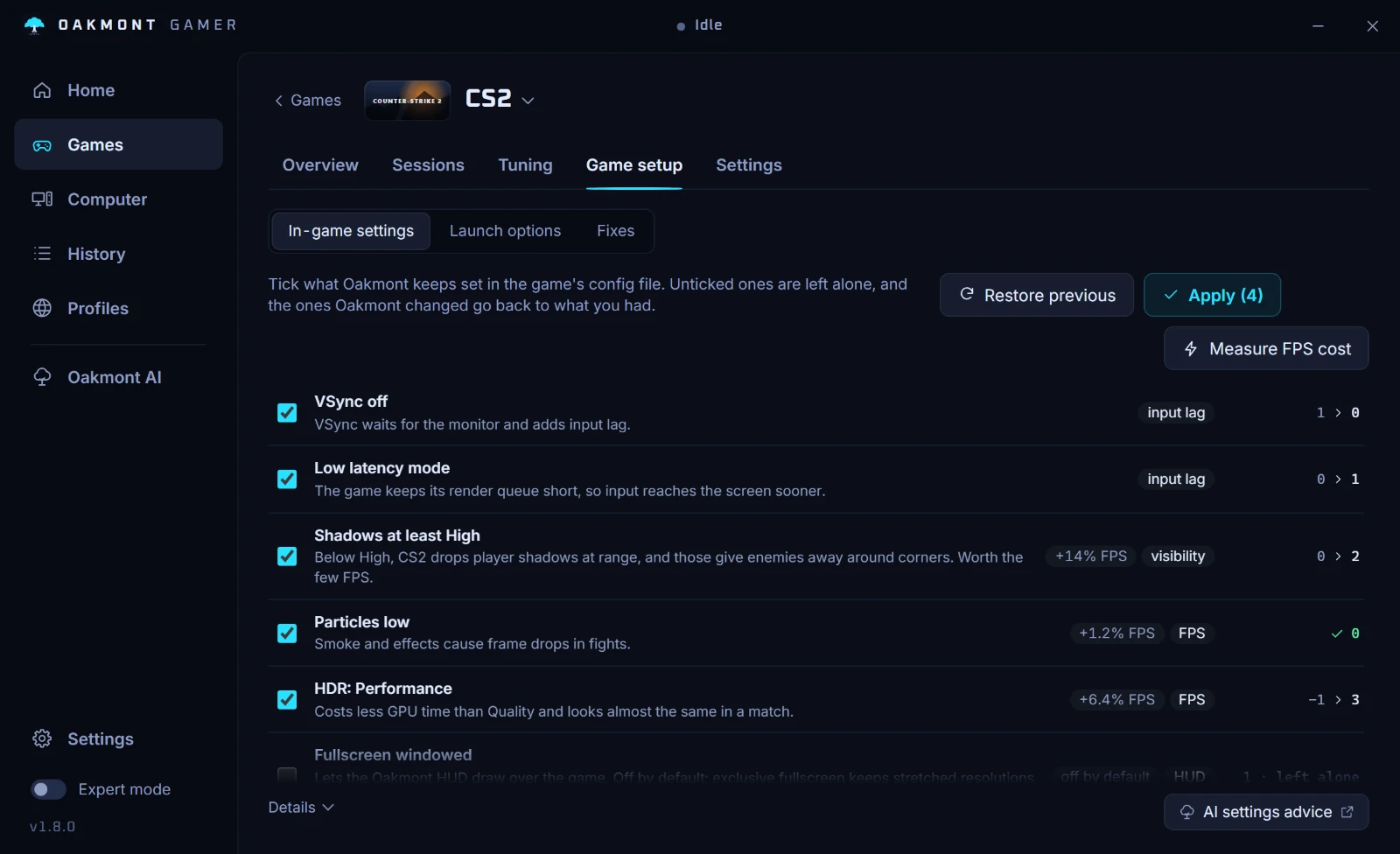
The In-game settings section on the same page writes gc.buffer sized to your RAM, VSync off, an FPS limit just under your refresh rate and the costly post effects off into client.cfg, with a backup. Rust is one of the games with a preset, like Marvel Rivals and Escape from Tarkov; see all the per-game features.
Questions people ask
- What are the best launch options for Rust?
- No launch option adds FPS. The documented ones set the resolution, window mode, renderer and monitor, plus Rust's own
-cpu_priorityand-cpu_affinity. Start with an empty line and add only what you have measured. - Does
-highwork in Rust? - Neither Unity nor Facepunch documents it for Rust. Facepunch's own command is
-cpu_priority high, and its advice is to try it and see whether it makes a difference. - Should I use
-force-vulkanin Rust? - No. Facepunch removed the Vulkan renderer from Rust in September 2019. DirectX 11 and DirectX 12 are the two to compare.
- Is exclusive fullscreen better in Rust?
- Facepunch retired exclusive fullscreen in 2023 after an engine bug made it slower than borderless. Unity's
-window-mode exclusivestill exists, so measure it before you keep it. - Can I put
gc.bufferin the launch options? - Set it in the F1 console or in
client.cfginstead, where you can see the value. 2048 suits 16 GB of RAM and 4096 suits 32 GB, the maximum since 2019.
Sources
The technical claims on this page were checked against these official pages.
- Unity Manual: Player command line arguments
- Rust: Make Your Mark update (cpu_priority, cpu_affinity)
- Rust: Industrial update (exclusive fullscreen retired)
- Rust: Transport Helicopter update (Vulkan removed, gc.buffer max 4096)
- Rust: Built Different update (Unity 6, mouse polling rate)
- Rust Wiki: useful console commands
- Rust on Steam: system requirements