
The short answer
A booster does not make your hardware faster. It removes things that get in the game's way: a slow power plan, background programs taking CPU time, a coarse timer, notifications, recording in the background. If your PC had several of those, the gain can be real, and it shows mostly in the 1% lows, the slowest frames, more than in the average.
If it had none of them, say a clean Windows install on a good PC, there is little left to remove. And a booster cannot fix what it does not touch: the GPU at 100%, a CPU that throttles from heat, a network driver holding the CPU, a game compiling shaders. That is why two honest people can test the same booster and get opposite results.
What a booster changes, and when it matters
| Change | Helps when | Does nothing when |
|---|---|---|
| Faster power plan | The CPU is slow to clock up, or cores park | It is already on High performance, or the game is GPU-bound |
| Background apps paused | Updaters, launchers or sync take CPU time mid-game | Little runs in the background |
| Higher game priority | Other programs compete for the same cores | The CPU has cores to spare; too high can starve sound and input |
| Finer timer | The game sleeps between frames and wakes late | The game already asks for a fine timer itself |
| Memory freed | RAM is short and the game hits the page file | There is plenty of RAM |
| Services stopped | A service is busy during play | Usually: most are idle, and some are needed |
| Notifications off | Pop-ups pull the game out of fullscreen | You already use Do not disturb |
What no booster can do
- Raise FPS when the graphics card is at 100%. The fix there is lower settings or a lower resolution.
- Stop thermal throttling. If the CPU or GPU slows down from heat, that is cooling, dust or a power limit.
- Fix a driver that holds the CPU. A good tool can name the driver. Updating, rolling back or reconfiguring it is a step of its own. DPC latency explained.
- Lower your ping. A booster does not shorten the route to the server. It can find what is eating your line. Ping spikes and bufferbloat.
- Remove shader compilation stutter. That is the game building shaders the first time it meets an effect. Shader stutter.
When a booster makes things worse
- Services stopped too broadly. Stopping the wrong one can break sound, the network or a launcher mid-game.
- Priority set to Realtime. The game can then crowd out the threads that read your mouse and play your sound.
- Memory cleaners on a PC with plenty of RAM. Throwing out the standby cache means Windows reads those files from disk again.
- Changes left behind. A tool that crashes, or is uninstalled without restoring, can leave a power plan, a timer or a registry value changed for good.
- Two tools at once. Two boosters, or a booster and Process Lasso rules, undo each other. Process Lasso and a booster.
How to check yours in twenty minutes
- Pick one scene you can repeat: the game's benchmark, a demo, or standing in one spot for two minutes.
- Turn the booster off and play it three times. Note the 1% low each time.
- Turn it on and play it three times more. Alternate if you can.
- Compare the spread. If the runs with it are not clearly above the runs without it, beyond the gap between the runs without it, the booster did nothing for this game.
Windows also has a booster of its own built in, and it is on by default. Game Mode against a booster. And if you are weighing a particular one, Razer Cortex against OakmontGamer.
Why OakmontGamer tests instead of promising
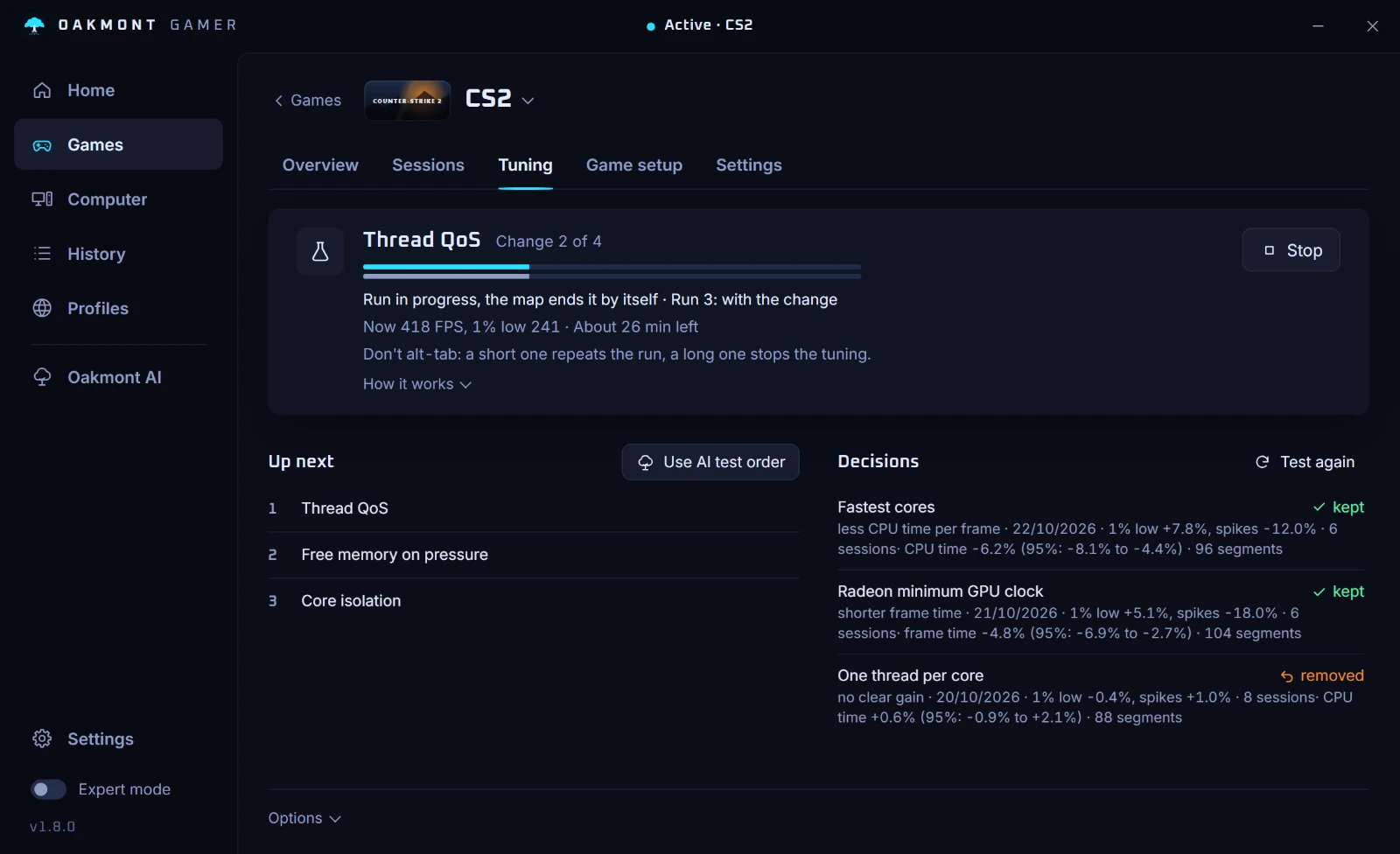
OakmontGamer was built because of this answer. Instead of applying a list of tweaks and hoping, it runs the test above for each change, on your PC, and keeps only what wins.
- Tuning takes one change, plays the same scene with it and without it, and keeps it only when the 1% low improves by more than the noise between runs. A change that does not win is reverted.
- Verdicts are measured in 30-second stretches matched by load, with a confidence range, so a quiet menu never beats a busy fight.
- After a session the diagnosis splits the stutters by cause: a driver, a background program, memory, the network. So you can see when the cause is something no session tweak can fix.
- Every change is journaled first and undone on exit, logoff, shutdown or after a crash. Restore everything puts Windows back before you uninstall.


It will not promise you a number. On a PC that is already well set up, few changes win, and the app shows that too. Every feature works for 5 days, so you can run the test before you pay.
How a change has to win to stayQuestions people ask
- Do game boosters actually increase FPS?
- Sometimes. They help when Windows was getting in the game's way, mostly in the 1% lows. They do nothing when the graphics card, heat or the network is the limit. Only a test with the booster on and off shows which case is yours.
- Are game boosters safe?
- Most are, as long as they put every change back and do not stop services broadly or set Realtime priority. Check that yours restores Windows when the game closes and when you uninstall it.
- Do RAM cleaners help games?
- Only when RAM is short. With plenty of RAM, Windows keeps the spare as a cache of recently read files, and clearing it makes the PC read them from disk again.
- Is Windows Game Mode a game booster?
- It is Windows' own, and it is on by default. Microsoft describes it as giving the game priority access to hardware resources. Third-party boosters change more, which can help or hurt.
- Will a game booster fix stutter?
- Only stutter caused by what it changes, such as a background program. Stutter from a driver, shader compilation or the network needs a different fix. A diagnosis of the session tells you which one you have.