
The two renderers Dota 2 has left
Valve cut the old ones in 2021: DirectX 9 users were moved to DirectX 11 and OpenGL users to Vulkan. In patch 7.41, in March 2026, it also deprecated graphics cards without DirectX 11 and Shader Model 5, because upcoming graphics features need them. On Windows that leaves DirectX 11, which the Steam page lists as the requirement, and Vulkan.
There are two ways to switch. Valve's Dota 2 Vulkan page names both: the -vulkan launch option in Steam, or Vulkan in the video options, followed by a restart of the game. Path of Exile 2 also lets you pick the renderer.
Use one renderer option only. Valve says to remove -dx9, -dx11 and -gl from the launch options when you move to Vulkan.
Why Vulkan can hitch at first
Valve's Vulkan page warns that the first runs may stutter while shaders are cached, and that this stops once you have played or watched a match. That is the shader cache filling, and it happens again after a driver update.
In June 2022 Valve added support for the Vulkan extension VK_EXT_graphics_pipeline_library, which removes draw time hitching caused by shader compilation. At the time only NVIDIA's Vulkan beta driver had it, with mainline drivers from NVIDIA, AMD and Intel expected to follow. So judge Vulkan after a game or two, never by the first one. Shader compilation stutter explains the cache.
Step 1: test both renderers yourself
- Pick something you can repeat. A replay of one of your matches works: the same minutes play out the same way every time.
- Play or watch it with OakmontGamer running, once on DirectX 11 and once on Vulkan, and do that three times each, in turns. Every run is its own session.
- Compare the 1% lows in the Compare tab. If the difference is smaller than the spread between runs of the same renderer, neither is faster on your PC. How to measure 1% lows explains the method.
Alternate the runs. Doing all of one renderer first and all of the other later lets a warm GPU or a background update decide the result. The app can also run the whole test for you, described below.
Step 2: drops in team fights
If the frame rate falls in big fights while the GPU is not fully busy, the CPU is the limit, and graphics settings that save GPU work will not help much. Fewer programs in the background and RAM at its rated speed do: XMP and EXPO.
If the GPU is the limit, Valve's own option is AMD FidelityFX Super Resolution: set Game Screen Render Quality below 100% in the video options and tick FidelityFX Super Resolution. Valve says it works on any card that runs DirectX 11 or Vulkan.
Step 3: the PC around the game
A hitch on a steady rhythm is not the renderer. It is a program or a driver taking the CPU for a moment: FPS drops every few seconds and DPC latency show how to find which. Turn VSync off and cap the frame rate a little under what your PC holds, or a few frames under the refresh rate with G-Sync or FreeSync.
Launch options worth keeping
Dota 2 runs on Source 2, like CS2, and the same reasoning holds. -vulkan is the renderer switch Valve's Vulkan page documents for it. The long lists online mostly repeat old Source options that nothing documents for Dota, and -high raises the game's priority at every start, which can push the sound and input drivers back when the CPU is busy.
CS2 launch options goes through those options one by one, with the reasons. For the other big MOBA, see League of Legends FPS drops.
What OakmontGamer does for Dota 2
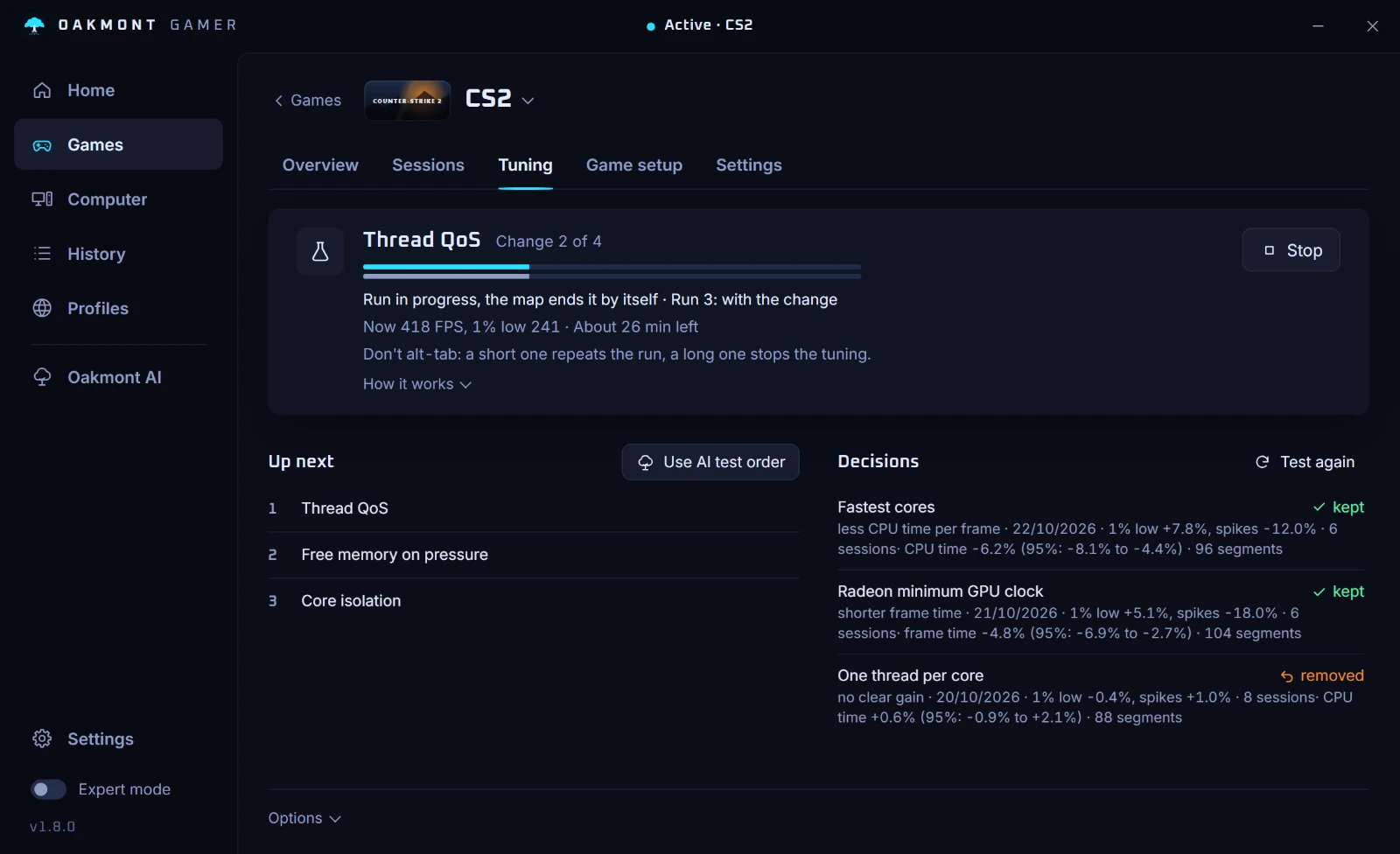
Dota 2 is one of the games where the app tests the renderer for you. It is the Renderer: DX11 / Vulkan row under Measured tests in the game's Fixes tab.
- Start the test and play as usual. Sessions alternate between the two: the renderer with fewer sessions goes next, set by adding or removing
-vulkanin Steam's launch options. - The switch is written only while Steam is closed, because Steam rewrites that file when it exits. Until then the tab says the next switch waits for the game and Steam to close.
- It is judged like the optimizer. Only sessions of five minutes or more count, each renderer needs at least three, and one drops out when its frame times are clearly slower or its 1% lows clearly worse. With no clear winner it ends as a tie and nothing changes.
- A session that ends within a minute on the renderer being tried counts as a crash, and that renderer is out.
- With a match replay downloaded, Dota 2 also has a benchmark: 90 seconds of your newest replay from ten minutes in, played as a timedemo. The renderer test can run there in the next tuning series.
- The In-game settings section writes VSync off and ambient occlusion off into Dota's
video.txt, with a backup. There are no launch option suggestions for Dota 2: that list exists for CS2, Apex and Rust only.


One thing to check first: set the renderer in Dota's own video options to DirectX 11, so the sessions without -vulkan really run on DirectX 11. How the renderer test works has the rest.
Questions people ask
- Is Vulkan or DirectX 11 better for Dota 2?
- It depends on the graphics card and the driver, and it can go either way. Play a few sessions on each, in turns, and keep the one with the better 1% lows.
- How do I switch Dota 2 to Vulkan?
- Add
-vulkanto the launch options in Steam, or pick Vulkan in the video options, and restart the game. Remove any-dx11from the launch options first. - Why does Dota 2 stutter after an update?
- The game and the driver build shaders again, and the first frames that need a new one wait for it. Valve says the Vulkan stutter stops once you have played or watched a match.
- Why does Dota 2 lag in team fights?
- A big fight puts many units and effects on screen at once. If the GPU is not fully busy while the frame rate drops, the CPU is the limit; if it is, lower the render quality and turn on FidelityFX Super Resolution.
- Should I use
-highin Dota 2? - No. It starts the game at high priority every time, which can push the sound and input drivers back when the CPU is busy. Nothing Valve documents makes it a performance gain.
Sources
The technical claims on this page were checked against these official pages.
- Dota 2 on Steam: system requirements
- Valve: Dota 2 Vulkan on GitHub
- Dota 2: The International Approaches (renderer changes, 2021)
- Dota 2: Nemestice update (FidelityFX Super Resolution, 2021)
- Dota 2: The Battle Report Update (Vulkan shader hitching, 2022)
- Dota 2: 7.41 Gameplay Patch (DirectX 11 / SM5, 2026)