
No renderer left to switch
Older guides tell you to try Vulkan or DirectX 11. That no longer applies. With Operation Prep Phase (Y10S1), Ubisoft moved the PC version to a single executable by removing DirectX 11, leaving DirectX 12, and every PC tier in the Siege X specs lists DirectX 12.
The same specs list an SSD on every tier, 8 GB of RAM at the minimum and 16 GB for the High tiers. A game on a hard disk waits while it loads, and that shows up as hitches.
Step 1: cap the frame rate
Ubisoft explained this in a post on 100% CPU usage. Siege spreads the work of each frame across all CPU cores. With VSync on, it finishes a frame and waits, which leaves the cores free for other programs. With VSync off and no cap, it starts the next frame at once and runs the CPU close to 100%, and that can clash with other CPU-heavy programs such as video streaming.
The fix Ubisoft gives is the frame limiter: the FPSLimit value in GameSettings.ini, in the profile folder under Documents\My Games\Rainbow Six - Siege. Ubisoft's note says the minimum is 30, and anything below turns the limit off.
Set it a little under what your PC holds in busy rounds. On a G-Sync or FreeSync monitor, keep it a few frames under the refresh rate so VRR stays on: G-Sync and FreeSync settings.
Step 2: decide on VSync
VSync on keeps the picture free of tearing and, as Ubisoft describes, gives the CPU a rest while the game waits. It also waits for the monitor, and you feel that as input lag. Input lag on PC explains where the delay comes from.
For a shooter, VSync off with a frame cap gives the CPU the same rest without the wait. With VRR, the cap under the refresh rate keeps every frame inside the VRR range, so tearing stays away too.
Step 3: rule out the BattlEye case
BattlEye runs only while Siege runs, and Ubisoft's FAQ says it is built to need very little CPU, RAM and network bandwidth. The same FAQ passes on one specific note from BattlEye: constant stuttering or freezing whenever you press mouse or keyboard buttons is typically caused by malware, adware or unwanted programs reloading into the game. The fix is a full scan with anti-malware software.
For problems getting the game to start, the FAQ asks you to verify the game files, update Ubisoft Connect or Steam and update your drivers first.
Step 4: find what interrupts the game
When the cap is set and the stutter stays, record a few matches with OakmontGamer. A hitch on a steady rhythm is a driver or a background program: FPS drops every few seconds. Hitches only in heavy moments mean the CPU or GPU is at its limit. Operators warping while your frames stay even is the connection, and the Black Ops 7 guide shows the same test for lag against stutter.
Change one thing at a time and compare the 1% low over three runs. A change that moves it by less than the spread between those runs has shown nothing. Other competitive shooters with their own guides: Valorant, Overwatch and CS2.
What OakmontGamer does for Rainbow Six Siege
Siege has its own in-game preset in the app, under the game's Game setup tab, In-game settings.
- Writes
FPSLimitas a cap just under your refresh rate (138 on a 144 Hz monitor, 225 at 240 Hz) and VSync off intoGameSettings.ini, with a backup. Close the game first: it rewrites the file when it exits. - Fullscreen windowed is offered but unticked by default, because exclusive fullscreen keeps stretched resolutions like 4:3 and the lowest latency.
- Records every frame of a match and names the cause of each stutter in Diagnosis: a driver holding the CPU, a background program, memory, video memory or network lag.
- BattlEye is never touched, and while it runs the app skips its per-thread tuning of the game.
- Siege counts as a competitive shooter, so on a Radeon AFMF, Chill and Enhanced Sync stay off for it.


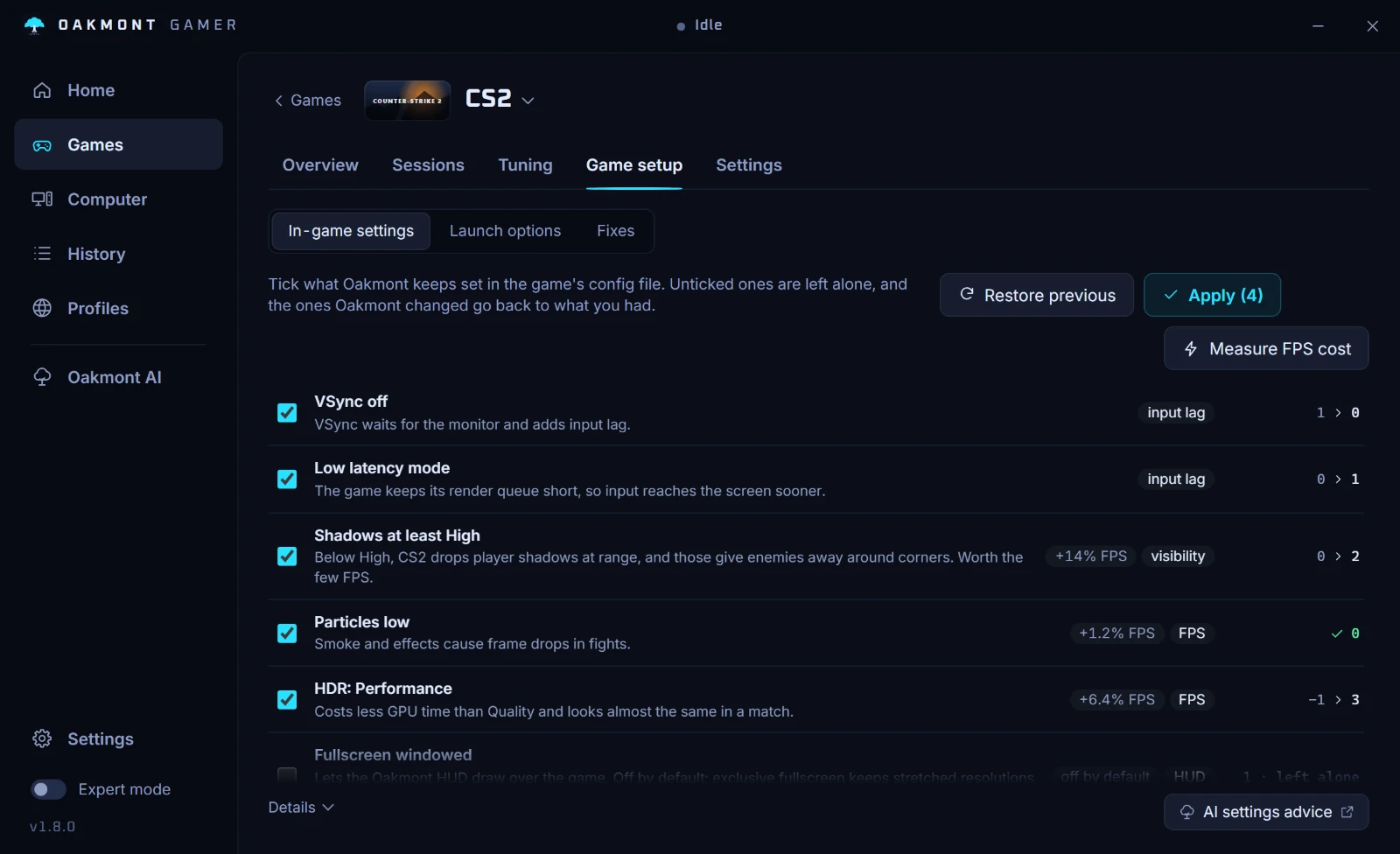
Session changes are undone when the game closes. The preset is a file change you can put back with Restore previous. Which games have a preset.
What the app does per gameQuestions people ask
- Can I still use Vulkan in Rainbow Six Siege?
- No. Ubisoft removed DirectX 11 in Y10S1 and left a single DirectX 12 executable on PC, and the Siege X specs list DirectX 12 for every tier. There is no renderer to switch to.
- How do I cap FPS in Rainbow Six Siege?
- Set
FPSLimitinGameSettings.iniunder Documents, My Games, Rainbow Six - Siege. Ubisoft's note gives 30 as the minimum, and a lower value turns the limit off. - Why does Siege use 100% of my CPU?
- Ubisoft says Siege spreads each frame across all cores and, with VSync off and no cap, starts the next frame right away. A frame cap stops it from using more of the CPU than that frame rate needs.
- Does BattlEye cause stutter in Siege?
- Ubisoft says BattlEye needs very few resources. The one case it documents: stutter every time you press a mouse or keyboard button usually means malware or adware reloading into the game, so scan the PC.
- Should I use VSync in Rainbow Six Siege?
- VSync stops tearing but adds input lag. A frame cap a few frames under the refresh rate, on a G-Sync or FreeSync monitor, keeps frames even without the wait.
Sources
The technical claims on this page were checked against these official pages.