
First, which problem you have
- A hitch: one frame comes out late and the picture jumps. That is stutter, and it shows as a spike on a frame time graph.
- Late aim with smooth frames: the game reacts a beat after your mouse. That is input lag, covered in Step 4.
- Players teleporting while your frames stay even: the connection, not the PC. Ping spikes and bufferbloat covers it.
Blizzard dropped the "2" in 2026 and the game is now just Overwatch on its own site. The settings below are the same.
Step 1: Blizzard's own checks
Blizzard's support article on performance and stuttering starts with the basics:
- If the Battle.net app is still downloading game data, let it finish.
- Update your graphics driver and Windows.
- Close other programs, overlays included.
- On a laptop, check the power management and graphics settings.
- Lower the in-game settings.
Its advanced steps: update or briefly remove security software that may treat the game as a threat, run parts at factory clock speeds instead of an overclock, reset the graphics driver settings, check for overheating, and test the drive and the memory. For Overwatch itself it adds one more: make sure the PC meets the system requirements.
Step 2: DirectX 11 or DirectX 12
Blizzard added DirectX 12 in the patch of 4 February 2025, as a beta. Its own note says that on some systems DirectX 12 may perform worse than DirectX 11 and some stuttering may happen during play, and that DirectX 11 remains the lead API.
- Open Options from the main menu, then Video.
- Find Graphics API and pick DirectX 11 or DirectX 12.
- Restart the game. A PC that cannot run DirectX 12 does not show the option.
If you stutter on DirectX 12, switch back to DirectX 11 first and compare a few matches. DirectX 12 games also build more of their shaders while they run, so the first matches after an update or a new driver hitch on either API: shader compilation stutter.
Step 3: cap the frame rate
Overwatch 2 raised the frame rate limit to 600 FPS. Running near that on a fast PC means swinging between very high and merely high frame rates, and the swings feel like hitches. A cap a little under what your PC holds in a busy team fight keeps frame times even, and it is set in the video options.
With a G-Sync or FreeSync monitor, keep the cap a few frames under the refresh rate so variable refresh stays on. G-Sync and FreeSync settings explains why.
Step 4: input lag, Reflex and the buffers
Reflex came to Overwatch in April 2021. Blizzard's note: on supported NVIDIA cards, enabling Reflex in the graphics options can reduce input latency. NVIDIA's launch article for Overwatch 2 points to the same switch, in Options, Video.
- NVIDIA Reflex: on, if your card has it. It keeps the render queue short. On Radeon cards the counterpart is in the driver: Reflex vs Anti-Lag.
- VSync: off. It waits for the monitor before showing a frame, and you feel that wait.
- Triple Buffering: off. It keeps an extra frame in the queue.
Input lag has more sources than the game: the mouse, the monitor, the frame cap. Input lag on PC goes through the whole chain.
When the cause is outside the game
If the hitches keep coming after the API, the cap and the buffers are sorted, look at the PC. A driver that holds the CPU, a program busy in the background and a GPU running hot all stutter Overwatch the way they stutter any game. The checklist for finding a stutter's cause applies here, and so does DPC latency for the driver side.
The same method works for other fast games. Dota 2 shows it with a renderer choice the app can test for you. Other competitive shooters with their own guides: Valorant, Rainbow Six Siege and CS2.
What OakmontGamer does for Overwatch 2
The app finds Overwatch through Battle.net and records its matches like any other game: from outside, with nothing injected. It also has an in-game preset for it.
- The In-game settings section writes VSync off, triple buffering off and a frame cap just under your refresh rate (138 on a 144 Hz monitor) into
Settings_v0.iniin Documents, Overwatch, Settings, with a backup that can be put back. - Overwatch counts as a competitive shooter, so on a Radeon card AMD frame generation, Chill and Enhanced Sync stay off.
- Diagnosis names the cause of the stutters it can see: a driver, a background program, memory, a hot GPU, VSync misses, or a game drawn through the desktop compositor.
- Every session change is undone when the game closes.


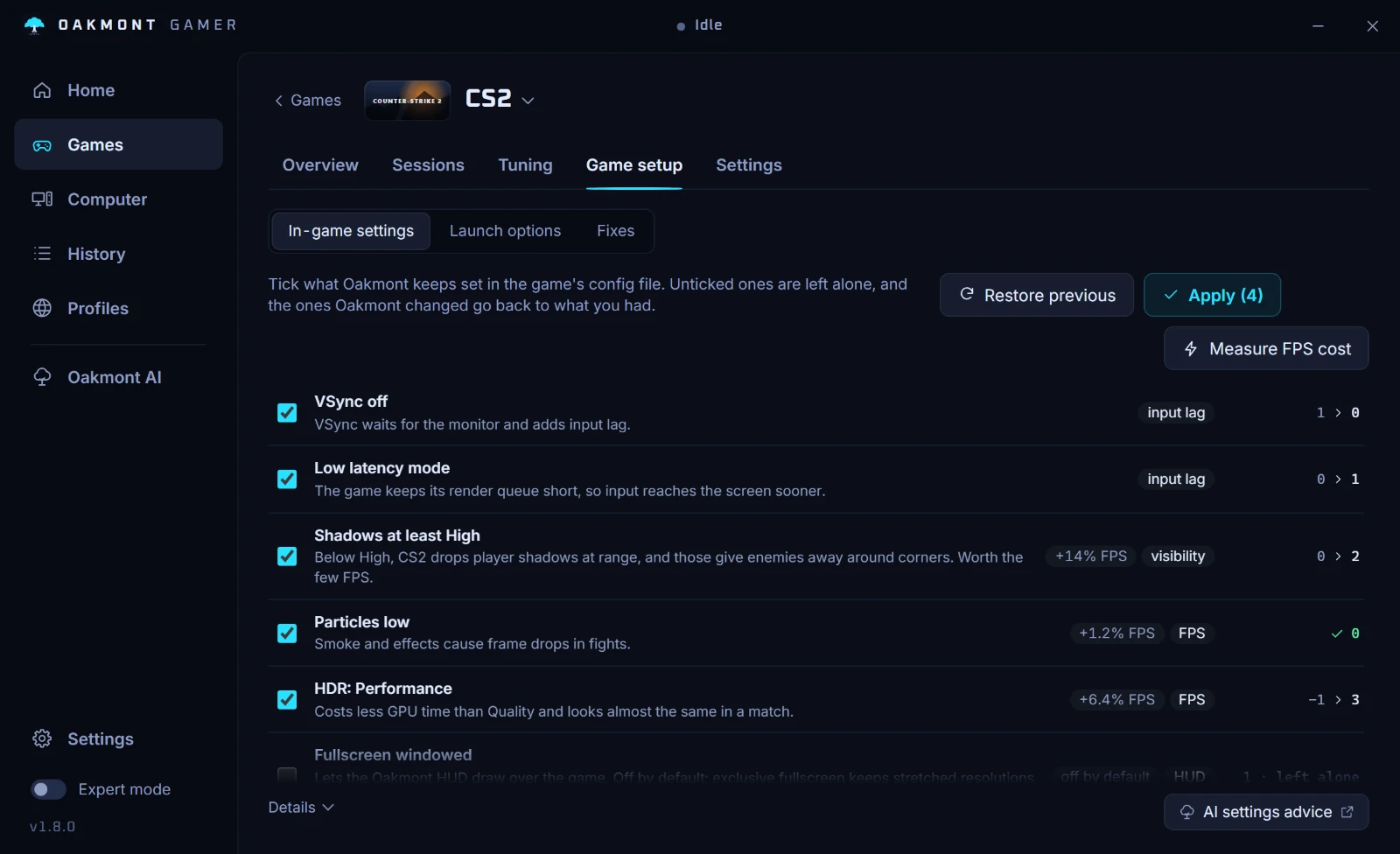
The app does not switch Overwatch between DirectX 11 and DirectX 12: its renderer test covers Source 2, Unreal and Unity games. Pick the API in the game, play a few matches each way and set the sessions side by side in the Compare tab. What the app does per game lists the presets.
What the app does per gameQuestions people ask
- Why does Overwatch 2 stutter on a good PC?
- Often because of the DirectX 12 beta, which Blizzard says can perform worse than DirectX 11 and stutter on some systems, or because of an uncapped frame rate swinging near 600 FPS. Try DirectX 11 and a frame cap before anything else.
- Should I use DirectX 11 or DirectX 12 in Overwatch 2?
- Blizzard calls DirectX 11 its lead API and introduced DirectX 12 as a beta. Start on DirectX 11, and only keep DirectX 12 if your own matches on it are as smooth.
- What FPS cap should I use in Overwatch 2?
- A cap a little under what your PC holds in busy team fights. With G-Sync or FreeSync, a few frames under the refresh rate, for example 138 on a 144 Hz monitor.
- Does NVIDIA Reflex reduce input lag in Overwatch 2?
- Yes, that is what it is for: Blizzard says enabling it on supported NVIDIA cards can reduce input latency. It does not remove stutter, and it does nothing on cards without it.
- Is Overwatch 2 now called Overwatch?
- Yes. Blizzard dropped the "2" in 2026, and its site and patch notes now say Overwatch. The settings and the fixes are the same.
Sources
The technical claims on this page were checked against these official pages.